
Salesforce workflow automation plays a critical role in how modern organizations manage customer relationships, internal operations, and cross-team coordination. As businesses scale, the complexity of managing leads, approvals, customer support cases, and data updates increases significantly. Manual processes slow execution, introduce errors, and reduce visibility across departments.
Many organizations turn to Salesforce workflow development solutions to streamline these processes and build automation that aligns with their operational needs. Workflow automation within Salesforce addresses these challenges by enabling structured, rule-based execution of business tasks. Instead of relying on individuals to manually trigger actions, the system automatically performs predefined operations when specific conditions are met.
This concept directly impacts operational efficiency, process consistency, and the quality of the customer experience across both B2B and B2C environments.
What Is Salesforce Workflow Automation?
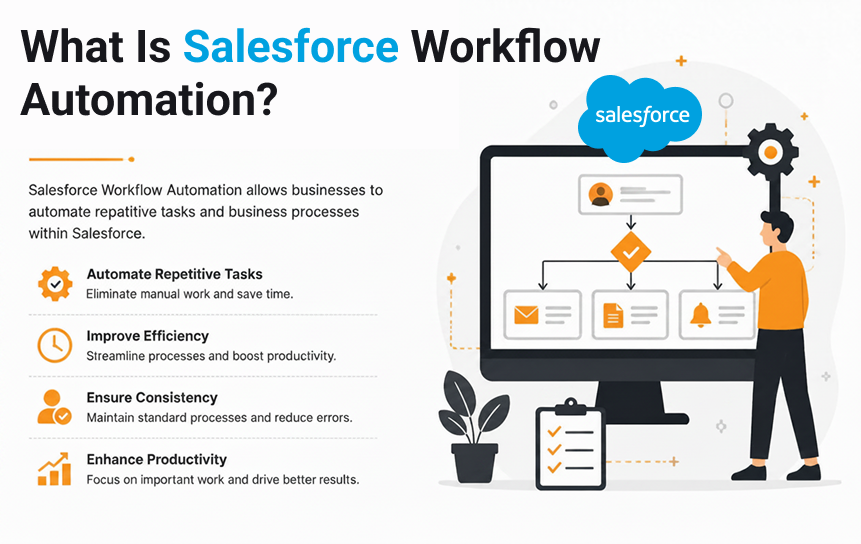
Salesforce workflow automation refers to the use of automated rules and logic inside the Salesforce CRM platform to execute repetitive business tasks without manual intervention. These tasks may include sending notifications, updating records, assigning responsibilities, or triggering approval processes.
At its core, it is a structured approach to business process automation, designed to reduce manual workload and improve execution speed.
Understanding Workflow Automation in CRM Systems
A CRM system like Salesforce acts as the central hub for customer data, interactions, and sales operations. Within this system, workflow automation ensures that actions happen automatically based on predefined business rules.
For example:
- When a new lead is created → assign it to a sales rep
- When a deal reaches a specific stage → notify the manager
- When a support case is opened → route it to the correct department
This reduces dependency on human monitoring and ensures that processes continue without delays.
Key Characteristics of CRM Workflow Automation
| Feature | Description |
| Rule-based execution | Actions occur only when conditions are met |
| Event-driven | Triggered by changes in data or system events |
| System-controlled | Requires minimal manual intervention |
| Consistent output | Ensures standardized process execution |
| Scalable | Works efficiently as data volume grows |
How Automated Workflows Replace Manual Processes
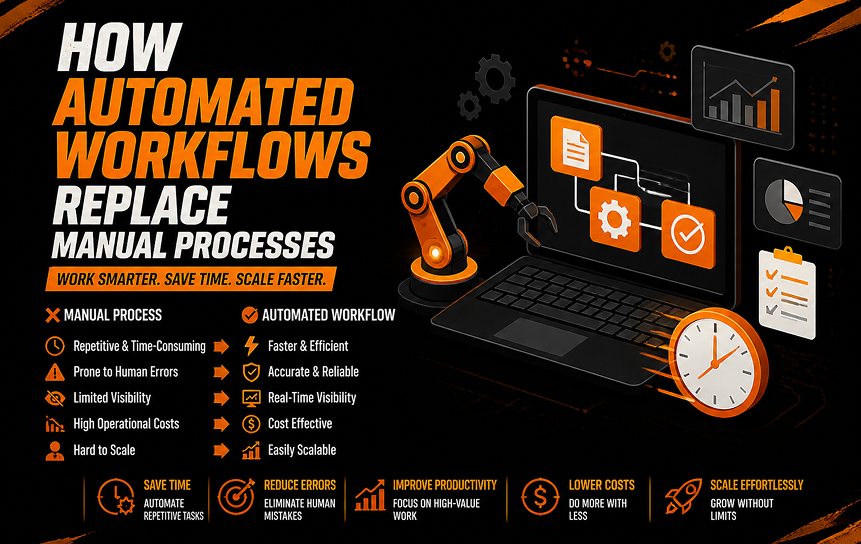
In traditional systems, employees are responsible for managing every step of a process. This includes checking updates, sending reminders, updating records, and forwarding tasks. These repetitive activities consume valuable time and often lead to delays. Businesses that invest in salesforce development solutions often seek to eliminate these manual bottlenecks and create more efficient, streamlined workflows.
With Salesforce workflow automation, these steps are replaced with automated logic.
Example Comparison
| Process Step | Manual Approach | Automated Approach |
| Lead assignment | The sales manager assigns manually | The system assigns based on rules |
| Follow-up emails | Sent individually by reps | Triggered automatically |
| Status updates | Manually updated in CRM | Auto-updated via workflow |
| Approval requests | Email chains | Structured approval flow |
This transformation helps streamline business operations and reduces unnecessary workload.
Core Components of Workflow Automation
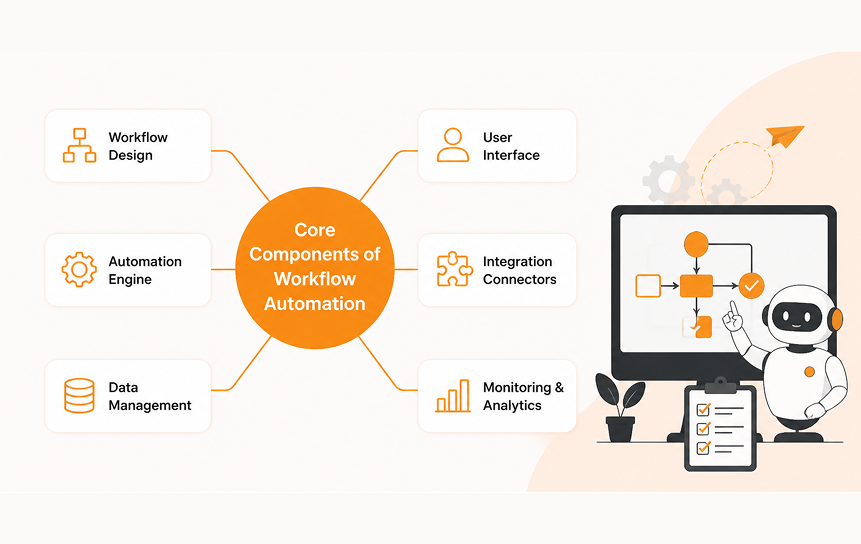
Salesforce automation systems are built on a set of structured components that define how workflows operate.
1. Triggers
Events that initiate automation.
Examples:
- New record creation
- Status change
- Field update
2. Conditions
Logic rules that determine whether an action should proceed.
Examples:
- Deal value greater than $10,000
- Case priority equals “High”
- Lead source equals “Web”
3. Actions
Tasks executed by the system automatically.
Examples:
- Send email notification
- Create task
- Update record
- Assign owner
4. Workflow Rules / Flow Logic
The complete structure that connects triggers, conditions, and actions into a working system.
Why Businesses Are Adopting Automation Faster Than Ever
Organizations are rapidly adopting Salesforce workflow automation due to increasing operational demands and competitive pressure. Customers now expect faster responses, real-time updates, and seamless service experiences.
Key Drivers of Adoption
- Increasing volume of customer data
- Need for faster decision-making
- Demand for improved customer experience
- Pressure to reduce operational costs
- Growth of remote and distributed teams
- Expansion of digital business models
Automation directly supports business efficiency through automation by reducing dependency on manual intervention.
Common Business Challenges Caused by Manual Processes
Even with modern tools available, many companies still depend on manual work for daily operations. This often creates delays, mistakes, and extra workload that directly affect productivity and business results. Over time, it becomes harder to streamline business operations when everything depends on manual effort.
Repetitive Administrative Tasks
Employees often spend a large part of their day doing simple but repeated tasks such as:
- Updating CRM records
- Sending follow-up emails
- Assigning leads manually
- Checking status updates
These tasks are necessary but do not directly help generate revenue. Instead, they take up time that could be used for more important work and make it harder to improve team productivity.
When these tasks are not automated, employees stay stuck in routine work instead of focusing on customers and business growth.
Human Errors in Data Entry
Manual work often leads to mistakes in data. Even small errors can cause big problems, such as:
- Leads are going to the wrong person
- Wrong customer details
- Lost sales chances
- Incorrect reports
These issues reduce trust in CRM data and make decisions less accurate. Many businesses struggle to reduce manual data entry, which leads to poor data quality and confusion in daily operations.
Wrong or missing data also makes planning and forecasting less reliable.
Delayed Approvals and Responses
Approval processes often move slowly when handled manually through emails or messages.
Common delays include:
- Contract approvals
- Discount approvals
- Purchase requests
- Service escalations
These delays slow down work and create unnecessary waiting time. Without automation, it becomes difficult to automate approvals, which leads to slow decisions and missed opportunities.
As a result, business processes become stuck and less efficient.
Poor Visibility Across Departments
When work is handled manually, it is hard to see what is happening in real time. Different teams often work separately, which leads to:
- Repeated work
- Miscommunication
- No clear responsibility
- Slow reporting
As a result, companies struggle to keep work aligned and consistent. This makes it harder to improve process consistency across teams.
Without clear visibility, problems often go unnoticed until they become bigger issues.
Inconsistent Customer Experiences
Customers expect the same level of service no matter who handles their request. But manual processes often create differences in how customers are treated.
This can affect:
- Customer trust
- Brand image
- Repeat business
- Satisfaction levels
When processes are not standardized, it becomes difficult to automate customer processes, and service quality becomes uneven.
This inconsistency can lead to unhappy customers and lower loyalty over time.
Summary Table: Impact of Manual Processes
| Problem | Business Impact |
| Repetitive tasks | Less productivity and wasted time |
| Data errors | Wrong decisions and poor reporting |
| Slow approvals | Delayed work and missed chances |
| Low visibility | Poor coordination between teams |
| Inconsistent service | Lower customer satisfaction |
Manual work may look manageable at first, but as a business grows, it quickly becomes a major problem. It slows everything down and makes it harder to eliminate errors in daily operations. That is why many companies use automation today to save employee time and improve overall efficiency.
How Salesforce Workflow Automation Works
Salesforce workflow automation operates through structured logic that connects business events to automated outcomes. This ensures that actions are executed consistently without manual input.
Trigger-Based Actions
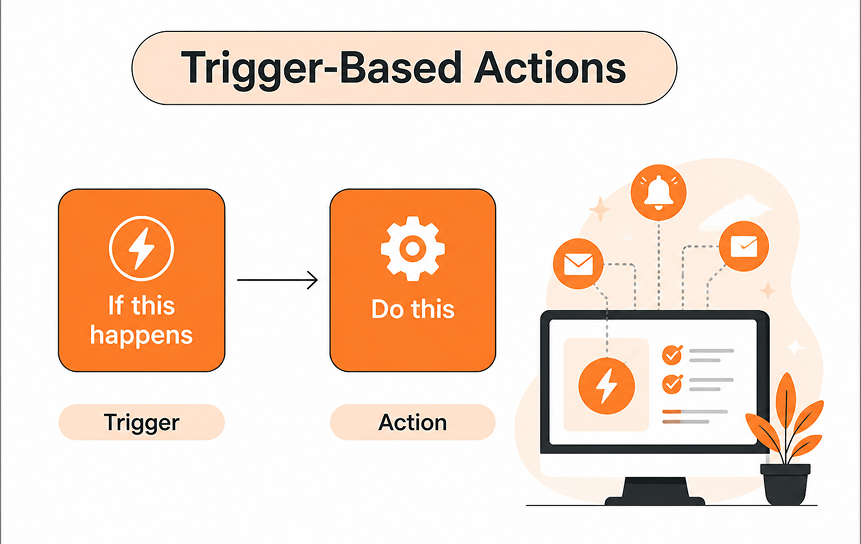
Every workflow begins with a trigger event. When something happens in the system, automation is initiated.
Common triggers include:
- New lead creation
- Case submission
- Opportunity stage change
- Field updates
Once triggered, the system evaluates conditions before executing actions.
Automated Notifications and Alerts
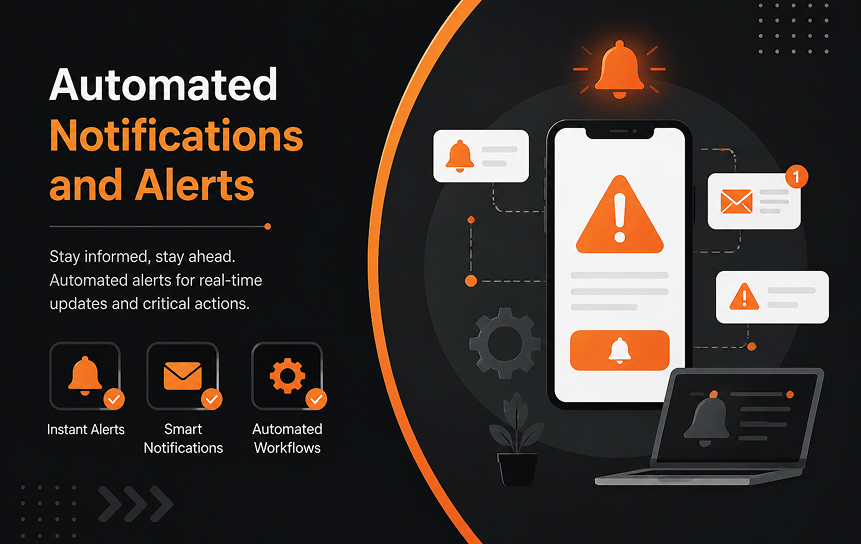
Notifications ensure that relevant stakeholders are informed in real time.
Examples:
- Sales managers notified of high-value deals
- Support teams alerted about urgent cases
- Finance teams are informed about approval requests
This improves process optimization and reduces response time.
Task Creation and Assignment

Instead of manually assigning tasks, Salesforce workflow automation can allocate tasks automatically based on:
- Workload distribution
- Skill set
- Geographic region
- Priority level
This ensures balanced workloads and improves accountability.
Approval Processes

Approval workflows are critical in finance, procurement, and operations.
Automation ensures:
- Requests are routed correctly
- Approvals follow hierarchy rules
- No request is missed or delayed
This reduces friction in decision-making and supports faster execution.
Automated Record Updates
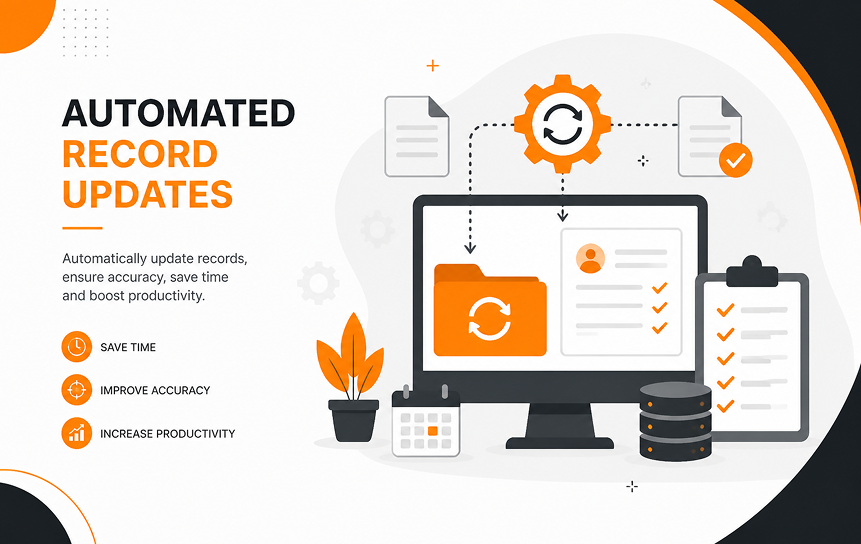
Records in Salesforce can be updated automatically based on defined conditions.
Examples include:
- Updating the deal stage after milestone completion
- Changing case status after resolution
- Updating contact details from integrated systems
This ensures accurate and up-to-date CRM data at all times.
Key Benefits, Use Cases, and Strategic Impact of Salesforce Workflow Automation
This section expands deeply into how Salesforce workflow automation directly improves operational performance, reduces inefficiencies, and supports both B2B and B2C business models through the structured execution of tasks and processes. It also highlights the role of Salesforce Integration Consulting in connecting systems, synchronizing data, and enabling seamless workflow execution across business functions.
Key Benefits of Workflow Automation
Salesforce workflow automation is not just a technical enhancement inside a CRM system; it is a structural shift in how organizations operate. When implemented correctly, it improves efficiency across sales, service, marketing, finance, and HR functions.
Increased Employee Productivity
One of the most immediate impacts of Salesforce workflow automation is the reduction of manual workload. Employees no longer need to spend time on repetitive administrative actions.
What gets eliminated through automation:
- Manual data entry
- Repetitive email follow-ups
- Task assignment coordination
- Status tracking across spreadsheets
This allows teams to focus on high-value work such as negotiation, customer engagement, and strategic planning.
Productivity impact breakdown:
| Activity Type | Before Automation | After Automation |
| Data entry | High effort | Minimal effort |
| Lead follow-ups | Manual tracking | Automated reminders |
| Reporting | Manual compilation | Auto-generated reports |
| Task assignment | Manager dependent | Rule-based system |
This leads to measurable improvements in business efficiency through automation and employee satisfaction.
Faster Business Operations
Speed is a competitive advantage in modern business environments. Salesforce workflow automation reduces delays between process stages by ensuring that tasks are executed immediately when conditions are met.
Example scenarios:
- A new lead is assigned instantly to a sales rep
- A customer complaint is routed immediately to support
- A contract approval moves forward without email delays
This helps eliminate bottlenecks and supports process optimization across departments.
Improved Data Accuracy
Manual systems often suffer from inconsistent or incomplete data entry. Automation reduces dependency on human input and ensures standardized updates across the system.
Benefits include:
- Consistent record formatting
- Reduced duplicate entries
- Accurate reporting dashboards
- Reliable forecasting
This is especially important for organizations relying on CRM workflow automation for decision-making.
Better Customer Service Response Times
Customer expectations are increasingly focused on speed and accuracy. Workflow automation ensures that customer requests are handled without delays.
Improvements in service workflows:
- Instant case routing
- Priority-based ticket assignment
- Automated escalation rules
- Real-time notifications to agents
This leads to improved satisfaction and stronger customer retention.
Reduced Operational Costs
By minimizing manual effort and improving efficiency, organizations reduce operational overhead.
Cost-saving drivers:
- Less dependency on manual labor
- Reduced error correction costs
- Faster resolution cycles
- Lower administrative workload
Over time, this contributes to a strong return on investment (ROI) for Salesforce automation tools.
Real-World Workflow Automation Use Cases
Salesforce workflow automation is highly adaptable and can be applied across industries and departments. Below are practical, real-world implementations that demonstrate its value.
Lead Management Automation (Sales Teams)
Lead management is one of the most common applications of automation.
Automated flow:
- Lead enters system (web form, email, campaign)
- The system evaluates the lead score and source
- Lead is assigned to the appropriate sales representative
- The follow-up task is created automatically
- Reminder notifications are scheduled
Business impact:
- Faster response time
- Improved conversion rates
- Reduced lead leakage
This is a core example of workflow automation for sales teams.
Opportunity Progression Automation
Sales opportunities move through multiple stages. Automation ensures consistency in how these stages are managed.
Automated actions:
- Notify managers when the deal reaches a key stage
- Update probability scores
- Trigger internal approvals for discounts
- Generate forecast updates
Outcome:
Improved visibility and structured pipeline management across teams.
Customer Support Case Routing
Customer service teams benefit significantly from automation.
Workflow example:
| Condition | Action |
| High priority case | Assign to senior agent |
| Billing issue | Route to the finance team |
| Technical error | Assign to technical support |
| Repeat complaint | Escalate automatically |
This ensures faster resolution and improves the efficiency of automated customer processes.
Contract Approval Workflows
Contract approvals are often delayed due to manual routing. Automation simplifies this process.
Automated contract flow:
- Contract created in Salesforce
- Routed to the legal team
- Sent to finance for validation
- Escalation is triggered if pending too long
- Final approval is recorded automatically
This eliminates email chains and reduces approval delays significantly.
Employee Onboarding Processes
HR teams use automation to streamline onboarding tasks.
Automated onboarding checklist:
- Create user accounts
- Assign training modules
- Schedule orientation sessions
- Share company documentation
- Notify IT and payroll teams
This ensures consistency and saves significant administrative effort.
Workflow Automation for Sales vs Customer Service Teams
Different departments use Salesforce workflow automation in different ways depending on their goals.
Sales Team Automation Focus
- Lead assignment
- Opportunity tracking
- Deal progression alerts
- Sales performance reporting
Goal:
Increase conversions and reduce sales cycle time.
Customer Service Automation Focus
- Case routing
- Priority handling
- SLA tracking
- Escalation workflows
Goal:
Improve response time and customer satisfaction.
Comparison Table
| Function | Sales Team | Service Team |
| Primary focus | Revenue generation | Issue resolution |
| Key metric | Conversion rate | Response time |
| Automation goal | Speed + accuracy | Efficiency + satisfaction |
| Workflow type | Lead & opportunity flows | Case management flows |
Measuring the Impact of Automation
To understand whether Salesforce workflow automation is effective, businesses must track performance using structured metrics.
Productivity Metrics
Key indicators include:
- Tasks completed per employee
- Number of automated processes running
- Reduction in manual interventions
Process Completion Time
Automation reduces delays between steps.
Example:
- Manual approval: 48–72 hours
- Automated approval: 2–6 hours
This directly reflects process automation strategy effectiveness.
Error Reduction Analysis
Automation reduces human dependency, leading to fewer mistakes.
Metrics to track:
- Data entry errors
- Misrouted cases
- Duplicate records
Customer Satisfaction Indicators
Improved workflows lead to better customer experiences.
Key indicators:
- Response time
- Resolution time
- Customer feedback scores
- Net promoter score (NPS)
Return on Automation Investments
ROI can be calculated using:
Formula:
ROI = (Savings from efficiency + Revenue gains – Implementation cost) ÷ Cost × 100
Benefits included:
- Reduced labor costs
- Faster deal closures
- Improved retention rates
Best Practices for Successful Workflow Automation
Implementing Salesforce workflow automation requires planning and continuous improvement.
Start with High-Volume Processes
Focus first on repetitive, high-frequency tasks such as:
- Lead assignment
- Case routing
- Email notifications
This ensures quick wins and measurable impact.
Document Existing Workflows
Before automating, map current processes clearly.
Why this matters:
- Identifies inefficiencies
- Avoids redundant automation
- Improves system design
Eliminate Unnecessary Steps
Automation should not replicate inefficiencies.
Example:
If a process has 8 steps but only 5 are necessary, reduce complexity before automating.
Test Automation Before Deployment
Testing ensures:
- Correct trigger behavior
- Accurate conditions
- Proper notifications
This prevents workflow failures in production environments.
Continuously Optimize Processes
Automation is not static. Businesses should regularly review workflows to:
- Improve performance
- Adjust rules
- Incorporate new business needs
- Integrate new systems
This supports long-term process optimization.
Future Trends in CRM Workflow Automation
Salesforce workflow automation is evolving from rule-based execution systems into intelligent, adaptive ecosystems. Businesses are no longer just automating tasks; they are redesigning entire operational models around automation intelligence.
AI-Assisted Automation
Artificial intelligence is reshaping how workflows are designed and executed. Instead of relying only on predefined rules, AI now helps systems learn from historical data and recommend actions.
How AI enhances automation:
- Suggests next best actions for sales teams
- Identifies high-value leads automatically
- Detects anomalies in customer behavior
- Improves decision-making in real time
Example in practice:
A sales representative receives AI-generated recommendations such as:
- “This lead has a high conversion probability based on past behavior.”
- “Follow up within 24 hours for maximum engagement.”
This improves Salesforce automation tools’ effectiveness by combining logic with predictive intelligence.
Predictive Workflows
Predictive workflows use data patterns to trigger actions before an issue or opportunity fully emerges.
Examples:
- Predicting customer churn and triggering retention workflows
- Identifying delayed deals and notifying managers early
- Forecasting support case spikes and allocating resources
Business impact:
- Proactive decision-making
- Reduced risk exposure
- Improved customer retention
This represents a shift from a reactive to a proactive process automation strategy.
Hyperautomation Strategies
Hyperautomation refers to combining multiple technologies, AI, machine learning, RPA (robotic process automation), and analytics to automate end-to-end business processes.
Key characteristics:
- Multi-system automation (not limited to CRM)
- End-to-end process orchestration
- Continuous optimization using data insights
Example:
A customer onboarding journey may include:
- CRM record creation (Salesforce workflow automation)
- Identity verification via external system
- Contract generation and signing
- Payment processing integration
- Automated onboarding email series
All steps are connected into one unified automated flow.
Intelligent Process Orchestration
Unlike traditional automation that focuses on isolated tasks, intelligent orchestration manages entire workflows across departments and systems.
Key capabilities:
- Cross-platform integration
- Real-time decision routing
- Dynamic workflow adjustments
- Centralized process control
This enables organizations to streamline business operations at scale.
Enterprise-Level Salesforce Workflow Automation Strategy
Large organizations require structured approaches to implement automation effectively without disrupting existing operations.
Step 1 — Process Identification and Prioritization
Not all processes should be automated at once. Enterprises typically start with:
- High-volume processes
- Repetitive administrative workflows
- Time-sensitive approval systems
Prioritization matrix:
| Criteria | High Priority | Low Priority |
| Volume | Daily/continuous | Occasional |
| Complexity | Low to medium | Highly complex |
| Business impact | High | Low |
| Automation feasibility | Easy | Difficult |
Step 2 — Workflow Architecture Design
At this stage, businesses design how automation will function across systems.
Key considerations:
- Data flow between departments
- Trigger conditions
- Integration with external systems
- Exception handling rules
This ensures CRM workflow automation is scalable and sustainable.
Step 3 — Integration with Enterprise Systems
Salesforce does not operate in isolation. It must integrate with:
- ERP systems
- Marketing platforms
- Customer support tools
- Finance systems
Example integration flow:
| System | Function in Workflow |
| ERP | Inventory and order updates |
| Salesforce | Customer and sales data |
| Support tools | Case management |
| Finance tools | Billing and invoicing |
This creates a unified automation ecosystem.
Step 4 — Governance and Compliance
Enterprise automation must follow strict governance rules.
Key governance elements:
- Role-based access control
- Audit logs for all automated actions
- Approval hierarchy enforcement
- Data privacy compliance
This ensures automation governance is maintained across all workflows.
Step 5 — Continuous Monitoring and Optimization
Automation is not a one-time implementation. Businesses must continuously evaluate:
- Workflow efficiency
- Error rates
- Process delays
- User feedback
This supports long-term operational efficiency improvements.
Advanced Use Cases of Salesforce Workflow Automation
Beyond basic automation, enterprises use Salesforce workflow automation for complex business scenarios.
Multi-Step Sales Funnel Automation
Instead of simple lead assignment, entire sales funnels can be automated.
Flow includes:
- Lead scoring
- Automated nurturing campaigns
- Sales rep assignment
- Follow-up scheduling
- Deal progression alerts
This significantly improves conversion efficiency.
Revenue Operations Automation (RevOps)
RevOps aligns sales, marketing, and finance under one automated system.
Automated components:
- Revenue forecasting
- Deal tracking
- Contract lifecycle management
- Billing triggers
This improves transparency and reduces operational silos.
Customer Lifecycle Automation
Every stage of the customer journey can be automated:
| Stage | Automation Function |
| Acquisition | Lead capture and routing |
| Conversion | Sales engagement workflows |
| Retention | Support and follow-ups |
| Expansion | Upsell/cross-sell triggers |
SLA Management Automation
Service Level Agreements (SLAs) are automatically monitored.
Automation actions:
- Escalate overdue cases
- Notify supervisors
- Reassign tickets
- Track resolution time
This ensures compliance and service quality.
Final Conclusion
As businesses grow, manual processes often become a barrier to speed, consistency, and scalability. This is where Salesforce workflow automation delivers real value. By leveraging CRM workflow automation and Salesforce flow automation, organizations can simplify repetitive tasks, improve cross-team coordination, and create more efficient customer experiences.
The true workflow automation benefits go beyond saving time. From supporting sales and service teams to enabling broader business process automation, automation helps organizations operate with greater agility and accuracy. As digital transformation accelerates, businesses that invest in automated business processes today will be better equipped to adapt, scale, and stay competitive tomorrow.
Consult with our Salesforce Customization Expertise specialists to implement customized automation solutions that enhance productivity and facilitate long-term business growth.
FAQs
-
What is Salesforce workflow automation?
Salesforce workflow automation is a system that automates repetitive CRM tasks such as lead assignment, notifications, approvals, and record updates using predefined rules and triggers. It helps organizations improve efficiency by reducing manual effort and ensuring consistent execution of business processes.
-
How does Salesforce workflow automation work?
How Salesforce workflow automation works is based on trigger-based logic. When a specific event occurs in Salesforce, such as a new lead creation or a status change, the system evaluates conditions and automatically executes actions like sending alerts, assigning tasks, or updating records. This ensures smooth and structured execution of business processes without manual intervention.
-
What are the benefits of workflow automation in Salesforce?
The benefits of workflow automation in Salesforce include improved productivity, faster business operations, better data accuracy, and reduced operational costs. It also enhances consistency across teams, supports better decision-making, and contributes to stronger business efficiency through automation by eliminating repetitive manual tasks.
-
Can you provide Salesforce automation examples?
Yes, Salesforce automation examples include automatic lead assignment to sales representatives, customer support case routing based on priority, approval workflows for discounts or contracts, and automated follow-up reminders for sales teams. These use cases demonstrate how automation improves speed and consistency across business processes.
-
How does workflow automation help in reducing manual tasks with Salesforce?
Reducing manual tasks with Salesforce is one of the core advantages of workflow automation. It eliminates repetitive activities such as data entry, task assignment, and follow-up reminders by automating them through predefined rules. This allows employees to focus on higher-value work like customer engagement and strategic decision-making.
-
How is workflow automation useful for sales teams?
Workflow automation for sales teams helps streamline lead management, automate follow-ups, and track opportunity progression. It ensures that sales representatives receive timely notifications, reducing delays and improving conversion rates through structured and efficient workflows.
-
How does workflow automation improve customer service?
Workflow automation for customer service ensures that support cases are automatically routed to the right agents based on issue type, priority, or complexity. It also enables faster response times, automated escalations, and better tracking of customer issues, leading to improved service quality and satisfaction.


