
Modern organizations rely heavily on digital collaboration platforms to manage communication, documents, workflows, knowledge sharing, and enterprise productivity. As businesses continue embracing hybrid work, cloud computing, AI-powered automation, and digital transformation strategies, collaboration ecosystems have become essential for operational efficiency.
Among enterprise collaboration technologies, Microsoft SharePoint remains one of the most widely adopted platforms for document management, intranet development, workflow automation, enterprise content management, and team collaboration. Organizations across industries use SharePoint to centralize information, improve productivity, enable remote collaboration, and support business continuity.
However, implementing SharePoint is only the beginning. Without structured governance, optimization, security management, and long-term planning, SharePoint environments can become difficult to manage. Common issues include uncontrolled content growth, inconsistent permissions, outdated workflows, storage inefficiencies, compliance risks, poor user adoption, and declining system performance.
This is where SharePoint lifecycle management becomes critically important.
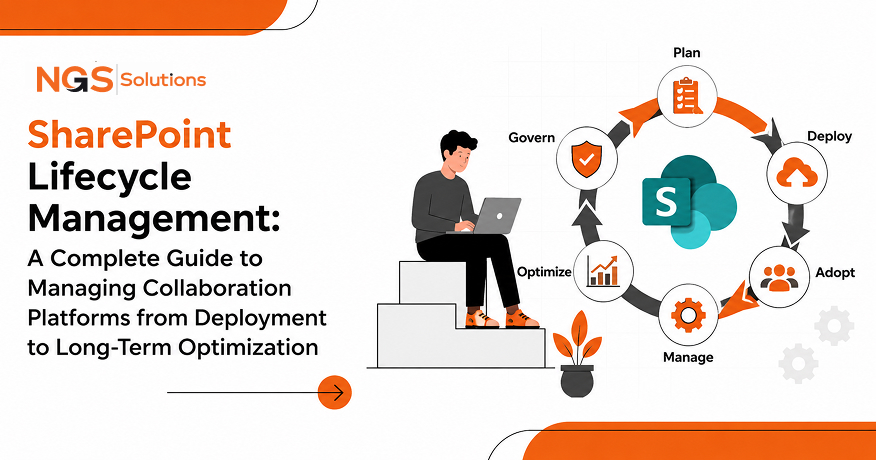
SharePoint lifecycle management refers to the strategic process of planning, deploying, governing, optimizing, securing, maintaining, and evolving a SharePoint environment throughout its operational lifespan. It ensures the platform remains scalable, secure, compliant, efficient, and aligned with changing business goals.
As organizations increasingly adopt technologies such as:
- AI-powered workplace automation
- Cloud collaboration platforms
- Intelligent document management
- Hybrid work infrastructure
- Digital workplace ecosystems
- Enterprise search optimization
- Knowledge management systems
- Low-code workflow automation
- Data governance frameworks
- Microsoft 365 collaboration tools
The importance of lifecycle-based SharePoint management continues to grow.
This comprehensive guide explores every stage of the SharePoint lifecycle, including deployment planning, governance frameworks, adoption strategies, performance optimization, compliance management, AI integration, cloud modernization, automation trends, and future-ready collaboration strategies.
Understanding SharePoint Lifecycle Management
SharePoint lifecycle management is the structured approach used to manage the complete operational journey of a SharePoint environment, from initial architecture planning to continuous optimization and modernization.
The lifecycle includes:
- Strategic Planning
- Platform Architecture Design
- Deployment and Configuration
- Governance Implementation
- User Adoption and Training
- Workflow Optimization
- Performance Monitoring
- Security and Compliance Management
- Automation and AI Integration
- Long-Term Maintenance and Evolution
Each stage contributes to ensuring that the platform remains sustainable, scalable, and aligned with organizational objectives.
Lifecycle management is especially important in modern enterprise environments because SharePoint ecosystems are no longer isolated systems. They are deeply integrated with:
- Microsoft Teams
- Power Automate
- Microsoft OneDrive
- Microsoft Viva
- Microsoft Power BI
- Microsoft Copilot
- Enterprise CRM systems
- ERP platforms
- Knowledge management systems
- Cloud security frameworks
Because of this interconnected environment, lifecycle management now involves far more than traditional document storage administration.
Why SharePoint Lifecycle Management Matters
1. Prevents Content Sprawl
One of the most common SharePoint challenges is uncontrolled content growth. Without lifecycle policies, organizations accumulate:
- Duplicate files
- Outdated documents
- Redundant workspaces
- Inactive sites
- Unmanaged permissions
- Legacy workflows
Lifecycle governance introduces retention policies, metadata standards, archival strategies, and content classification systems that keep the environment organized.
2. Supports Digital Workplace Transformation
Modern digital workplaces depend on connected collaboration systems. SharePoint lifecycle management helps organizations maintain:
- Unified communication
- Centralized knowledge repositories
- Cloud-based collaboration
- Remote work accessibility
- Secure file sharing
- Real-time collaboration environments
This directly supports hybrid work trends and enterprise productivity initiatives.
3. Improves Security and Compliance
Cybersecurity and compliance have become major priorities in enterprise IT.
Effective lifecycle management helps organizations manage:
- Access control policies
- Identity governance
- Data loss prevention
- Information protection
- Regulatory compliance
- Audit readiness
- Retention management
- Insider risk monitoring
Organizations handling regulated data particularly benefit from structured lifecycle governance.
4. Enhances User Adoption
A technically successful deployment does not guarantee user engagement.
Lifecycle management improves adoption through:
- User onboarding programs
- Change management strategies
- Collaboration training
- Simplified workflows
- Improved navigation
- Better content discoverability
- AI-powered search optimization
Strong adoption increases productivity and maximizes platform value.
5. Reduces Operational Costs
Poorly managed SharePoint environments often generate unnecessary costs through:
- Storage overuse
- Inefficient workflows
- Duplicate systems
- Excess administrative overhead
- Reactive troubleshooting
- Emergency infrastructure scaling
Lifecycle optimization introduces proactive maintenance and resource planning that improves operational efficiency.
Core Stages of the SharePoint Lifecycle
Stage 1: Strategic Planning and Business Alignment
The planning phase establishes the foundation for long-term platform success.
Organizations should begin by identifying:
- Business objectives
- Collaboration requirements
- Security expectations
- Compliance obligations
- Departmental workflows
- Knowledge management goals
- Remote work needs
- Automation opportunities
Defining Collaboration Objectives
Common SharePoint objectives include:
- Enterprise document management
- Intranet modernization
- Knowledge sharing
- Workflow automation
- Employee communication
- Project collaboration
- Records management
- Process digitization
Understanding these goals helps shape architecture and governance decisions.
Stakeholder Analysis
Successful planning requires involvement from:
- IT administrators
- Security teams
- Compliance officers
- Department leaders
- End users
- Operations managers
- HR teams
- Executive leadership
Cross-functional collaboration ensures organizational alignment.
Information Architecture Planning
Information architecture determines how content will be structured.
This includes:
- Site hierarchy
- Metadata taxonomy
- Document classification
- Navigation systems
- Search optimization
- Content types
- Naming conventions
Strong information architecture improves discoverability and governance.
Governance Framework Design
Governance planning defines how the environment will operate.
Governance policies typically address:
- Site creation rules
- Permission management
- Content ownership
- Data retention
- External sharing policies
- Compliance requirements
- Security standards
- Lifecycle retention rules
Well-defined governance prevents future platform chaos.
Stage 2: SharePoint Deployment and Environment Configuration
Deployment transforms planning into a functional collaboration ecosystem.
Organizations may deploy:
- SharePoint Online
- Hybrid SharePoint environments
- On-premises SharePoint infrastructure
- Multi-cloud collaboration ecosystems
Cloud-first strategies continue trending due to scalability and operational flexibility.
Infrastructure Configuration
Deployment involves configuring:
- Network architecture
- Storage resources
- Authentication systems
- Cloud connectivity
- Backup systems
- Redundancy planning
- Disaster recovery frameworks
Infrastructure scalability is essential for long-term growth.
Identity and Access Management
Identity governance is central to secure collaboration.
Modern SharePoint environments commonly integrate:
- Multi-factor authentication
- Single sign-on
- Conditional access policies
- Zero trust security models
- Identity lifecycle management
Secure access control reduces organizational risk.
Migration Planning
Many organizations migrate from:
- Legacy intranet systems
- File servers
- Network drives
- Older SharePoint versions
- Third-party collaboration platforms
Migration strategies should preserve:
- Metadata
- Permissions
- Version history
- Document integrity
- Compliance records
Structured migration planning minimizes disruption.
Integration with Microsoft 365
Modern SharePoint ecosystems frequently integrate with:
- Microsoft Teams
- Microsoft Outlook
- Microsoft OneDrive
- Power Apps
- Power Automate
- Microsoft Copilot
Integrated ecosystems improve workflow efficiency and productivity.
Stage 3: User Adoption and Change Management
User adoption is often the most overlooked stage of the SharePoint lifecycle.
Even technically advanced systems fail when users avoid adoption.
Common Adoption Challenges
Organizations frequently encounter:
- Resistance to change
- Poor user training
- Complex navigation
- Inconsistent usage patterns
- Lack of executive sponsorship
- Shadow IT systems
- Limited platform awareness
Lifecycle management addresses these barriers strategically.
Training and Education
Effective training programs include:
- Role-based onboarding
- Interactive tutorials
- Knowledge base creation
- Collaboration workshops
- Self-service learning portals
- Governance education
- Security awareness training
Continuous education improves long-term adoption.
Employee Experience Optimization
Modern SharePoint strategies increasingly focus on digital employee experience.
Important elements include:
- Personalized dashboards
- Intelligent search
- Mobile accessibility
- Simplified navigation
- Social collaboration features
- AI-powered recommendations
- Knowledge discovery systems
Improved user experience increases engagement.
Measuring Adoption Metrics
Organizations should monitor:
- Active users
- Site engagement
- Workflow usage
- Document collaboration trends
- Search analytics
- Mobile access statistics
- Content creation activity
Analytics provide insight into adoption success.
Stage 4: Workflow Automation and Process Optimization
Workflow automation is a major trend in modern SharePoint environments.
Organizations increasingly automate repetitive business processes using:
- AI automation
- Low-code workflows
- Intelligent approvals
- Robotic process automation
- Business rule engines
- Event-driven workflows
Popular Automation Scenarios
Common SharePoint automation use cases include:
- Document approvals
- Employee onboarding
- Contract management
- Records retention
- Helpdesk workflows
- Invoice processing
- Project management
- Compliance notifications
Automation improves operational efficiency and reduces manual effort.
AI-Powered Process Automation
Artificial intelligence is reshaping SharePoint lifecycle optimization.
Emerging AI capabilities include:
- Intelligent document classification
- Predictive analytics
- Automated metadata tagging
- AI-generated summaries
- Natural language search
- Smart recommendations
- Content insights
- Workflow intelligence
AI-enhanced collaboration platforms improve productivity significantly.
Low-Code Development Trends
Low-code and no-code development platforms are accelerating digital transformation.
Organizations increasingly build custom collaboration applications using:
- Power Apps
- Power Automate
- SharePoint lists
- Intelligent forms
- Process automation tools
These solutions reduce development complexity.
Stage 5: Performance Monitoring and Optimization
Performance optimization is essential for long-term sustainability.
As content volume and user activity increase, organizations must continuously monitor system health.
Key Performance Indicators
Important SharePoint KPIs include:
- Page load speed
- Search response time
- Storage utilization
- User concurrency
- Workflow execution time
- Site activity levels
- API performance
- Content growth rates
Continuous monitoring identifies potential bottlenecks early.
Storage Optimization Strategies
Storage growth is a common challenge.
Optimization strategies include:
- Content archival
- Retention policies
- Duplicate detection
- Metadata optimization
- Intelligent tiered storage
- Cloud storage management
- Automated cleanup policies
Efficient storage management improves performance and reduces costs.
Search Optimization
Enterprise search functionality plays a major role in user experience.
Search optimization techniques include:
- Metadata tagging
- Taxonomy management
- Content indexing
- Search schema tuning
- AI-powered relevance ranking
- Synonym dictionaries
- Content categorization
Intelligent search improves productivity and knowledge discovery.
Monitoring Tools and Analytics
Organizations use monitoring tools to maintain platform visibility.
Monitoring focuses on:
- User behavior analytics
- Performance dashboards
- Security monitoring
- Infrastructure health
- Compliance reporting
- Usage forecasting
- AI-driven insights
Predictive monitoring reduces downtime risk.
Stage 6: Security, Compliance, and Data Governance
Security and compliance have become central to SharePoint lifecycle management.
Organizations must protect sensitive information while maintaining collaboration flexibility.
Data Governance Frameworks
Strong governance includes:
- Information classification
- Data retention rules
- Access management
- Audit logging
- Compliance labeling
- Records management
- Content lifecycle controls
Governance frameworks improve accountability and compliance readiness.
Zero Trust Security Models
Modern organizations increasingly adopt zero trust architecture principles.
Zero trust security includes:
- Identity verification
- Least privilege access
- Conditional access policies
- Device compliance checks
- Continuous monitoring
- Behavioral analytics
These models strengthen enterprise security posture.
Regulatory Compliance
Organizations may need compliance with:
- GDPR
- HIPAA
- ISO standards
- Financial regulations
- Data residency laws
- Industry-specific governance frameworks
Lifecycle management helps maintain continuous compliance.
Cybersecurity Threat Protection
Threat protection strategies include:
- Ransomware defense
- Data loss prevention
- Malware detection
- Insider threat monitoring
- Security incident response
- Threat intelligence integration
Proactive security management minimizes operational disruption.
Stage 7: Long-Term Maintenance and Platform Evolution
Long-term sustainability requires continuous platform evolution.
SharePoint environments must adapt to:
- Organizational growth
- Technology changes
- New compliance regulations
- AI innovation
- Hybrid work expansion
- Cloud modernization trends
Continuous Improvement Strategies
Organizations should regularly evaluate:
- Workflow effectiveness
- Governance efficiency
- User satisfaction
- Security posture
- Infrastructure scalability
- Automation opportunities
- Collaboration trends
Continuous optimization maintains platform relevance.
SharePoint Modernization Trends
Major modernization trends include:
- AI-powered collaboration
- Intelligent intranet systems
- Cloud-native architecture
- Headless content management
- Adaptive employee experiences
- Knowledge graph integration
- Conversational AI interfaces
- Copilot-powered productivity
Modernization ensures long-term competitiveness.
Cloud Transformation
Cloud-first collaboration ecosystems continue expanding.
Benefits include:
- Scalability
- Reduced infrastructure overhead
- Remote accessibility
- Automatic updates
- Integrated security services
- Faster innovation cycles
Cloud modernization is now central to lifecycle strategy.
Emerging Trends in SharePoint Lifecycle Management
AI-Driven Knowledge Management
AI-powered knowledge discovery is transforming enterprise collaboration.
Capabilities include:
- Semantic search
- AI-generated summaries
- Intelligent recommendations
- Content insights
- Automated classification
- Knowledge graphs
- Context-aware collaboration
AI improves information accessibility and decision-making.
Intelligent Document Processing
Modern organizations increasingly use intelligent document processing technologies for:
- OCR automation
- Invoice extraction
- Contract analysis
- Metadata generation
- Compliance tagging
- Automated categorization
These technologies reduce manual processing effort.
Hybrid Work Optimization
Hybrid work remains a major workplace trend.
SharePoint environments now prioritize:
- Mobile collaboration
- Remote accessibility
- Real-time co-authoring
- Virtual knowledge hubs
- Digital employee engagement
- Cross-device synchronization
Collaboration platforms are central to hybrid workforce productivity.
Employee Experience Platforms
Organizations increasingly integrate SharePoint into employee experience ecosystems.
Key trends include:
- Personalized intranets
- Employee wellness integrations
- Learning portals
- Internal communication hubs
- Social engagement systems
- AI-powered assistance
Improved employee experience supports retention and productivity.
Best Practices for Effective SharePoint Lifecycle Management
Establish Clear Governance Early
Governance should begin before deployment.
Define:
- Ownership models
- Access standards
- Naming conventions
- Content policies
- Security controls
- Retention schedules
Early governance prevents future complexity.
Prioritize User Experience
Platforms should be intuitive and accessible.
Focus on:
- Simple navigation
- Responsive design
- Mobile optimization
- Personalized experiences
- Search usability
- Accessibility compliance
Strong UX drives adoption.
Automate Repetitive Processes
Automation reduces inefficiency and administrative burden.
Prioritize automation for:
- Approvals
- Notifications
- Document routing
- Compliance tasks
- Content lifecycle actions
Automation improves consistency and scalability.
Continuously Monitor Platform Health
Ongoing monitoring supports proactive management.
Monitor:
- Usage trends
- Storage growth
- Security alerts
- Workflow performance
- Compliance status
Continuous visibility reduces operational risk.
Plan for Scalability
Organizations should design for future growth from the beginning.
Scalable architecture supports:
- Expanding teams
- Growing data volumes
- Increased collaboration activity
- AI integration
- Cloud modernization
Future-ready design reduces costly redesign efforts.
Common SharePoint Lifecycle Challenges
Content Sprawl
Uncontrolled site and document growth creates governance issues.
Solutions include:
- Retention policies
- Site lifecycle controls
- Metadata governance
- Automated archival
Poor User Adoption
Low engagement often results from inadequate training or poor UX.
Solutions include:
- Continuous education
- Executive sponsorship
- Personalized experiences
- Simplified workflows
Security Misconfigurations
Improper permissions create compliance and security risks.
Solutions include:
- Regular audits
- Least privilege access
- Automated governance tools
- Identity monitoring
Legacy System Complexity
Older environments may contain outdated workflows and architecture.
Solutions include:
- Incremental modernization
- Cloud migration planning
- Workflow redesign
- Infrastructure simplification
The Future of SharePoint Lifecycle Management
The future of SharePoint lifecycle management will be increasingly shaped by:
- Artificial intelligence
- Predictive analytics
- Intelligent automation
- Cloud-native collaboration
- Digital workplace transformation
- Adaptive employee experiences
- Knowledge-centric ecosystems
Organizations will continue shifting from reactive platform administration toward proactive, AI-driven lifecycle optimization.
Future collaboration environments will likely include:
- AI copilots for productivity
- Autonomous workflow optimization
- Predictive governance systems
- Intelligent compliance monitoring
- Context-aware collaboration experiences
- Advanced knowledge discovery engines
These technologies will redefine enterprise collaboration strategies.
Conclusion
SharePoint lifecycle management is far more than technical administration. It is a strategic framework for maintaining scalable, secure, intelligent, and future-ready collaboration ecosystems.
Organizations that adopt a lifecycle-driven approach can achieve:
- Better collaboration efficiency
- Stronger governance
- Improved compliance
- Enhanced security posture
- Higher user adoption
- Optimized workflows
- Reduced operational risk
- Long-term platform sustainability
As digital workplaces continue evolving through AI, automation, cloud computing, and hybrid work innovation, SharePoint lifecycle management will remain essential for enterprise productivity and knowledge management success.
By focusing on governance, user experience, automation, security, scalability, and continuous optimization, organizations can transform SharePoint into a powerful digital collaboration ecosystem that supports long-term business growth.
FAQs
-
What is SharePoint lifecycle management?
SharePoint lifecycle management is the structured process of planning, deploying, governing, optimizing, securing, and maintaining a SharePoint environment throughout its operational lifespan.
-
Why is lifecycle management important for SharePoint?
Lifecycle management helps organizations maintain performance, security, compliance, scalability, and efficient collaboration while reducing operational risk and administrative complexity.
-
What are the key stages of the SharePoint lifecycle?
The main stages include:
- Planning and architecture
- Deployment and configuration
- User adoption and governance
- Workflow optimization
- Performance monitoring
- Security and compliance management
- Long-term maintenance and modernization
-
How does AI improve SharePoint lifecycle management?
AI improves SharePoint through:
- Intelligent search
- Automated metadata tagging
- Predictive analytics
- Workflow automation
- Knowledge discovery
- AI-generated summaries
- Smart recommendations
-
What are common SharePoint lifecycle challenges?
Common challenges include:
- Content sprawl
- Poor governance
- Security misconfigurations
- Low user adoption
- Storage inefficiencies
- Legacy architecture complexity
-
How can organizations optimize SharePoint performance?
Performance optimization strategies include:
- Workflow automation
- Storage management
- Search optimization
- Infrastructure scaling
- Continuous monitoring
- Metadata governance
- AI-driven analytics
-
What role does governance play in SharePoint management?
Governance ensures consistency, compliance, security, accountability, and sustainable platform growth through policies, standards, access controls, and lifecycle management rules.
-
How does SharePoint support digital transformation?
SharePoint supports digital transformation through:
- Cloud collaboration
- Remote work enablement
- Workflow automation
- Enterprise content management
- Knowledge sharing
- AI-powered productivity tools
- Integrated business applications


