
Why SharePoint Support and Maintenance Matters for Modern Enterprises
In today’s fast-paced business world, companies rely heavily on collaboration platforms to manage knowledge, streamline workflows, and maintain operational efficiency. SharePoint environments are at the heart of these processes, powering document management systems, intranet portals, and team collaboration hubs. But if these systems aren’t properly maintained, they can quickly become frustrating rather than helpful.
Companies face system slowdowns, security risks, and interruptions to collaborative workflows when SharePoint environments are left unmanaged. Leveraging professional SharePoint support and maintenance solutions ensures that these critical systems remain reliable, secure, and efficient, helping organizations maintain smooth collaboration and optimized platform performance.
Role of SharePoint in Enterprise Digital Workplaces
SharePoint is more than a file repository; it acts as the backbone for enterprise knowledge sharing. For global organizations handling thousands of documents, collaboration between distributed teams depends on stable, high-performing platforms. When properly maintained, SharePoint improves workflow efficiency, supports regulatory compliance, and reduces downtime that can cost millions in lost productivity.
Why Collaboration Systems Require Continuous Monitoring
Collaboration systems are dynamic by nature: new documents are uploaded, workflows evolve, users join or leave teams, and system integrations are constantly updated. Without ongoing monitoring, these changes can accumulate, leading to performance bottlenecks or even security gaps. A proactive SharePoint maintenance strategy addresses these challenges before they impact users, keeping the environment optimized for daily operations.
Operational Challenges in Unmanaged SharePoint Environments
Enterprises that neglect structured maintenance often encounter:
- Slow page load times across intranet portals.
- Document retrieval delays in libraries.
- Security vulnerabilities from outdated patches.
- Inefficient workflow automation.
- Frustrated employees who abandon system usage.
Importance of Structured Maintenance Frameworks
A comprehensive SharePoint maintenance approach provides a roadmap for managing system health. This includes routine audits, performance monitoring, security updates, storage optimization, and governance checks. By following a lifecycle-based SharePoint system support framework, organizations can systematically address potential issues and ensure that the platform supports business objectives.
How Ongoing Platform Support Improves User Adoption
Employees are more likely to embrace a platform that works reliably. Regular support reduces downtime, improves document search speeds, and maintains functional workflows. As a result, adoption rates increase, making SharePoint a central tool in enterprise collaboration rather than a secondary, underused system.
Impact of Stable Collaboration Infrastructure on Business Productivity
Reliable collaboration platforms translate directly into business value. With SharePoint environment management, enterprises can expect:
- Reduced downtime and fewer IT escalations.
- Improved user productivity and efficiency.
- Secure, compliant document management.
- Faster onboarding for new team members.
- Streamlined cross-departmental workflows.
Example Use Cases:
- Global enterprises manage tens of thousands of documents daily.
- Distributed teams collaborating across multiple departments and time zones.
- Organizations managing regulated documentation require strict compliance.
Business Benefits / ROI:
- Minimized operational disruptions.
- Higher IT operational efficiency.
Enhanced platform reliability supporting enterprise growth.
Understanding SharePoint Infrastructure and System Architecture

Before creating a maintenance strategy, it’s important to understand how SharePoint works. A clear picture of how well the SharePoint platform is working and the different parts that make it up helps IT teams find the parts that are not working well and make sure it is running as well as possible.
Core Components of SharePoint Infrastructure
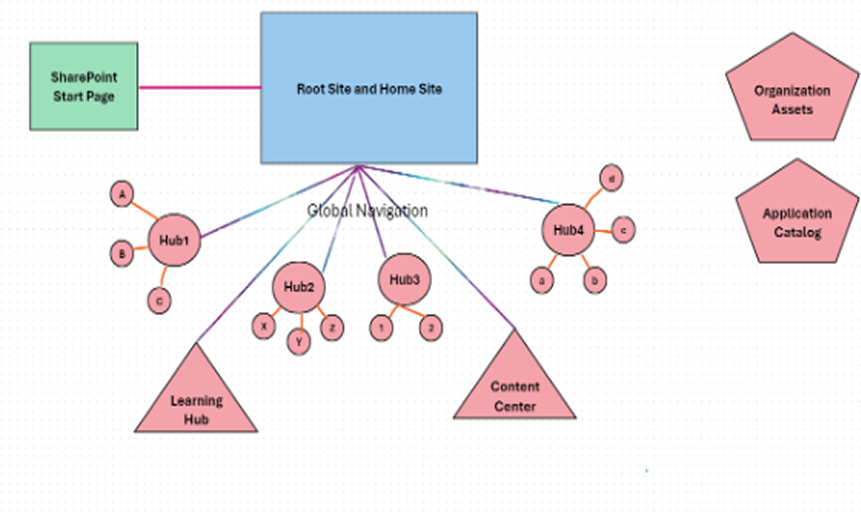
SharePoint is composed of multiple interdependent elements, including:
- SharePoint Servers: Handle web requests, workflow processing, and service applications.
- Document Libraries: Store organizational content, including files, media, and version histories.
- Databases: Maintain structured data such as metadata, configurations, and content.
- Authentication Systems: Securely manage user identities and access permissions.
- Integration Layers: Connect SharePoint with other enterprise systems, such as Microsoft Teams, ERP solutions, or CRM platforms.
Examples in Practice:
- Internal corporate portals for employee collaboration.
- Document management systems for compliance-heavy industries.
- Intranet collaboration hubs enabling cross-departmental projects.
Challenges & Solutions:
- Challenge: Architecture complexity due to multiple servers, databases, and integrations.
- Solution: Maintain structured infrastructure documentation to simplify troubleshooting.
Business Benefits:
- Faster issue resolution.
- Easier system scaling for new departments or services.
- Improved overall system reliability.
Cloud vs On-Premise SharePoint Environments
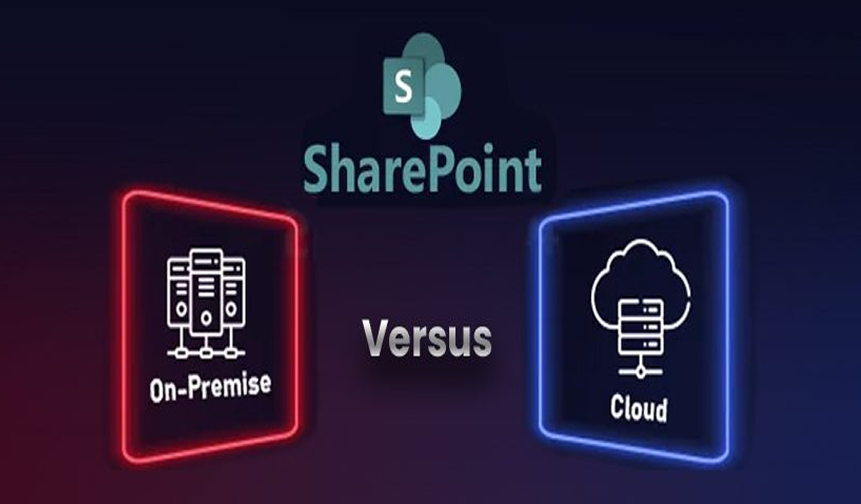
Maintenance requirements vary significantly between cloud-based SharePoint Online and on-premise SharePoint deployments. Understanding these differences ensures that support efforts align with the platform’s operational model.
Step-by-Step Comparison:
- Platform Infrastructure Management: On-premise systems require direct server maintenance, while cloud environments rely on provider-managed infrastructure.
- Update Management: Cloud updates are often automatic; on-premises requires scheduled patch deployment.
- System Monitoring Responsibilities: On-premise requires in-house monitoring tools; cloud monitoring is shared between enterprise IT and Microsoft services.
- Security Control Layers: On-premise teams manage firewalls and permissions; cloud environments leverage provider security tools but still require internal governance.
Challenges:
- Hybrid architecture adds complexity, requiring coordination between on-premise and cloud components.
Solutions:
- Implement centralized monitoring tools capable of tracking both environments simultaneously.
Business Benefits:
- Consistent system performance.
- Reduced operational risks.
- Optimized resource utilization across environments.
Key Components of a SharePoint Maintenance Strategy
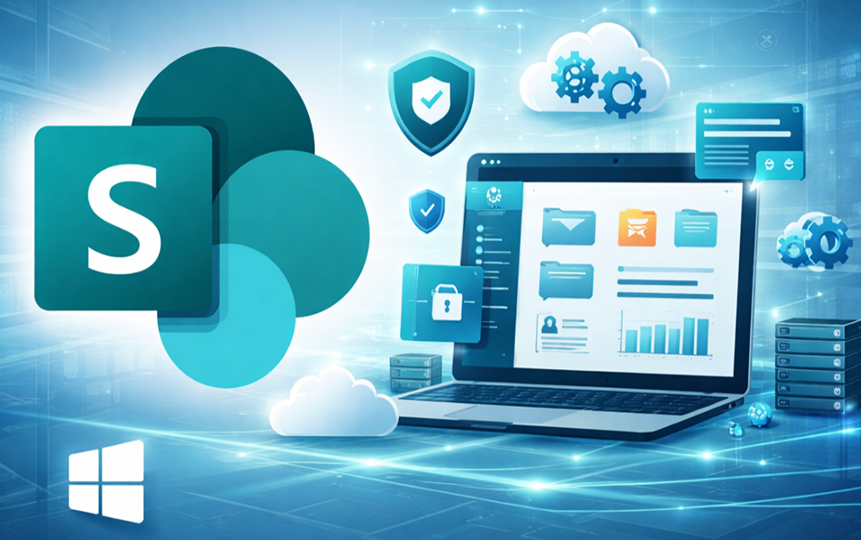
A robust SharePoint maintenance strategy is essential for sustaining platform performance, security, and user satisfaction. Enterprise IT teams should address multiple components to ensure the system operates efficiently. These include:
- System Monitoring: Continuously tracking server performance, database health, and workflow efficiency.
- Security Patching: Applying updates and security patches promptly to prevent vulnerabilities.
- Performance Optimization: Fine-tuning server configurations, caching mechanisms, and search indexing.
- Storage Management: Ensuring document libraries and databases are organized, backed up, and free from clutter.
- User Access Governance: Maintaining appropriate permissions and preventing unauthorized access.
- Workflow Monitoring: Tracking automated processes and ensuring business workflows run smoothly.
SharePoint Performance Monitoring

Monitoring is critical to detecting bottlenecks before they affect users. A proactive SharePoint performance monitoring and support plan ensures the platform remains responsive and reliable.
Step-by-Step Monitoring Approach:
- Track Server Performance: Monitor CPU, memory, and disk utilization across all SharePoint servers.
- Monitor Database Health: Ensure SQL databases supporting SharePoint are performing optimally.
- Analyze Workflow Processing Times: Detect delays in automated approval processes or document routing.
- Track Document Upload/Download Latency: Identify slow file access issues impacting collaboration.
- Identify Slow Page Loads: Monitor user interactions with intranet pages and dashboards.
Challenges: Hidden bottlenecks may only appear during peak usage or complex workflows.
Solutions: Deploy automated monitoring tools and performance dashboards to provide real-time insights.
ROI: Faster collaboration workflows, reduced user frustration, and more efficient IT resource allocation.
SharePoint Security and Compliance Maintenance
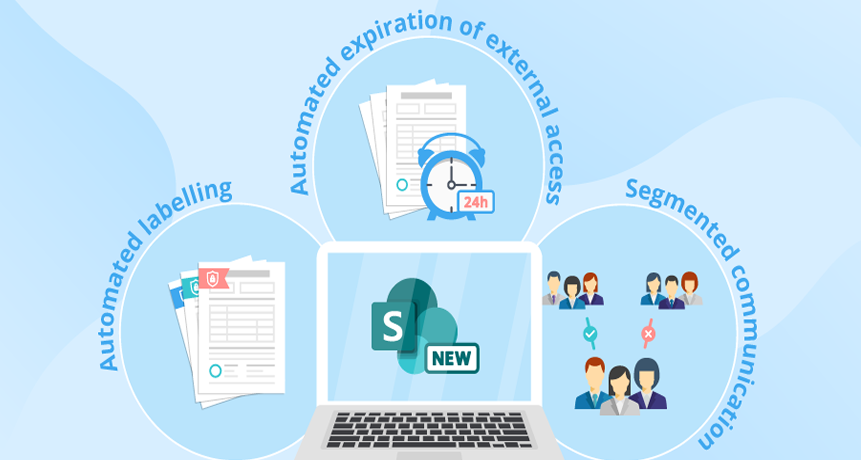
SharePoint often stores sensitive organizational data, making security a top priority. Regular maintenance ensures both platform integrity and regulatory compliance.
Maintenance Tasks:
- Security Patch Updates: Apply critical updates promptly to protect against vulnerabilities.
- User Permission Audits: Review access rights to prevent unauthorized data exposure.
- Document Access Monitoring: Track who accesses sensitive files and detect unusual patterns.
- Compliance Policy Reviews: Ensure that retention, versioning, and regulatory policies are up to date.
Benefits:
- Reduced security risks.
- Improved regulatory compliance.
- Increased trust among stakeholders.
Step-by-Step SharePoint Maintenance Framework
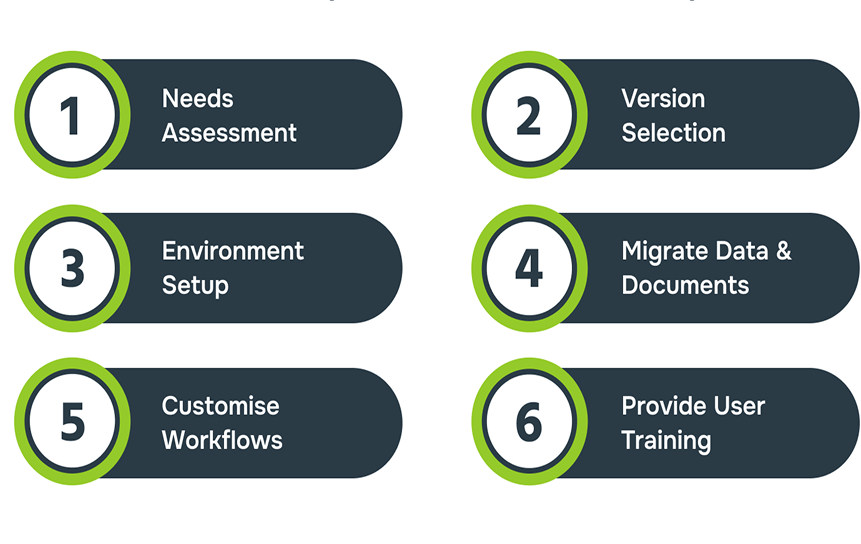
To maintain SharePoint infrastructure stability, organizations should follow a structured lifecycle-based framework. This ensures tasks are completed consistently and efficiently.
Step-by-Step Framework:
- System Audit: Evaluate server configurations, database health, and overall platform performance.
- Infrastructure Review: Check servers, storage, and integrations for stability and optimization opportunities.
- Performance Monitoring Setup: Implement monitoring dashboards and automated alerts for key metrics.
- Security Configuration Validation: Ensure permissions, authentication methods, and patch levels are current.
- Workflow Monitoring: Track automation and approval processes to detect delays or failures.
- Document Storage Optimization: Archive old content, clean up duplicate files, and maintain database efficiency.
- Ongoing System Reporting: Generate reports for IT teams and business leaders to track health trends.
Challenges: Without structure, maintenance can be ad hoc, inconsistent, and ineffective.
Solutions: Implement standardized operational frameworks and checklists to enforce accountability and consistency.
Business Benefits of Continuous SharePoint Platform Support
Regular enterprise SharePoint support offers tangible business advantages.
- Reduced Downtime: Stable platforms minimize interruptions, ensuring business operations continue smoothly.
- Predictable System Performance: Employees experience faster response times and reliable workflows.
- Improved Collaboration Efficiency: Teams can share information and complete tasks without system-induced delays.
- Lower Operational Risk: Regular audits and monitoring reduce the chance of security breaches or system failures.
- Optimized Document Workflows: Streamlined approvals, metadata management, and content organization improve productivity.
- Improved Platform Scalability: Proper maintenance supports expansion to new teams, departments, or business units.
Example ROI: Enterprises have reported significant improvements in collaboration productivity and IT efficiency when following structured SharePoint platform maintenance solutions.
Common SharePoint Maintenance Challenges and Solutions
Maintaining a complex SharePoint environment is not without challenges. Common issues include:
Challenges:
- System performance degradation due to outdated configurations or heavy workflows.
- Document storage overload from unmonitored content growth.
- Governance issues, including inconsistent policies or poor access control.
- Permission management complexity in large organizations.
- Integration failures with ERP, CRM, or other collaboration tools.
Solutions:
- Implement structured monitoring frameworks
- Use automated governance tools for permission and compliance management.
- Apply lifecycle-based maintenance strategies to prevent drift.
- Optimize performance via regular server tuning and indexing.
- Regularly review and clean up integrations to ensure continuity.
Best Practices for Enterprise SharePoint System Maintenance
Adhering to proven practices ensures platform longevity and operational efficiency. Key recommendations include:
- Implement Monitoring Dashboards: Real-time insights help IT teams proactively resolve issues.
- Schedule Periodic System Audits: Regular audits uncover inefficiencies or misconfigurations.
- Maintain Document Governance Policies: Ensure files are organized, properly tagged, and compliant.
- Optimize Storage Usage: Archive outdated content, remove duplicates, and monitor database sizes.
- Maintain Permission Hierarchy: Follow the principle of least privilege to reduce security risks.
- Track Collaboration Metrics: Monitor workflow completion rates, page load times, and document access to identify improvement opportunities.
Business Impact: Better collaboration reliability, enhanced enterprise productivity, and reduced IT operational risks.
Ensuring Enterprise Collaboration Success Through SharePoint Support and Maintenance
Managing a large-scale SharePoint environment is a complex but essential task for modern enterprises. Without structured SharePoint support and maintenance, organizations risk performance degradation, security vulnerabilities, and frustrated users, issues that directly impact productivity and business outcomes.
By implementing a systematic SharePoint maintenance strategy, enterprises can ensure that their collaboration platform remains stable, secure, and optimized for daily operations. This strategy involves performance monitoring, security and compliance checks, workflow oversight, storage optimization, and governance enforcement.
Key Lessons and Positive Outcomes
- Stable and Reliable Platform: Regular maintenance ensures high uptime, reducing downtime and operational interruptions.
- Optimized User Experience: Fast, responsive SharePoint portals increase adoption and satisfaction among employees.
- Enhanced Security and Compliance: Routine audits and patching mitigate risks and support regulatory requirements.
- Improved Collaboration Efficiency: Efficient workflows, document management, and system reliability empower teams to work faster and smarter.
- Scalable Infrastructure: Well-maintained SharePoint environments can grow with enterprise needs, supporting new teams, workflows, and integrations.
Practical Insights:
- Enterprises managing thousands of documents or distributed teams see immediate ROI from structured SharePoint environment management.
- Automated monitoring tools and dashboards allow IT teams to identify and resolve performance bottlenecks proactively.
- Lifecycle-based maintenance ensures that updates, audits, and governance tasks are completed consistently, preventing long-term operational risks.
Final Thoughts
If you focus on supporting and maintaining SharePoint, you can change the platform from a static repository into a dynamic, reliable hub for enterprise collaboration. Organisations that invest in planned maintenance, performance monitoring, and governance not only reduce risks but also get the most out of their SharePoint environments.
If you’re a business looking to get the most out of your collaboration platforms, working with a professional SharePoint infrastructure management provider can speed up results, make sure you’re following the best ways of doing things, and free up your internal IT teams to focus on important projects instead of dealing with day-to-day issues.
With a clear plan, regular maintenance, and continued support, SharePoint can really help businesses to work more productively, more efficiently, and to share knowledge safely.
FAQ’s
Answering the most common SharePoint governance consulting questions ensures clarity for both beginners and advanced users alike.
-
What is SharePoint Support and Maintenance?
SharePoint support and maintenance refers to the ongoing processes, tools, and best practices used to keep a SharePoint environment stable, secure, and efficient. It includes system monitoring, performance optimization, security patching, workflow management, storage management, and user access governance. The goal is to ensure that SharePoint remains reliable for enterprise collaboration, document management, and workflow automation, reducing downtime and operational risks.
-
How Often Should a SharePoint Environment Be Maintained?
A SharePoint environment should be maintained continuously through a combination of automated monitoring and periodic audits. Key activities, such as security patching, performance monitoring, and workflow checks, should occur weekly or monthly, while in-depth system audits and infrastructure reviews are typically performed quarterly or semi-annually. Frequent maintenance ensures platform stability, prevents bottlenecks, and keeps the collaboration system optimized for users.
-
What Problems Can Occur Without Proper SharePoint Maintenance?
Without structured SharePoint maintenance, organizations may face:
- System Performance Degradation: Slow page loads and delayed workflows
- Security Vulnerabilities: Outdated patches can expose sensitive data
- Document Management Issues: Disorganized libraries, duplicate files, and storage overload
- Governance Challenges: Improper permissions and compliance failures
- Integration Failures: Disruptions in connections with ERP, CRM, or other systems
- Reduced User Adoption: Frustrated employees may avoid using SharePoint
These problems can result in decreased productivity, increased operational risk, and lost revenue.
-
How Can Organizations Monitor SharePoint Performance Effectively?
Effective SharePoint performance monitoring involves:
- Tracking Server Health: Monitor CPU, memory, and disk usage across servers.
- Database Monitoring: Ensure SQL databases are optimized and free of errors.
- Workflow Analysis: Identify bottlenecks in automated approval and routing processes.
- Document Latency Tracking: Monitor upload/download times to detect slow access.
- Page Load Monitoring: Track response times for intranet pages and dashboards.
- Using Automated Tools: Dashboards, alerts, and AI-based monitoring solutions can proactively detect issues before users experience problems.
Regular monitoring allows IT teams to maintain SharePoint platform health and improve collaboration reliability.
-
What Are the Key Components of a SharePoint Maintenance Strategy?
A comprehensive SharePoint maintenance strategy should include:
- System Monitoring: Continuous tracking of server, database, and workflow performance
- Security Patching: Applying updates and auditing user permissions
- Performance Optimization: Fine-tuning servers, caching, and indexing
- Storage Management: Organizing document libraries and optimizing database storage
- User Access Governance: Ensuring appropriate permission levels and role management
- Workflow Monitoring: Ensuring automated processes run efficiently
- Reporting and Audits: Documenting platform health and identifying improvement areas
Following these components helps maintain collaboration platform reliability and reduces operational risks.
-
Why Do Enterprises Require Ongoing SharePoint System Support?
Enterprises rely on SharePoint for core business operations such as document management, collaboration, and knowledge sharing. Ongoing support ensures:
- Stable and Predictable Performance: Minimizes downtime and disruptions
- Improved Security and Compliance: Protects sensitive data and supports regulatory requirements
- Efficient Collaboration: Optimized workflows and document access improve productivity
- Scalability: Platforms can adapt to growth or new business needs
- Reduced Operational Risk: Proactive maintenance prevents system failures or costly downtime
Continuous SharePoint system support allows enterprises to maximize ROI, maintain platform stability, and keep collaboration tools running smoothly across the organization.


