

Most organizations invest in a SharePoint intranet with high expectations. Yet within months, usage drops. Employees return to email threads, shared drives, or messaging apps to find information. The issue is rarely technical; it often stems from gaps in the SharePoint intranet design strategy.
When intranets are built around departments instead of employee workflows, adoption suffers. Poor structure, unclear ownership, and limited personalization create friction. Over time, the platform becomes another document repository rather than a central digital workplace hub.
Professional SharePoint design solution can help organizations implement a robust SharePoint intranet design strategy, ensu ring the intranet is structured around employee workflows, engagement, and governance. This guide explains how to design a modern SharePoint intranet that supports employee experience, governance, and measurable ROI. You will learn:
- Why most intranets fail
- A step-by-step enterprise design framework
- How to improve adoption and engagement
- Governance and compliance best practices
- AI capabilities shaping the future of intranets
Whether you are an IT leader, HR director, or digital workplace manager, this guide provides practical, experience-backed guidance aligned with Microsoft standards and real-world enterprise deployments.
Why Most Intranets Fail, And How Strategic Design Prevents It?

A modern SharePoint intranet should empower employees, accelerate decision-making, and reduce operational friction. Yet many organizations invest heavily in intranet platforms and still experience low adoption, poor engagement, and productivity loss.
Why?
Because successful intranets are built around how employees actually work, not around outdated departmental structures or legacy file systems. Implementing a well-planned SharePoint intranet framework ensures that content, navigation, and workflows are organized logically, making it easier for employees to find information, collaborate, and get work done efficiently.
Below, we break down the most common intranet failure points and provide practical, strategic solutions to ensure long-term success.
1. Lack of Clear Information Architecture
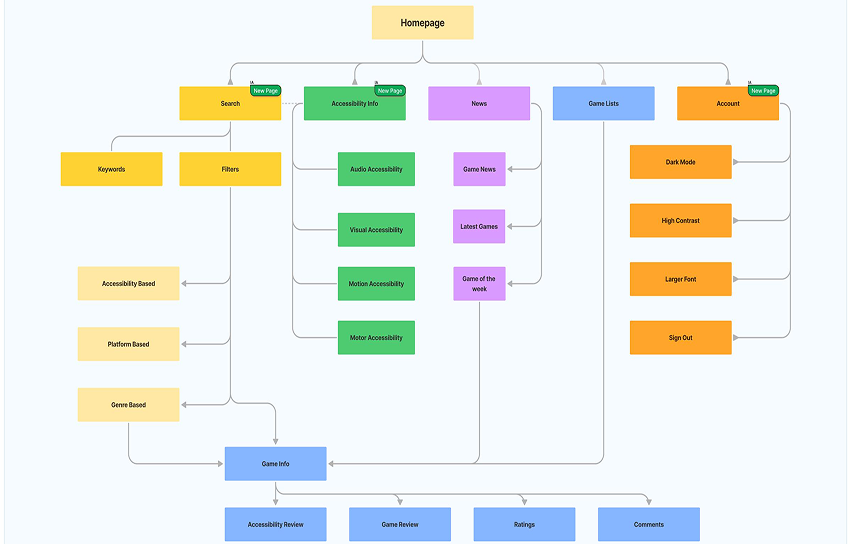
The Problem: Employees Can’t Find What They Need
When information architecture (IA) is poorly designed:
- Navigation feels confusing and inconsistent
- Documents exist in multiple locations
- Folder-heavy libraries create duplication
- Search results return outdated versions
Example:
An HR policy takes 10–15 minutes to locate because three versions exist across separate team sites.
Multiply that delay across hundreds of employees, and the productivity loss becomes significant.
Why This Happens
Many intranets mirror organizational charts instead of real user journeys. But employees don’t think in departments; they think in tasks.
Strategic Solution: A Structured Information Architecture Framework
A modern SharePoint intranet should be built using a step-by-step IA approach:
1. Conduct a Content Audit
- Identify outdated, duplicate, and unused files
- Evaluate content relevance and ownership
- Eliminate legacy clutter before migration
2. Map Key User Journeys
- How does a new hire find onboarding materials?
- How does a manager access performance forms?
- How does finance publish reports?
Design around tasks, not org charts.
3. Define Hub Sites for Major Business Functions
Use SharePoint hub architecture to group related sites under:
- HR
- Finance
- Operations
- Sales
- Corporate Communications
4. Create a Structured Metadata Framework
Replace folders with:
- Content types
- Managed metadata
- Document tagging
This improves filtering, automation, and search accuracy.
5. Implement Intuitive Global Navigation
- Clear mega menus
- Audience-targeted links
- Consistent labeling
- Search-driven results
Business Impact
Poor knowledge management costs organizations substantial productivity hours annually, according to research from Gartner.
Improved information architecture results in:
- Reduced document search time
- Faster task completion
- Lower employee frustration
- Increased trust in the intranet
2. Legacy Clutter & Unmanaged Permissions
The Hidden Risk in Older Intranets
Legacy intranets often contain:
- Outdated document libraries
- Broken inheritance permissions
- Abandoned team sites
- Overexposed confidential data
This creates both productivity and compliance risks.
Resolution: Clean Taxonomy + Governance Model
A strategic SharePoint redesign should include:
- A controlled taxonomy model
- Standardized naming conventions
- Permission governance policies
- Archive and retention workflows
Using lifecycle governance best practices aligned with Microsoft guidance ensures sustainable content management within Microsoft 365.
Business Outcome
- Reduced compliance exposure
- Clear content accountability
- Structured content lifecycle
- Easier audits
3. No Personalization or Role-Based Experience

The Problem: One Homepage for Everyone
A generic intranet homepage does not serve diverse roles effectively.
Different teams require different priorities:
- Sales: Performance dashboards, pipeline updates
- HR: Onboarding tools and policy updates
- Executives: KPI summaries and strategic metrics
- Operations: Process documentation and alerts
When everyone sees the same static content, engagement declines.
Strategic Implementation Plan
Configure Audience Targeting
Deliver content based on:
- Department
- Role
- Location
- Security group
Build Department Landing Pages
Create curated spaces for:
- HR services
- Finance resources
- Sales enablement
- Corporate news
Enable Dynamic Web Parts
Use activity feeds, highlighted content, and automated rollups.
Integrate Power BI Dashboards
Surface real-time business intelligence from Microsoft Power BI directly within SharePoint pages.
Result: Higher Engagement & Productivity
Employees see relevant content first. The intranet becomes a daily productivity hub, not just a document repository.
4. Weak Governance & Content Ownership
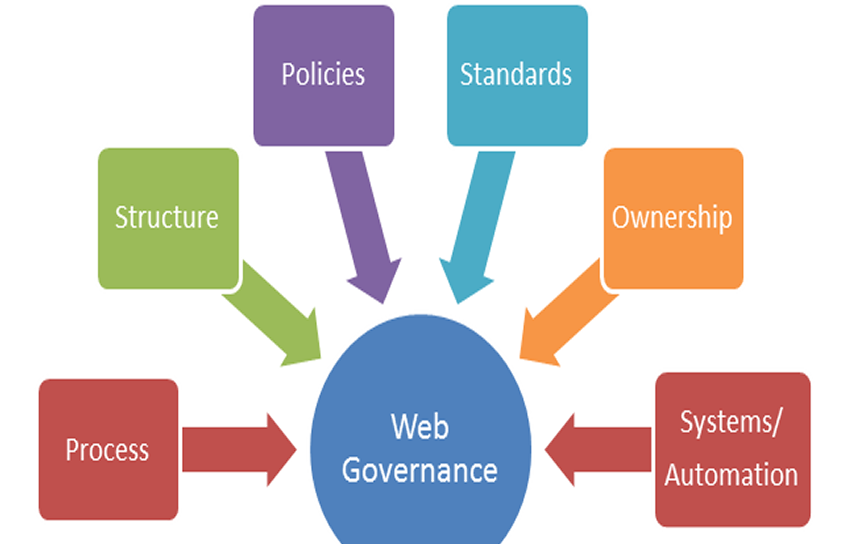
The Trust Problem
When employees encounter:
- Expired policies
- Duplicate documents
- Broken links
- Inconsistent branding
They stop trusting the platform.
Without trust, adoption fails.
Governance Framework for Sustainable Success
To maintain intranet integrity:
- Assign clear content owners for every page and library
- Define publishing approval workflows
- Apply retention and compliance policies
- Conduct quarterly content reviews
- Monitor analytics for stale or low-engagement content
Strong governance transforms the intranet from a static system into a living knowledge environment.
ROI Impact
- Reduced compliance risk
- Improved content accuracy
- Higher platform credibility
- Better audit readiness
5. Poor Mobile & Hybrid Workforce Readiness

Today’s workforce operates across:
- Remote environments
- Hybrid offices
- Frontline locations
- Mobile devices
If your intranet is not mobile-friendly, adoption drops immediately.
Key Actions for Hybrid-Ready Intranets
- Use responsive SharePoint layouts
- Design mobile-first navigation
- Optimize page load performance
- Integrate with Microsoft Teams for embedded access
- Enable quick-access dashboards
This ensures seamless access whether employees work at a desk, in the field, or remotely.
6. No Adoption & Change Management Strategy
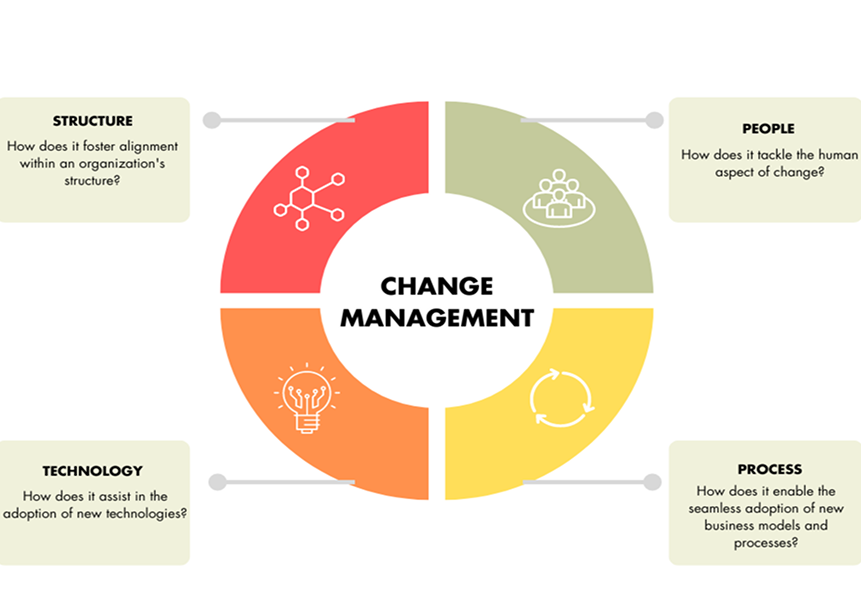
Even the best-designed intranet will fail without structured rollout and training.
Technology alone does not drive adoption; people do.
Proven Intranet Adoption Framework
1. Structured Launch Campaign
- Executive sponsorship
- Branded communications
- Internal marketing
2. Department Training Sessions
Role-specific walkthroughs and use-case demonstrations.
3. Intranet Champions Program
Identify internal advocates to support peers and gather feedback.
4. Usage Analytics Monitoring
Track:
- Page visits
- Search behavior
- Engagement metrics
- Content gaps
Continuous optimization ensures measurable ROI.
Step-by-Step SharePoint Intranet Design Framework
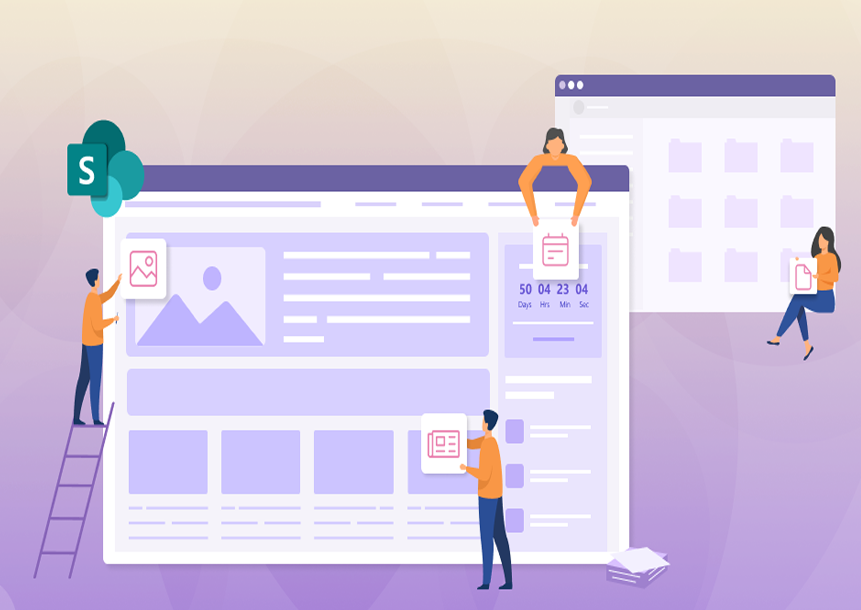
A structured framework reduces rework and long-term costs.
1. Discovery & Employee Experience Mapping
Objective: Understand Real Workflows, Not Assumptions
Many intranet failures begin with assumptions about how employees work. A data-driven discovery phase ensures your digital workplace intranet planning reflects real-world usage patterns.
Structured Discovery Process
Conduct Department Interviews
- Identify workflow bottlenecks
- Understand daily task dependencies
- Capture cross-functional collaboration challenges
Analyze SharePoint Search Logs
- What are employees searching for most?
- Which queries fail?
- What content is difficult to locate?
Identify Friction Points
- Duplicate content
- Outdated documentation
- Complex approval processes
- Permission barriers
Map the Top 20 User Tasks. Focus on high-impact workflows such as:
- Submitting leave requests
- Accessing policies
- Publishing announcements
- Onboarding new hires
Define Measurable KPIs
Examples:
- Reduce document search time by 40%
- Improve search success rate to 85%+
- Increase monthly active users by 30%
This approach transforms intranet planning from opinion-based design to a measurable digital workplace strategy.
2. Intranet Architecture Blueprint
A scalable SharePoint intranet requires a clear architectural foundation. The recommended enterprise model follows a hub-and-spoke architecture, aligned with SharePoint best practices recommended by Microsoft within the Microsoft 365 ecosystem.
Core Architectural Components
1. Corporate Hub
- Enterprise-wide news
- Executive communications
- Policies and compliance resources
- Global navigation
2. Department Hubs
Organized around business functions such as:
- HR
- Finance
- Operations
- Sales
Each hub aggregates related sites and content through centralized navigation and search.
3. Team Collaboration Sites
- Project workspaces
- Document collaboration
- Task tracking
- Integration with collaboration tools
4. Structured Permission Model
- Role-based access
- Controlled inheritance
- Security group alignment
- Sensitive content segregation
5. Defined Content Lifecycle
- Publishing workflows
- Archival rules
- Retention policies
- Periodic content reviews
A structured architecture prevents content sprawl and supports long-term governance within Microsoft 365.
3. UX & Visual Design Strategy
User experience (UX) directly impacts intranet adoption.
A visually complex intranet may look impressive, but it often decreases usability. Clean, structured design improves navigation and engagement.
Core UX Principles for SharePoint Intranet Design
Clear Hierarchy
- Prioritize critical information
- Use visual contrast strategically
- Avoid cluttered layouts
Brand Consistency
- Align with corporate identity
- Standardize typography and color systems
- Use consistent page templates
Minimal Navigation Depth
- Avoid multi-level nested menus
- Surface high-frequency tasks prominently
- Reduce click counts for top workflows
Accessibility Compliance
Design for inclusivity using WCAG accessibility standards:
- Proper color contrast
- Keyboard navigation support
- Screen reader compatibility
Validate Before Full Rollout
Avoid overdesign. Instead:
- Develop wireframes
- Build interactive prototypes
- Conduct user testing sessions
- Refine based on employee feedback
Validation prevents costly redesign after launch.
4. Automation & Workflow Enablement
A modern SharePoint intranet should do more than store content; it should streamline processes.
Automation reduces manual processing, email dependency, and approval delays.
Common Enterprise Workflows to Automate
- Leave approval requests
- Procurement submissions
- IT ticket routing
- Employee onboarding checklists
- Policy acknowledgment tracking
Using tools like Microsoft Power Automate, organizations can:
- Trigger automated approvals
- Send reminders
- Route documents dynamically
- Generate compliance records
Workflow automation transforms the intranet into an operational efficiency engine.
5. Performance Monitoring & Continuous Improvement
An intranet is not a one-time launch project; it is a continuous improvement initiative. Without performance monitoring, adoption declines, and content quality deteriorates.
Key Metrics to Track
Search Success Rate
- Percentage of successful queries
- Zero-result searches
- Click-through behavior
Content Engagement Metrics
- Page visits
- Time spent
- Document downloads
- News interactions
Behavioral Adoption Data
- Monthly active users
- Department-level usage trends
- Workflow completion rates
Quarterly Review Roadmap
- Governance review sessions
- KPI recalibration
- Content cleanup cycles
- User feedback analysis
Analytics within SharePoint and Microsoft 365 reporting tools provide actionable insights to optimize performance over time.
Measurable Business Benefits of a Modern SharePoint Intranet
Increased Employee Productivity
- Faster document retrieval
- Reduced approval cycles
- Centralized communication
Improved Internal Communication
- Leadership announcements
- Department updates
- Event publishing
Higher Employee Engagement
- Personalized dashboards
- Recognition modules
- Knowledge-sharing forums
Stronger Governance & Compliance
- Version control
- Audit logs
- Secure document access
Cost Efficiency
Organizations can consolidate third-party tools within the Microsoft 365 ecosystem, reducing licensing overhead.
SharePoint Intranet vs Microsoft Teams vs Third-Party Intranet Tools
SharePoint vs Microsoft Teams
| Feature | SharePoint | Microsoft Teams |
| Purpose | Structured knowledge hub | Collaboration workspace |
| Content Storage | Long-term, governed | Conversation-based |
| Governance | Advanced | Limited |
| Best Use | Corporate intranet | Team communication |
Integration between both platforms creates a balanced ecosystem.
SharePoint vs SaaS Intranet Platforms
| Criteria | SharePoint | SaaS Intranet |
| Customization | High | Limited |
| Data Ownership | Full tenant control | Vendor dependent |
| Compliance | Enterprise-grade | Varies |
| Scalability | Strong within M365 | Depends on the provider |
Architecture matters more than visual design alone. Poor structure increases long-term redesign costs.
If evaluating platform strategy, review our digital workplace modernization framework to ensure governance-first deployment.
AI & Future-Ready Intranet Capabilities

Artificial Intelligence (AI) is no longer optional in modern intranet environments. It is rapidly becoming central to enterprise intranet strategy, enabling smarter search, intelligent personalization, automated governance, and data-driven decision-making.
1. AI-Powered Enterprise Search
Why Traditional Intranet Search Fails
In many legacy intranets:
- Search returns outdated or duplicate documents
- Results are not role-specific
- Users rely on folder navigation instead of search
- Keywords must match exact file names
This leads to lost productivity and reduced platform trust.
How AI Transforms Enterprise Search
Modern AI-powered search within SharePoint and Microsoft 365 delivers:
Contextual Results
Search engines interpret:
- User role
- Recent activity
- Document relationships
- Organizational structure
Instead of simple keyword matching, AI understands intent.
Smart Recommendations
- Frequently accessed documents appear first
- Suggested content surfaces based on behavior
- Related policies or templates are auto-recommended
Semantic Understanding
Natural language queries like:
- “Latest HR leave policy”
- “Quarterly sales dashboard”
Produce accurate results without needing exact file names.
Business Impact
AI-powered enterprise search:
- Reduces document retrieval time
- Increases search success rate
- Minimizes content duplication
- Improves knowledge discoverability
This directly enhances employee productivity and operational efficiency.
2. Copilot Integration for Intelligent Assistance
AI assistants are redefining how employees interact with intranets. Microsoft Copilot integrates across SharePoint, Teams, Outlook, and Word, while SharePoint support and maintenance ensure these tools run smoothly and deliver real-time productivity benefits.
Key Capabilities of Copilot in Intranet Environments
1. Document Summaries
- Automatically summarize long policies
- Highlight key updates
- Generate executive briefs
This reduces time spent reading lengthy documentation.
2. Draft Content Generation
- Generate intranet announcements
- Draft internal communications
- Create knowledge articles from meeting notes
This accelerates content publishing cycles.
3. Meeting Recap Assistance
Integrated with Microsoft Teams, Copilot can:
- Summarize discussions
- Extract action items
- Create follow-up tasks
- Publish summaries to SharePoint
Why Copilot Matters for Enterprise Intranets
- Reduces manual content creation time
- Improves internal communication speed
- Enhances collaboration across hybrid teams
- Supports knowledge capture at scale
AI assistants turn intranets into active productivity partners.
3. Intelligent Personalization & Behavior-Based Content Delivery
The Problem with Static Intranet Homepages
Generic homepages deliver identical content to all users, regardless of department, role, or priority. This reduces relevance and engagement.
AI-Driven Personalization Capabilities
Modern intranets can dynamically surface content based on:
- Role (Sales, HR, Finance)
- Location
- Projects
- Past interactions
- Frequently accessed tools
Examples:
- Sales teams see pipeline dashboards first
- HR sees onboarding analytics
- Executives view strategic KPI summaries
AI analyzes user behavior and adapts the content experience accordingly.
Measurable Outcomes
Intelligent personalization:
- Increases homepage engagement
- Reduces irrelevant content exposure
- Drives faster task completion
- Boosts overall intranet adoption rates
Relevance is the foundation of sustained digital workplace engagement.
4. Automation-Driven Publishing & Governance Control
Manual publishing creates risk:
- Forgotten review dates
- Outdated policies
- Compliance gaps
- Untracked document updates
AI and automation tools like Microsoft Power Automate modernize publishing workflows.
Future-Ready Publishing Capabilities
Scheduled Content Releases
- Predefine go-live dates for announcements
- Automate campaign launches
- Coordinate enterprise-wide communications
Automated Compliance Tagging
- Apply retention labels automatically
- Tag documents based on content type
- Enforce lifecycle policies
Intelligent Content Expiry Alerts
-
Notify content owners before review deadlines
- Trigger archiving workflows
- Flag outdated materials automatically
Governance Benefits
- Improved regulatory compliance
- Reduced legal exposure
- Controlled information lifecycle
- Clear content accountability
Automation transforms governance from reactive to proactive.
5. Analytics-Based Decisions & Intranet Optimization
An AI-enabled intranet provides actionable insights, not just usage statistics. Without analytics, intranet performance cannot be improved strategically.
Advanced Monitoring Capabilities
Engagement Dashboards
Within SharePoint and Microsoft 365:
- Page visits
- Unique users
- Content interaction rates
- Document downloads
Behavioral Adoption Tracking
- Department-level engagement trends
- Search success rate
- Abandoned workflows
- Low-performing content
Heatmap Analysis
Heatmaps reveal:
- Click concentration areas
- Scroll depth patterns
- Navigation bottlenecks
These insights help IT and digital workplace teams redesign pages based on real usage behavior.
Strategic Decision-Making Powered by AI
Analytics enable:
- Data-driven content restructuring
- Continuous UX optimization
- Identification of content gaps
- Improved resource allocation
AI-driven analytics ensure your intranet evolves alongside organizational needs.
Industry Use Cases for Strategic Intranet Design
A well-structured SharePoint intranet is not one-size-fits-all. Different industries have unique needs, and understanding specific SharePoint use cases helps tailor architecture, governance, and compliance models to support operational efficiency and meet regulatory standards.
Below is a structured overview of how strategic intranet design supports various enterprise sectors:
Strategic SharePoint Intranet Use Cases by Industry

| Industry | Primary Intranet Objective | Strategic Capabilities Implemented | Business Outcome |
| Financial Institutions | Secure compliance documentation and audit readiness | Role-based access controls, encrypted document libraries, retention policies aligned with regulatory frameworks, and approval workflows | Improved audit preparedness, reduced compliance risk, and secure financial data management |
| Healthcare Organizations | Policy management aligned with HIPAA requirements | Granular permission models, controlled document lifecycle, compliance tagging, secure collaboration spaces within Microsoft 365 | Protected patient data, regulatory adherence, streamlined policy updates |
| Manufacturing Enterprises | Centralized operational SOP repositories | Structured taxonomy, plant-level hub sites, version-controlled SOP libraries, mobile-friendly access | Reduced operational errors, standardized procedures across facilities, and faster process updates |
| IT & Software Companies | Project documentation and DevOps knowledge libraries | Integrated collaboration through SharePoint and Microsoft Teams, version-controlled repositories, automated deployment documentation workflows | Improved development lifecycle transparency, faster onboarding, and knowledge retention |
| Education Institutions | Learning resource portals and faculty collaboration hubs | Department-based hubs, permission-based academic content libraries, integrated LMS links, and collaborative research spaces | Enhanced faculty collaboration, structured content access, and improved learning resource distribution |
Why Enterprises Invest in Structured Strategy Instead of Quick Deployment
A rapid SharePoint intranet rollout may initially appear cost-effective. However, without a clearly defined architecture and adoption strategy, organizations often face:
- Repeated redesign cycles
- Poor user adoption
- Governance gaps
- Content sprawl
- Increased technical debt
Strategic intranet planning reduces these long-term risks.
Quick Deployment vs. Structured Strategy Comparison
| Quick Deployment Approach | Structured Strategic Approach |
| Focuses primarily on launch speed | Focuses on long-term scalability |
| Minimal discovery and user research | Data-driven employee experience mapping |
| Limited governance planning | Defined lifecycle governance model |
| Reactive redesign cycles | Proactive performance optimization |
| Low initial cost, high future rework cost | Higher upfront investment, lower long-term TCO |
Why Enterprises Choose Structured Planning?
Organizations invest in structured SharePoint intranet transformation because it delivers:
| Strategic Investment Area | Enterprise Benefit |
| Long-Term Scalability | Architecture supports growth without redesign |
| Higher ROI | Increased productivity and measurable KPI alignment |
| Governance Alignment | Reduced compliance and regulatory risk |
| Improved Executive Reporting | Clear analytics dashboards and adoption tracking |
| Reduced Technical Debt | Controlled taxonomy and structured permissions prevent future clean-up projects |
Conclusion
A high-performing SharePoint intranet is not the result of quick deployment. It is the outcome of a well-defined SharePoint intranet design strategy, supported by structured planning, strong governance, and alignment with real employee workflows. When design decisions are intentional and data-driven, the intranet becomes a reliable digital workplace foundation rather than another underused platform.
Built within SharePoint and the Microsoft 365 ecosystem, a carefully executed SharePoint i
ntranet design strategy improves discoverability, strengthens compliance, supports hybrid work, and delivers measurable ROI.
Organizations that invest in architecture, adoption, and continuous improvement position their intranet as a long-term business asset, one that increases productivity, enables collaboration, and supports sustainable digital transformation.
FAQs
Answering the most common SharePoint intranet design strategy questions ensures clarity for both beginners and advanced users alike.
-
How do we increase employee adoption of the SharePoint intranet?
Increasing adoption starts with a clear SharePoint intranet adoption strategy that aligns with your overall SharePoint Intranet design strategy. Focusing on role-based SharePoint dashboards, intuitive navigation hierarchy, and employee experience intranet features helps drive engagement. Personalization tools, AI-powered intranet search, and behavioral adoption metrics tracked through intranet analytics further encourage consistent use.
-
What is the difference between SharePoint intranet and Microsoft Teams?
A modern SharePoint intranet acts as a structured corporate portal supporting content governance, information discoverability, and a digital workplace ecosystem, while Microsoft Teams focuses on real-time collaboration and communication. Many organizations integrate both within their Microsoft 365 intranet architecture to combine the benefits of structured content with team collaboration.
-
How much does enterprise intranet design cost?
The cost varies depending on the complexity of your SharePoint portal UX optimization, integrations with HR or ERP systems, and the level of personalization features included. Engaging a corporate intranet redesign company or SharePoint UX architecture consulting partner ensures your investment aligns with long-term digital workplace intranet planning goals.
-
How long does an intranet redesign take?
Redesigning an intranet for employee engagement typically takes several weeks to a few months, depending on the scope. Considerations include user journey mapping, content governance, automation-driven content publishing, and hybrid workplace intranet strategy requirements.
-
Can a SharePoint intranet integrate with HR or ERP systems?
Yes, a well-architected SharePoint intranet can integrate with HR, ERP, CRM, and employee self-service portals. Intelligent employee dashboards and automation-driven content publishing enhance the overall digital workplace ecosystem and streamline workflows.
-
What KPIs should we track for intranet performance?
Tracking intranet analytics is essential for understanding employee engagement and adoption. Metrics such as behavioral adoption, search effectiveness, content interaction, and information discoverability reveal how well your SharePoint intranet meets organizational needs and helps avoid common intranet adoption failure reasons.


