
Many large organisations still use older SharePoint systems that make daily work slower, create security gaps, and make it hard for teams to work together. Deep folder structures can hide important files, permission settings can break without warning, and updates require a lot of effort from IT teams. These issues make things more expensive and stop businesses from growing at a time when they need fast, secure access to information from any location.
A SharePoint migration strategy is more than just copying files. It completely rebuilds the system so that it works for the present and the future. Companies often use professional SharePoint migration services to make sure the process is smooth, follows the rules, and is done in the best way.
This guide explains the main differences between basic data transfer and full modernisation. You will find a clear step-by-step plan, ways to handle common problems, business gains, and preparation steps for tools such as Microsoft Copilot.
You will also see how the process works for different industries and why it is better to plan than to rush. If you’re in charge of an IT team, manage records in finance or healthcare, or oversee operations in manufacturing, these practical steps will help you plan with confidence and avoid making expensive mistakes.
Why Microsoft SharePoint Migration Is More Than Just Data Transfer?
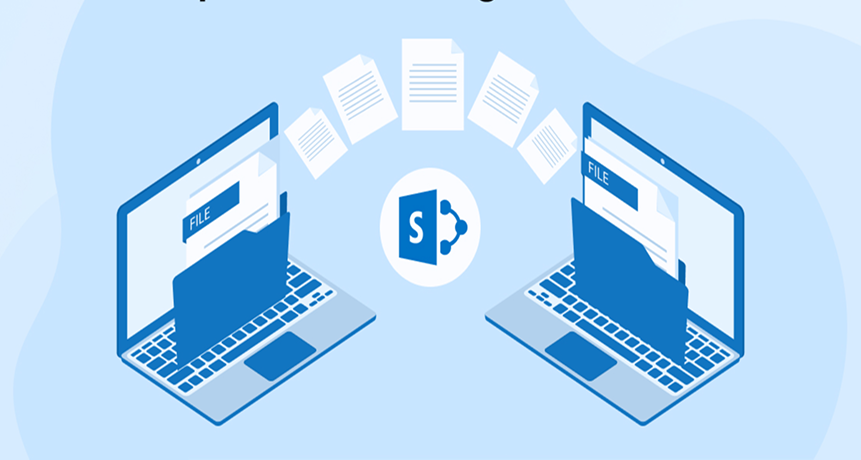
Many organizations mistakenly treat SharePoint migration as a simple file-copy exercise. In reality, a successful migration is a strategic transformation initiative that extends far beyond data movement. It requires a comprehensive review of architecture, governance policies, security controls, content structure, and long-term scalability planning.
A well-executed migration evaluates the current environment, identifies structural inefficiencies, aligns compliance requirements, and defines how users will interact with the modern platform. This broader, modernization-focused approach reduces post-migration disruption and establishes a secure, scalable digital workplace foundation designed to grow with the business.
Legacy System Limitations: Hidden Technical Debt
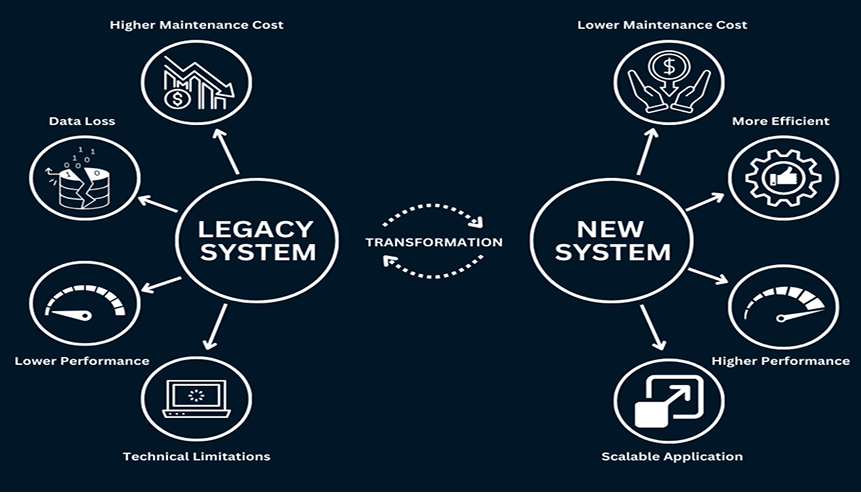
Organizations operating in older on-premises environments, such as SharePoint 2013, often face accumulated technical debt. Systems implemented years ago were designed around outdated business processes and infrastructure assumptions. Over time, these environments develop:
- Excessive customizations that are difficult to maintain
- Fragmented folder-based storage models
- Broken or unsupported web parts
- Legacy workflows that frequently fail
- Permission structures are misaligned with current job roles
- Increased security vulnerabilities
- Performance degradation and slow page loads
For example, companies frequently rely on deep folder hierarchies instead of metadata-driven organization. This outdated structure reduces search efficiency, limits automation capabilities, and complicates compliance enforcement.
A structured migration strategy begins with:
- A full content audit and classification review
- Inventory of custom web parts, solutions, and workflows
- Permission mapping and cleanup
- Redesign using modern architecture and flat information structures
- Implementation of role-based access controls
The business outcomes are measurable: reduced maintenance costs, faster document retrieval, improved user experience, and stronger security posture aligned with current regulatory standards.
Migration vs. Modernization: Understanding the Strategic Difference
Migration is the technical act of moving data from on-premises servers to the cloud.
Modernization transforms the platform so it operates efficiently at enterprise scale.
Modernization includes layered improvements such as:
- Information architecture redesign
- Metadata restructuring for search optimization
- Governance rule enforcement
- Workflow re-engineering using modern automation tools
- User interface enhancement for productivity
- Elimination of redundant or obsolete content
Each modernization layer strengthens the platform’s operational resilience. The goal is not merely relocation, but long-term sustainability, performance optimization, and digital workplace maturity.
Compliance and Security Alignment During Migration

A migration project presents a critical opportunity to realign compliance frameworks and strengthen security governance.
Key technical steps include:
- Mapping legacy retention rules to modern compliance labels
- Applying sensitivity classifications to regulated content
- Preserving audit trails and version histories
- Validating access controls and least-privilege permissions
- Eliminating orphaned accounts and redundant access groups
Without structured compliance alignment, organizations risk regulatory penalties, audit failures, or data exposure incidents after cloud adoption. A properly governed migration ensures legal defensibility and enterprise-grade data protection.
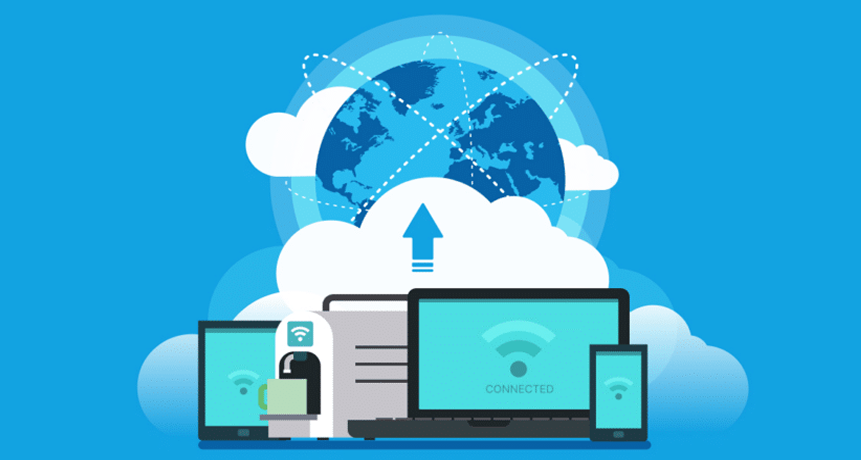
Migrating to cloud-based SharePoint environments delivers tangible infrastructure benefits:
- Elastic storage scaling without hardware investment
- Elimination of local server maintenance
- Automatic security patches and feature updates
- Global content accessibility with reduced latency
- Improved uptime and disaster recovery capabilities
Cloud architecture removes the operational burden of maintaining aging infrastructure while increasing availability and system responsiveness for distributed teams.
Preparing for AI and Automation Integration

Migration is also a strategic inflection point for artificial intelligence readiness. AI-driven tools require structured, well-classified, and metadata-rich content to function effectively.
By restructuring content during migration, organizations can:
- Improve search intelligence
- Enable automated workflows
- Support document summarization and insights extraction
- Reduce manual data handling
- Accelerate decision-making processes
Clean architecture and standardized metadata ensure that AI systems can interpret information accurately from day one.
Step-by-Step Enterprise Microsoft SharePoint Migration Roadmap
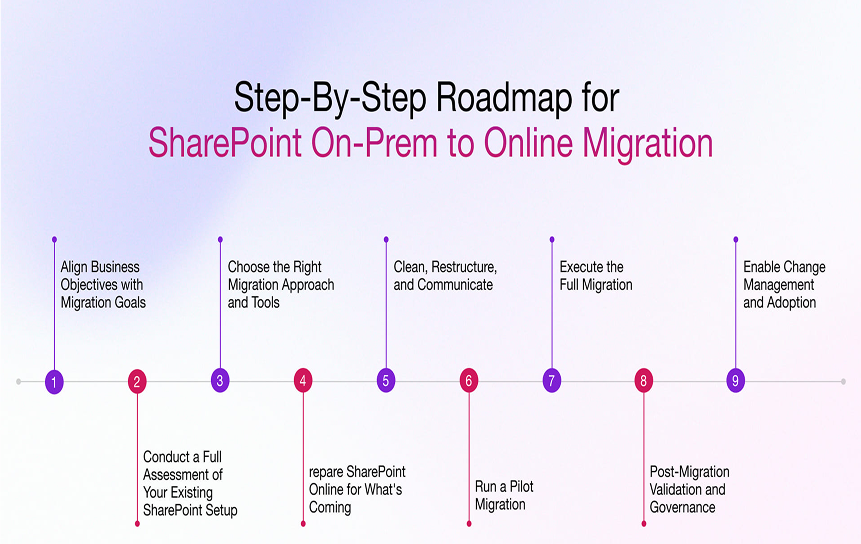
A structured enterprise SharePoint migration roadmap ensures technical accuracy, regulatory compliance, and minimal operational disruption. Rather than approaching migration as a single execution event, successful organizations follow a phased strategy that combines governance, architecture redesign, testing, and user enablement.
Below is a comprehensive, SEO-optimized migration framework designed for enterprise-scale modernization projects:
1. Discovery & Pre-Migration Audit
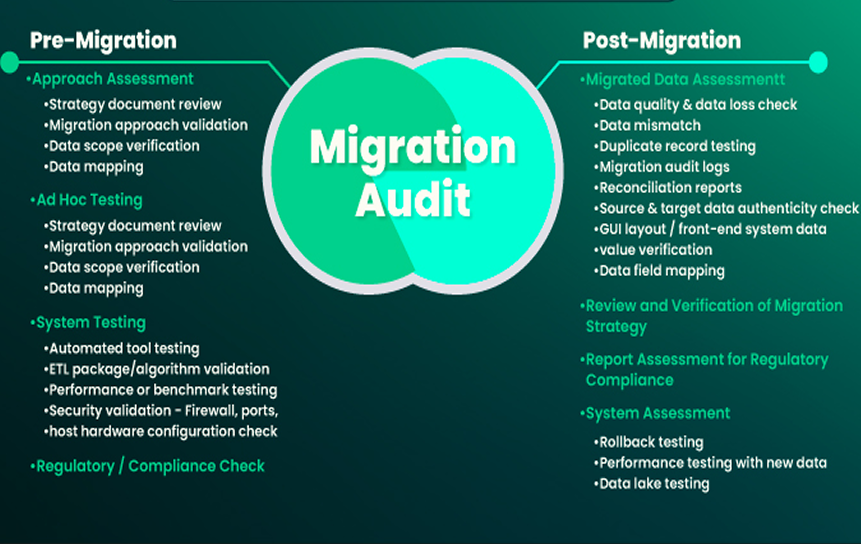
Every successful migration begins with complete visibility.
The discovery phase should include:
- Inventory of all site collections, subsites, and content repositories
- Identification of duplicate, redundant, or obsolete files
- Audit of custom web parts, add-ins, and legacy solutions
- Permission structure analysis and role validation
- Review of retention policies and regulatory compliance rules
- Storage usage and performance assessment
For organizations operating legacy environments such as SharePoint 2013, this phase often reveals unsupported customizations and broken workflows that require remediation before migration.
Outcome: A clearly defined migration scope, risk register, content prioritization list, and remediation plan. This prevents scope creep and reduces unexpected technical debt during execution.
2. Information Architecture Redesign
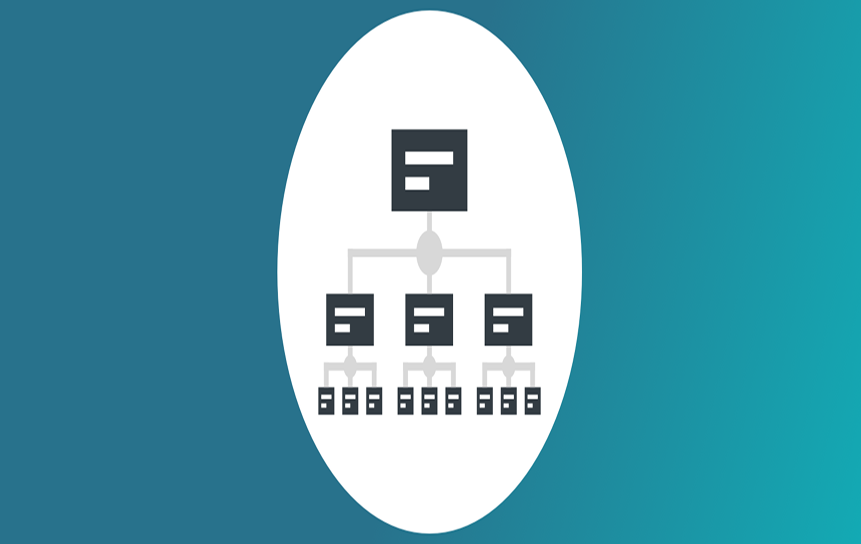
Migration without architectural redesign simply relocates existing inefficiencies. Modernization requires rebuilding the structure before moving data.
Key architectural improvements include:
- Establishing hub sites aligned to business functions
- Creating standardized site templates for consistency
- Designing a scalable metadata taxonomy
- Implementing role-based permission models
- Planning intuitive global and local navigation
- Replacing deep folder hierarchies with flat, searchable structures
For heavily cluttered environments, archival policies should be enforced to remove content that no longer supports operational or regulatory needs.
Business Impact: A clean, searchable, and user-centric digital workplace that improves findability, reduces storage overhead, and supports automation readiness.
3. Migration Tool Selection & Execution Strategy
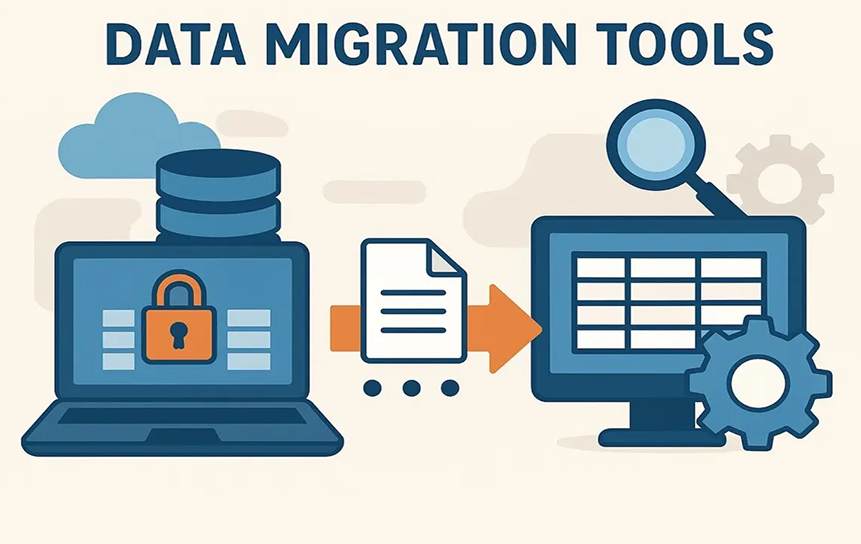
Tool selection directly affects migration speed, reporting visibility, and error control.
Enterprises typically evaluate:
- Native Microsoft migration utilities
- Trusted third-party migration platforms
- Hybrid execution models
Execution strategies may include:
- Pilot migrations to validate performance and compatibility
- Department-based phased rollouts
- Full enterprise cutover migrations
Best practices for execution:
- Conduct a test migration in a sandbox environment
- Validate metadata integrity, permissions, and version history
- Perform phased migrations to limit operational disruption
- Run post-migration verification audits
- Maintain rollback contingencies
Result: Controlled execution with minimized downtime, verified data integrity, and documented compliance validation.
4. Workflow & Automation Rebuild
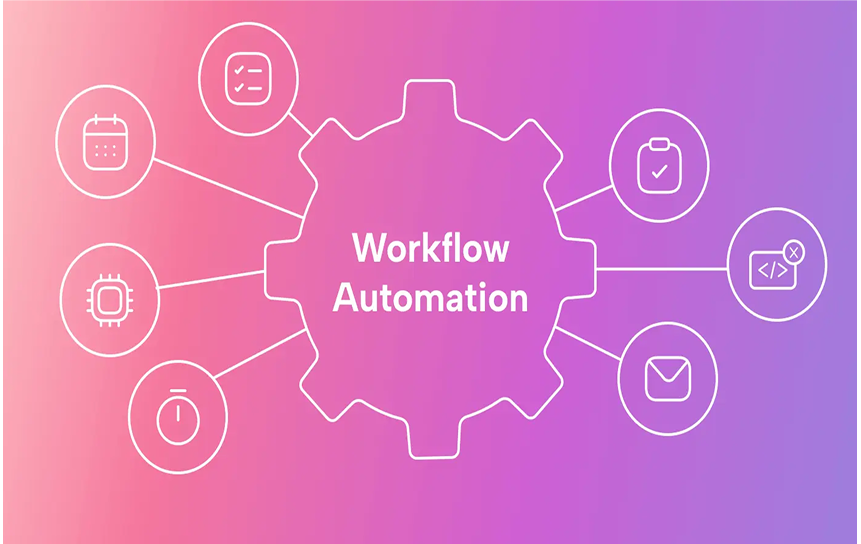
Legacy approval systems and manual processes must be redesigned using modern automation platforms such as Microsoft Power Automate.
Common modernization upgrades include:
- Converting email-based approvals into automated workflows
- Creating dynamic approval routing based on metadata
- Enabling automatic notifications and escalation triggers
- Building dashboards for workflow tracking and analytics
For example, a paper-based contract approval process can be transformed into a digital workflow that provides real-time status updates, automated reminders, and compliance-tracking logs.
Operational Advantage: Reduced processing time, improved accountability, and enhanced audit transparency.
5. User Adoption & Change Management

Technology migration succeeds only when users adopt the platform confidently.
A structured change management plan should include:
- Executive-level communication strategy
- Departmental briefings and readiness updates
- Role-based training sessions
- Internal “SharePoint Champions” program
- Post-launch helpdesk and knowledge base support
Providing continuous guidance reduces resistance, accelerates productivity, and maximizes return on investment from day one.
Key Insight: Adoption is not an afterthought; it is a core pillar of enterprise migration success.
Business Benefits of Strategic Microsoft SharePoint Modernization
Strategic SharePoint modernization, supported by a thoughtful SharePoint migration strategy, delivers measurable enterprise value beyond system upgrades. By combining governance, architecture optimization, and automation alignment, organizations can strengthen operational performance, reduce reliance on legacy infrastructure, and prepare for AI-driven transformation.
Below are the core business benefits of a structured SharePoint modernization initiative:
1. Improved Operational Efficiency
Modernized SharePoint environments eliminate process bottlenecks and fragmented collaboration.
Key efficiency gains include:
- Faster document discovery through metadata-driven search
- Automated approval workflows that reduce manual intervention
- Centralized collaboration within structured hub sites
- Standardized templates that reduce content duplication
- Real-time document co-authoring and version control
By consolidating content and processes into a unified digital workspace, teams spend less time searching for information and more time executing high-value tasks. Automation reduces human error while increasing accountability and transparency across departments.
Result: Accelerated decision-making, reduced administrative overhead, and improved employee productivity.
2. Reduced IT Infrastructure Costs
Migrating from legacy on-premises deployments to cloud-based SharePoint eliminates capital expenditures associated with server maintenance and hardware refresh cycles.
Cost-saving factors include:
- Removal of local server infrastructure
- Reduced patch management and manual upgrades
- Lower disaster recovery overhead
- Automatic system updates and feature enhancements
- Scalable storage without hardware expansion
Cloud-hosted SharePoint environments shift IT from reactive maintenance to strategic innovation. Resources previously allocated to infrastructure management can instead support digital transformation initiatives.
Impact: Lower total cost of ownership (TCO) and predictable operational expenditure.
3. Stronger Security & Compliance
Modern SharePoint ecosystems incorporate enterprise-grade security controls and regulatory enforcement mechanisms.
Security enhancements include:
- Continuous monitoring and threat detection
- Automated retention and record management policies
- Sensitivity labeling and data classification
- Role-based access control and least-privilege enforcement
- Built-in audit logging and reporting
These capabilities reduce exposure to compliance violations and improve readiness for regulatory audits. Modern governance frameworks ensure that data protection standards evolve alongside changing legal requirements.
Outcome: Reduced risk, enhanced regulatory alignment, and stronger enterprise data protection.
4. Enhanced Collaboration Across Departments
Modernization introduces a structured hub architecture that connects departments while maintaining governance boundaries.
When integrated with Microsoft Teams, SharePoint becomes the backbone of enterprise collaboration:
- Conversations, documents, and workflows remain synchronized
- Cross-departmental visibility improves knowledge sharing
- Teams collaborate in real time within controlled environments
- Shared dashboards provide unified performance insights
Hub sites create logical connections between business units, enabling centralized governance with decentralized productivity.
Business Value: Improved cross-functional coordination and stronger organizational alignment.
5. AI & Analytics Readiness
Strategic modernization establishes the data foundation required for artificial intelligence and analytics initiatives.
Well-structured metadata and content governance enable:
- Accurate enterprise search results
- Automated document classification
- Behavioral analytics based on user engagement
- Predictive insights derived from structured content patterns
- Intelligent recommendations and content discovery
AI tools rely on clean, organized, and consistently tagged data. Without proper architecture and taxonomy, advanced analytics capabilities remain limited.
Long-Term Advantage: A scalable, insight-driven digital workplace prepared for automation, AI integration, and data-informed decision-making.
Common Microsoft SharePoint Migration Challenges & How to Avoid Them

Even a strategic SharePoint migration can encounter operational, governance, and user adoption obstacles. Identifying risks early and implementing structured mitigation strategies ensures a smooth transition, protects compliance integrity, and preserves system performance.
Below are the most common SharePoint migration challenges and practical solutions to address them proactively:
1. Migrating Unstructured Data
The Challenge: Legacy SharePoint environments often contain deeply nested folders, inconsistent naming conventions, duplicate files, and outdated content. Migrating this unstructured data without remediation simply transfers disorder into the new system.
How to Avoid It:
- Conduct a comprehensive content audit before migration
- Eliminate redundant, obsolete, and trivial (ROT) data
- Replace folder-heavy structures with metadata-based classification
- Archive content that no longer delivers operational or compliance value
- Standardize document naming conventions
Best Practice: Treat migration as a content optimization initiative, not just a data transfer exercise.
2. Broken Permissions After Migration

The Challenge: Improperly mapped permissions can result in users losing access, or worse, gaining unintended access to sensitive content.
How to Avoid It:
- Transition from fragmented permissions to role-based access control (RBAC)
- Remove inheritance breaks wherever possible
- Audit all SharePoint groups before migration
- Validate access rights through user acceptance testing (UAT)
- Perform a post-migration permission review
Security Tip: Apply the principle of least privilege to reduce compliance risk and improve governance clarity.
3. User Resistance to the New Interface
The Challenge: A redesigned SharePoint environment often introduces new navigation, workflows, and layouts. Without preparation, users may resist change, leading to low adoption rates and productivity slowdowns.
How to Avoid It:
- Implement intuitive, simplified navigation structures
- Conduct early communication campaigns
- Provide role-based training sessions
- Develop internal “power users” or champions
- Offer post-launch support and knowledge resources
Gradual exposure and structured onboarding reduce friction and increase confidence in the new system.
4. Incomplete Compliance Mapping

The Challenge: Failure to properly migrate retention policies, audit trails, and sensitivity labels can create regulatory exposure after go-live.
How to Avoid It:
- Map legacy retention rules to updated compliance labels
- Validate sensitivity classifications during migration testing
- Confirm audit log preservation
- Conduct a final compliance validation review before rollout
- Involve legal and governance stakeholders in sign-off
A structured compliance checkpoint ensures that modernization does not compromise regulatory obligations.
5. Poor Performance Post-Migration

The Challenge: After migration, users may report slow page loads, search delays, or inconsistent responsiveness, often due to inefficient architecture or excessive customization.
How to Avoid It:
- Redesign information architecture for performance efficiency
- Minimize unnecessary custom web parts
- Optimize metadata indexing
- Conduct load and performance testing with real user groups
- Roll out in controlled phases rather than full-scale deployment
Performance testing under realistic conditions helps identify bottlenecks before enterprise-wide launch.
Microsoft SharePoint Migration vs. Alternative Collaboration Platforms
When organizations evaluate digital workplace transformation, the decision often extends beyond migration strategy to full platform comparison. Choosing the right collaboration ecosystem impacts governance, automation capability, compliance posture, and long-term total cost of ownership.
Below is a strategic comparison of SharePoint migration versus alternative collaboration and document management platforms:
SharePoint vs. Google Workspace Migration
Both platforms provide cloud-based collaboration tools. However, their governance depth and enterprise architecture capabilities differ significantly.
Governance & Metadata Control
SharePoint offers advanced metadata structuring, hierarchical hub site architecture, and granular permission modeling. These features are critical for regulated industries such as finance, healthcare, legal services, and government sectors.
Google Workspace emphasizes simplicity and ease of collaboration, but provides a more limited metadata taxonomy and enterprise-grade records management controls compared to SharePoint.
Compliance & Regulatory Alignment
SharePoint integrates tightly with Microsoft 365 compliance frameworks, enabling:
- Retention labels and automated records management
- Sensitivity classification
- Role-based access enforcement
- Detailed audit logging
Organizations operating under strict regulatory standards often require these advanced compliance capabilities to meet legal obligations and audit requirements.
Enterprise Scalability
SharePoint’s architecture supports complex organizational structures, cross-departmental hubs, and large-scale content governance. For multinational enterprises, this structured scalability provides stronger operational control.
Strategic Insight:
For businesses prioritizing governance depth, metadata precision, and regulatory compliance, SharePoint migration typically provides stronger long-term alignment.
SharePoint vs. Third-Party Document Management Systems (DMS)
Many third-party DMS platforms offer document storage and workflow tools. However, integration depth and ecosystem compatibility often determine long-term value.
Native Integration Within Microsoft 365
SharePoint operates as the content foundation of Microsoft 365, seamlessly connecting with:
- Microsoft Teams
- Microsoft Power Automate
- Outlook and other enterprise productivity tools
This native integration reduces system silos, improves user adoption, and minimizes integration overhead.
Automation & Workflow Capabilities
SharePoint leverages built-in automation frameworks without requiring separate licensing or complex API bridges. Third-party DMS platforms may require additional middleware, customization costs, or third-party connectors to achieve similar workflow sophistication.
Security & Identity Management
Through centralized identity management and unified governance policies, SharePoint aligns seamlessly with enterprise authentication protocols and security models, reducing risk and administrative complexity.
Competitive Advantage:
For organizations already invested in Microsoft 365, SharePoint offers cost efficiency, integration simplicity, and operational continuity.
Why Structured Modernization Reduces Long-Term Costs
Regardless of platform choice, the modernization strategy determines sustainability. A structured SharePoint modernization roadmap delivers measurable long-term savings by:
- Preventing repeated architectural redesign cycles
- Eliminating redundant or obsolete content
- Increasing user adoption through intuitive design
- Reducing compliance remediation costs
- Minimizing IT maintenance and customization debt
Reactive migrations often result in rework, user frustration, and governance gaps. A planned modernization approach ensures the system remains scalable, secure, and aligned with evolving business requirements.
AI-Ready Microsoft SharePoint Modernization

Modern SharePoint environments are no longer just content repositories; they serve as intelligent data ecosystems that power automation, analytics, and AI-driven insights. Preparing SharePoint for artificial intelligence integration requires structured metadata, governed content, and optimized architecture.
An AI-ready modernization strategy ensures your digital workplace can fully leverage emerging tools such as Microsoft Copilot while maintaining compliance, performance, and data integrity.
Preparing Content for Copilot Integration
AI systems depend on structured, well-classified data to generate reliable outputs. Disorganized folders, inconsistent naming conventions, and outdated permissions reduce the accuracy of AI-generated responses.
To prepare SharePoint for Copilot integration:
- Implement a standardized metadata taxonomy
- Eliminate redundant or obsolete content
- Align permissions with role-based access controls
- Ensure document version histories are preserved
- Validate retention and sensitivity labels
When metadata is clean and consistent, Copilot can retrieve contextually relevant information, generate accurate summaries, and provide meaningful business insights.
Outcome: Higher AI response accuracy and improved knowledge discovery.
Intelligent Document Classification
Manual tagging is inefficient and prone to inconsistency. During modernization, organizations should implement automated classification policies that assign metadata dynamically.
Best practices include:
- Auto-applying tags based on content type
- Using rule-based classification triggers
- Enforcing mandatory metadata fields
- Aligning document categories with business functions
Automated classification ensures content remains searchable, compliant, and structured—both during and after migration.
Business Value: Reduced administrative overhead and improved search precision.
Smart Search Optimization
Enterprise search effectiveness depends on aligning technical indexing with real-world business terminology.
To optimize SharePoint search performance:
- Configure managed properties aligned with business vocabulary
- Establish dynamic filters and refiners
- Map synonyms and common terms used by departments
- Optimize metadata indexing for performance
When search architecture reflects how teams actually work, employees locate information faster, and AI systems deliver more relevant insights.
Impact: Faster information retrieval and stronger user satisfaction.
Automation-Driven Collaboration
Legacy scripts and manual approval chains limit scalability. Modern SharePoint environments should leverage automation frameworks such as Microsoft Power Automate to streamline collaboration.
Modern automation capabilities include:
- Trigger-based document routing
- Automated approval workflows
- Notification and escalation mechanisms
- Integrated task tracking across departments
Replacing outdated custom scripts with standardized flows improves reliability, reduces maintenance complexity, and enhances transparency.
Result: Scalable, self-sustaining collaboration processes with minimal manual intervention.
Predictive Analytics & Usage Monitoring
AI-ready environments require continuous data-driven optimization. Usage analytics provide actionable insight into how teams interact with content.
Organizations should:
- Monitor document access patterns
- Track workflow performance metrics
- Identify inactive or redundant sites
- Analyze search behavior trends
- Adjust architecture based on real engagement data
By leveraging actual usage insights, enterprises can refine governance strategies, improve user experience, and strengthen ROI over time.
Industry Use Cases for Strategic Microsoft SharePoint Modernization
SharePoint modernization delivers industry-specific value when governance, compliance, automation, and information architecture are aligned with operational requirements. Below are key sector-based use cases demonstrating how structured migration, a SharePoint modernization roadmap, and SharePoint Online upgrade planning support regulatory alignment, efficiency, and scalability.
Financial Services
Financial institutions operate under strict regulatory frameworks that require controlled record retention, audit transparency, and secure document handling.
Modernized SharePoint environments enable:
- Automated retention and disposition policies
- Granular permission enforcement aligned to compliance roles
- Full audit trail preservation during legacy intranet migration to SharePoint Online
- Secure document classification and sensitivity labeling
- Centralized SharePoint content migration best practices for policy documentation
Business Impact: Reduced compliance risk, improved audit readiness, and strengthened governance controls, supporting enterprise SharePoint transformation initiatives.
Healthcare
Healthcare organizations must manage protected health information (PHI) in accordance with HIPAA.
A structured SharePoint On-Prem to Online migration strategy ensures:
- Secure patient record management
- Role-based access to sensitive medical documents
- Automated retention aligned with healthcare regulations
- Audit logging for access tracking
- Encrypted content storage and transmission
Operational Advantage: Compliance mapping during migration safeguards HIPAA requirements, enabling collaboration modernization without compromising data protection standards.
Manufacturing
Manufacturing enterprises rely on standardized documentation such as SOPs, quality control records, and supply chain documentation.
Modern SharePoint architecture supports:
- Centralized SOP libraries with version control
- Metadata-driven categorization by plant, process, or product line
- Automated approval workflows for policy updates
- Real-time access for distributed production teams
- Searchable compliance and safety documentation
Outcome: Transformation from fragmented file storage to structured knowledge repositories improves operational consistency, reduces risk during SharePoint migration, and strengthens quality assurance governance.
IT Enterprises
Technology-driven organizations require agile collaboration environments capable of supporting rapid project cycles and distributed teams.
SharePoint transformation consulting supports:
- Centralized project documentation hubs
- Integrated collaboration with development teams
- Real-time document co-authoring and version tracking
- Automated change request workflows
- Structured knowledge management repositories
Strategic Benefit: Files migrate into a scalable platform ready for cloud-based intelligent collaboration, tenant consolidation, and AI-ready content structure, accelerating project delivery and digital workflow automation.
Educational Institutions
Schools, universities, and training institutions manage large volumes of academic and administrative content.
A modernized SharePoint ecosystem enables:
- Organized learning material repositories
- Metadata-driven categorization by subject, course, or department
- Controlled faculty and administrative access levels
- Simplified updates to syllabi and curriculum resources
- Centralized collaboration between staff and students
Institutional Value: Enhanced content accessibility, streamlined academic administration, and improved Microsoft Copilot migration readiness support both in-person and remote learning environments.
Why Enterprises Choose Structured Migration Over Quick Lift-and-Shift
When modernizing Microsoft SharePoint, enterprises must decide between a rapid “lift-and-shift” migration or a structured, governance-driven SharePoint migration strategy.
While lift-and-shift may seem faster initially, it often transfers legacy inefficiencies, broken permissions, outdated workflows, and compliance gaps directly into the new environment. Structured migration, by contrast, focuses on architectural integrity, regulatory alignment, and long-term scalability, forming the backbone of a SharePoint modernization roadmap.
Below is why enterprises consistently prioritize structured migration over quick relocation:
1. Governance-First Reduces Operational Risk
A structured migration begins with policy alignment, permission audits, metadata standardization, and compliance migration mapping.
This governance-first methodology ensures:
- Clean access control models
- Proper retention and sensitivity labeling
- Removal of redundant or obsolete content
- Preservation of audit trails
- Elimination of unsupported customizations
By resolving structural issues before migration, organizations significantly reduce post-launch security incidents and compliance vulnerabilities.
Result: Lower operational risk and stronger regulatory defensibility during legacy intranet migration to SharePoint Online or SharePoint On-Prem to Online migration strategy initiatives.
2. Improved User Adoption and Productivity
Quick migrations often introduce unfamiliar environments, leading to confusion and resistance.
Structured modernization includes:
- Intranet redesign and migration with intuitive navigation
- Role-based training programs
- Phased rollouts with user validation
- Post-launch support frameworks
Impact: Higher adoption rates, faster productivity, and smoother transitions during Enterprise SharePoint transformation projects.
3. Built-In Scalability for Future Growth
Lift-and-shift projects often replicate outdated folder structures and workflows, limiting scalability and risking repeated redesigns.
Structured migration emphasizes:
- Hub site re-architecture for consolidated navigation
- Metadata-driven content organization
- Automation-ready workflows
- Cloud-native governance frameworks
- Performance optimization planning
Long-Term Advantage: A digital transformation-ready platform that evolves with enterprise growth, supporting cloud scalability and collaboration modernization.
4. AI and Automation Readiness
Modern enterprises are increasingly integrating AI-driven tools like Microsoft Copilot migration readiness into their collaboration ecosystems.
AI systems require structured, well-governed data. Lift-and-shift rarely delivers the necessary AI-ready content structure or automated content tagging during migration.
Structured migration ensures:
- Standardized taxonomy frameworks
- Clean permission hierarchies
- Automated classification policies
- Search optimization alignment
Outcome: AI tools provide accurate insights, contextual summaries, and actionable recommendations from day one.
Conclusion
A well-planned SharePoint migration strategy is essential for improving efficiency, maintaining compliance, and building a scalable collaboration platform. Following a SharePoint modernization roadmap ensures careful execution of each migration phase, reducing disruption and increasing user adoption planning success.
Whether performing a legacy intranet migration to SharePoint Online, implementing a SharePoint Online upgrade planning, or executing a full Enterprise SharePoint transformation, organizations gain measurable value through governance, architecture improvements, and future-proofed workflows.
With structured planning, enterprises can achieve:
- Step-by-step SharePoint migration checklist compliance
- SharePoint content migration best practices adoption
- Reduced risk in tenant consolidation or SharePoint tenant restructuring strategy
- A platform ready for Microsoft 365 migration advisory, AI tools, and cloud-based intelligent collaboration
Ultimately, structured migration minimizes risk, supports information governance alignment, and ensures a sustainable, high-performing digital workplace, far beyond what a quick lift-and-shift can deliver.
Book a consultation with our SharePoint migration strategy experts to streamline your workflows and enhance internal process control today.
FAQs
Answering the most common SharePoint migration strategy questions ensures clarity for both beginners and advanced users alike.
-
How long does an enterprise SharePoint migration take?
The duration depends on the size and complexity of your environment, including the number of users, sites, and customizations. A structured SharePoint migration strategy with pre-migration planning, phased rollout, and tenant evaluation helps set realistic timelines. Small projects may take a few weeks, while larger enterprise migrations can span several months.
-
What is the cost of migrating from SharePoint On-Prem to Online?
Costs vary based on the volume of data, number of users, and customization needs. While a straightforward lift-and-shift may seem cheaper initially, investing in proper planning reduces risks like failed workflows or compliance issues. A thoughtful strategy can prevent common pitfalls and minimize unexpected expenses over time.
-
How do we avoid data loss during migration?
Preventing data loss starts with careful preparation: complete backups, validation of metadata, permission audits, and phased migration testing. Enterprises that include SharePoint restructuring before migration as part of their plan can preserve content integrity and reduce errors during the move.
-
Can custom workflows be migrated to SharePoint Online?
Yes, but not all legacy workflows transfer automatically. Some may need to be redesigned for the modern SharePoint Online environment. Including workflow assessment and redesign in your migration plan helps ensure automation remains functional and avoids common post-migration issues.
-
How do we ensure compliance after migration?
Compliance is maintained through governance planning, access controls, retention policies, and audit trails. A thoughtful intranet re-architecture strategy and risk-focused migration approach can help organizations meet regulatory requirements and internal standards consistently.
-
Is modernization necessary, or can we just migrate data?
While you can move data without modernization, skipping it often leads to inefficiencies, poor user adoption, and repeated restructuring. A structured approach that includes governance, architecture redesign, and workflow optimization ensures the platform is scalable, compliant, and ready for future growth.


