
What Are Salesforce Page Layouts?
Definition of Page Layouts
Salesforce page layouts are the backbone of how users interact with records inside the Salesforce platform. In practical terms, they define what users see, how they see it, and where information is positioned on record detail pages. In any real-world implementation of Salesforce, page layouts control the structure of fields, related lists, buttons, and sections that appear when a user opens a record.
When administrators talk about Salesforce page layouts, they are essentially discussing the configuration layer that shapes the Salesforce user interface at the record level. This is where CRM usability starts to take form, because even the most powerful CRM system can become confusing if the layout is poorly designed.
A well-structured layout ensures that users don’t waste time searching for information. Instead, they experience a logical flow that supports daily operations, improves employee productivity, and reduces friction in data entry.
Purpose of Page Layout Design
The primary purpose of Salesforce page layouts is to simplify how users interact with data. In enterprise environments, users from sales, service, and operations all rely on the same system but need different views. This is where page layouts become essential.
From a consultant’s perspective, Salesforce page layouts are not just about aesthetics. They are about improving navigation efficiency, reducing cognitive load, and enabling users to complete tasks faster. When designed correctly, they streamline workflows and ensure that critical business data is always visible.
Organizations often underestimate how much page layout design impacts CRM usability until user complaints begin to surface. At that point, the issue is rarely the platform itself but how the interface has been structured.
Relationship Between Layouts and User Experience
User experience in CRM systems is directly tied to how intuitive the interface feels. Salesforce page layouts play a central role in shaping that experience because they define the structure of record detail pages.
When layouts are cluttered or inconsistent, users struggle to locate fields, leading to poor adoption and inefficient workflows. On the other hand, a clean and organized Salesforce user interface encourages engagement and reduces training time.
In many implementations of Salesforce Lightning, improving page layouts has been one of the fastest ways to increase user satisfaction without major system overhauls. This is because layout optimization directly influences how users perceive system performance.
Page Layout Components
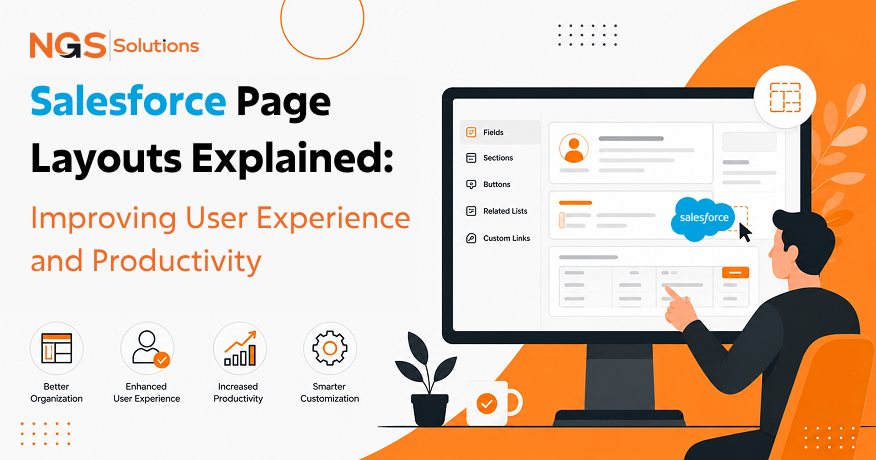
Salesforce page layouts consist of several key components that define the structure of record pages. These include fields, sections, related lists, and action buttons. Each component plays a specific role in how users interact with data.
Fields determine what information is captured. Sections help organize that information into logical groups. Related lists connect records across objects, while action buttons allow users to perform tasks quickly.
When combined effectively, these components create a structured Salesforce record page layout that supports real-world business processes.
Why Layout Optimization Matters
Optimizing Salesforce page layouts is not a cosmetic exercise. It is a strategic decision that directly affects productivity and data quality. Poor layouts often lead to incomplete data entry, confusion during navigation, and reduced user adoption.
Organizations that invest in layout optimization typically see improvements in CRM usability, faster task completion, and better data visibility across teams. In many cases, improving Salesforce page layouts is one of the first steps toward improving the overall Salesforce user experience.
How Salesforce Page Layouts Influence Productivity
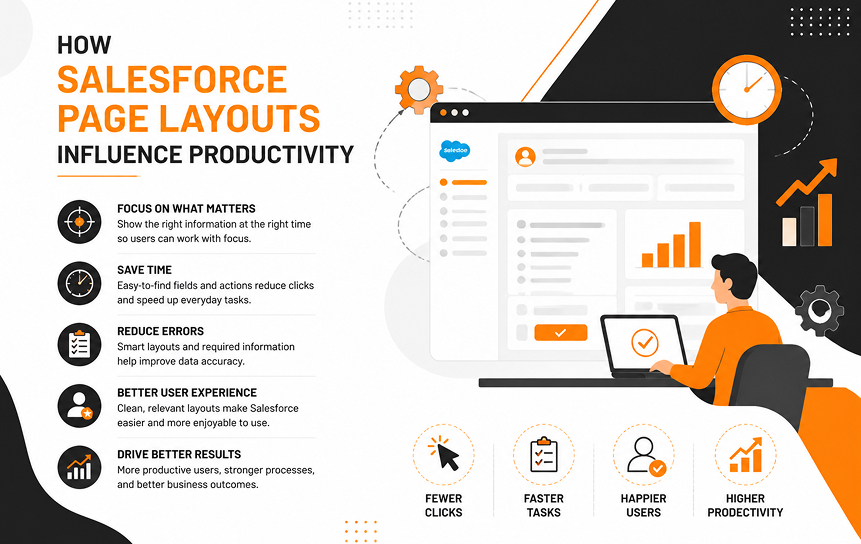
Salesforce page layouts have a direct impact on how efficiently users perform daily tasks. When layouts are designed with clarity and purpose, users spend less time navigating and more time executing.
Faster Access to Information
One of the most immediate benefits of well-designed Salesforce page layouts is faster access to critical information. When fields are placed logically, users can find what they need without scrolling excessively or switching between tabs.
In enterprise environments, this small improvement translates into significant time savings across hundreds of users. Over time, better layouts improve employee productivity and reduce operational delays.
Reduced Navigation Time
Navigation inefficiency is one of the most common complaints in poorly designed CRM systems. Salesforce page layouts address this by organizing data in a structured manner.
Instead of searching through multiple sections, users can rely on predictable patterns. This improves navigation efficiency and helps users complete tasks faster, especially in high-volume environments like sales and customer support.
Improved Data Entry Efficiency
Data entry is a core activity in any CRM system. Poorly structured layouts often lead to incomplete or inconsistent data because users are unsure where to input information.
Well-designed Salesforce page layouts simplify this process by grouping related fields and reducing unnecessary complexity. This directly contributes to improved CRM usability and ensures higher data accuracy.
Better Task Completion Rates
When users can easily find information and enter data without confusion, task completion rates improve significantly. Salesforce page layouts that prioritize usability help users stay focused on their workflow instead of struggling with the interface.
This leads to more consistent CRM usage and better overall system performance.
Enhanced User Satisfaction
User satisfaction is often an overlooked metric in CRM success, but it is closely tied to system adoption. Salesforce page layouts that are intuitive and well-organized contribute to a positive user experience.
When users feel that the system supports their work rather than hindering it, they are more likely to engage consistently with the platform.
Key Components of Effective Salesforce Page Layouts
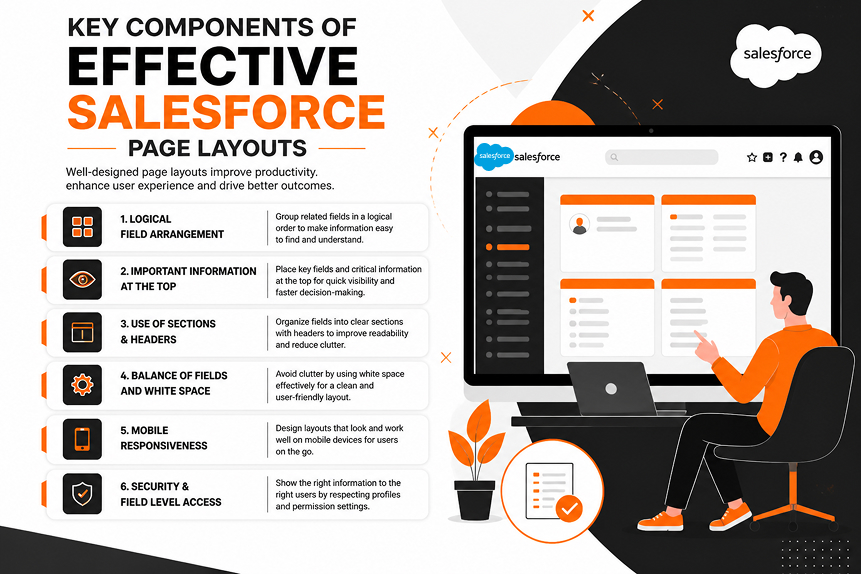
Effective Salesforce page layouts are built on thoughtful design principles that prioritize clarity and usability. Each component plays a role in shaping the overall experience.
Field Placement Strategy
Field placement is one of the most critical aspects of Salesforce page layouts. Fields should be arranged based on usage frequency and business importance.
For example, in sales environments, opportunity amount and stage should always be easily accessible. Poor field placement often leads to reduced efficiency and unnecessary scrolling.
Related Lists Organization
Related lists connect records across objects and provide context for users. Organizing these lists effectively is essential for maintaining a clean Salesforce record page layout.
When related lists are placed strategically, users can quickly access historical and contextual data without losing focus on their primary task.
Action Buttons and Quick Actions
Action buttons allow users to perform tasks such as editing records, sending emails, or creating follow-ups. In Salesforce page layouts, these buttons should be placed where they are easily accessible.
Well-designed quick actions improve workflow efficiency and reduce the number of clicks required to complete tasks.
Record Highlights Panels
Record highlights provide a summary view of key data points. These panels are especially useful in Salesforce Lightning App Builder, where users need quick visibility into critical fields.
Dynamic Components
Modern Salesforce page layouts often include dynamic components that adjust based on user roles or data conditions. This improves relevance and reduces clutter, making the interface more responsive to user needs.
Common Page Layout Challenges
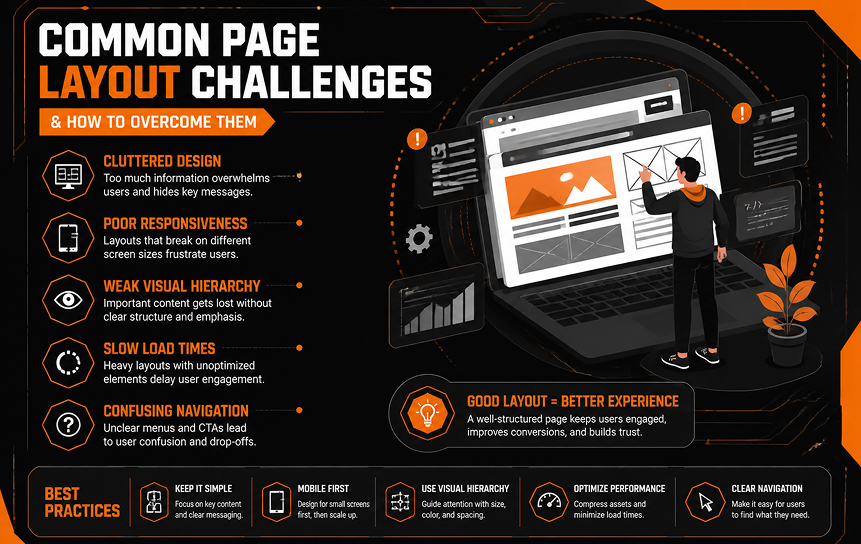
Despite their importance, Salesforce page layouts are often poorly implemented in real-world systems. These challenges usually stem from a lack of planning or evolving business requirements.
Information Overload
One of the most common issues is information overload. When too many fields are displayed at once, users struggle to focus on what matters. This reduces CRM usability and slows down workflows.
Poor Field Organization
Unstructured field placement creates confusion and leads to inconsistent data entry. Users may skip fields or enter data in the wrong place, affecting data quality.
Excessive Scrolling
Excessive scrolling is a clear sign that Salesforce page layouts are not optimized. Users should not have to scroll endlessly to complete basic tasks.
Inconsistent User Experiences
When different teams use inconsistent layouts, it becomes harder to maintain standard processes. This inconsistency negatively impacts Salesforce user experience across departments.
Low User Adoption
Poorly designed layouts are one of the leading causes of low user adoption in CRM systems. If users find the interface difficult to navigate, they are less likely to engage with it regularly.
Best Practices for Salesforce Page Layout Design
Designing effective Salesforce page layouts requires a balance between business requirements and user experience principles.
Prioritize Frequently Used Fields
Frequently used fields should always be positioned at the top of the layout. This ensures that users can access critical information quickly, improving efficiency and reducing friction.
Group Related Information
Grouping related fields together helps users understand data context more easily. This improves readability and supports better decision-making.
Reduce Visual Complexity
Overly complex layouts reduce usability. Simplifying the design improves focus and enhances the overall Salesforce user interface.
Design for Specific User Roles
Different users require different views. Sales teams, service agents, and managers all interact with data differently. Tailoring Salesforce page layouts for each role improves productivity.
Continuously Review Layout Performance
Layouts should not remain static. Regular review ensures that they continue to meet evolving business needs and support optimal CRM usability.
Salesforce Lightning and Modern User Experience Design
Modern CRM systems rely heavily on dynamic and responsive interfaces. Salesforce page layouts have evolved significantly with the introduction of Lightning-based design principles.
Lightning Record Pages
Lightning record pages allow administrators to create more flexible and dynamic layouts. These pages improve usability by adapting to user needs in real time.
Dynamic Forms
Dynamic forms enable field-level customization without relying solely on traditional layouts. This enhances flexibility and improves the Salesforce user experience.
Responsive User Interfaces
Modern Salesforce page layouts are designed to be responsive across devices. This ensures consistency whether users access the system from a desktop or mobile.
Mobile-Friendly Layout Design
Mobile usage continues to grow, making mobile-friendly design essential. Optimized layouts ensure that users can complete tasks efficiently on smaller screens.
Future UX Enhancements
As CRM platforms evolve, Salesforce page layouts will continue to become more intelligent, leveraging automation and AI-driven personalization to further improve usability.
Measuring Layout Effectiveness
Evaluating the success of Salesforce page layouts requires both qualitative and quantitative analysis.
User Feedback Analysis
User feedback provides direct insight into how layouts are performing in real-world scenarios. This helps identify usability gaps.
Productivity Metrics
Tracking task completion times and data entry speed helps measure how Salesforce page layouts influence efficiency.
Adoption Tracking
High adoption rates typically indicate well-designed layouts. Low adoption suggests usability issues.
Workflow Efficiency Measurements
Analyzing how users move through processes helps identify bottlenecks in layout design.
Continuous Optimization
| Metric Category | What It Measures | Business Impact |
| Task Completion Time | Speed of completing CRM actions | Improved efficiency |
| Data Accuracy | Quality of entered data | Better reporting |
| Navigation Time | Time spent locating records | Reduced friction |
| User Adoption | Frequency of system usage | Higher ROI |
| Error Rate | Mistakes in data entry | Improved data integrity |
Conclusion
Salesforce page layouts play a foundational role in shaping how users interact with CRM systems. When designed thoughtfully, they improve Salesforce user experience, enhance CRM usability, and significantly increase employee productivity.
In real-world implementations, organizations that invest in structured and role-based Salesforce page layouts consistently see better data quality, faster workflows, and higher user adoption rates. The impact is not just technical; it is operational and cultural.
Ultimately, Salesforce page layouts are not just a configuration tool. They are a strategic asset that directly influences how effectively teams use Salesforce in their daily work.
See how role-based Salesforce page layouts can create a more intuitive and efficient CRM environment for your organization.
FAQs
-
What are Salesforce page layouts?
Salesforce page layouts are configuration tools that determine how record detail pages appear to users. They control field placement, related lists, and action buttons, shaping the overall Salesforce user interface. In practical terms, Salesforce page layouts define how users interact with CRM data and directly influence usability and productivity.
-
How do page layouts affect productivity?
Salesforce page layouts affect productivity by reducing the time users spend searching for information and entering data. When layouts are structured properly, users can complete tasks faster, which improves employee productivity and streamlines daily workflows across sales and service teams.
-
What is the difference between page layouts and Lightning pages?
Page layouts control the arrangement of fields and related lists, while Lightning pages provide a broader framework for designing the entire record interface using components. In modern Salesforce Lightning environments, Lightning pages offer more flexibility, but Salesforce page layouts still define core field-level structure.
-
How can businesses improve Salesforce usability?
Businesses can improve usability by simplifying field organization, reducing clutter, and aligning layouts with user roles. Optimized Salesforce page layouts improve navigation efficiency, reduce confusion, and enhance overall CRM usability, leading to higher adoption rates and better data quality.
-
What are common page layout mistakes?
Common mistakes include overcrowded fields, inconsistent design across teams, and lack of role-based customization. These issues negatively impact Salesforce page layouts and often lead to reduced user adoption and inefficient workflows.
-
How do page layouts support user adoption?
Well-designed Salesforce page layouts make the system easier to use, which directly increases user adoption. When users find the interface intuitive and aligned with their workflow, they are more likely to engage consistently with the CRM system.


