

In today’s fast-moving business world, managing a digital workplace is more complex than ever. Organizations often struggle with scattered documents, low employee engagement, security risks, and compliance gaps, all caused by poorly structured SharePoint environments.
This is where Enterprise SharePoint Design makes a real difference.
Instead of treating SharePoint as just a document storage tool, a structured approach focuses on modern SharePoint architecture, governance planning, user experience, and long-term scalability.
With the right strategy, supported by professional SharePoint Online Solutions, businesses can transform their intranet into a secure, efficient, and fully integrated collaboration platform.
What Enterprise SharePoint Design Really Means?
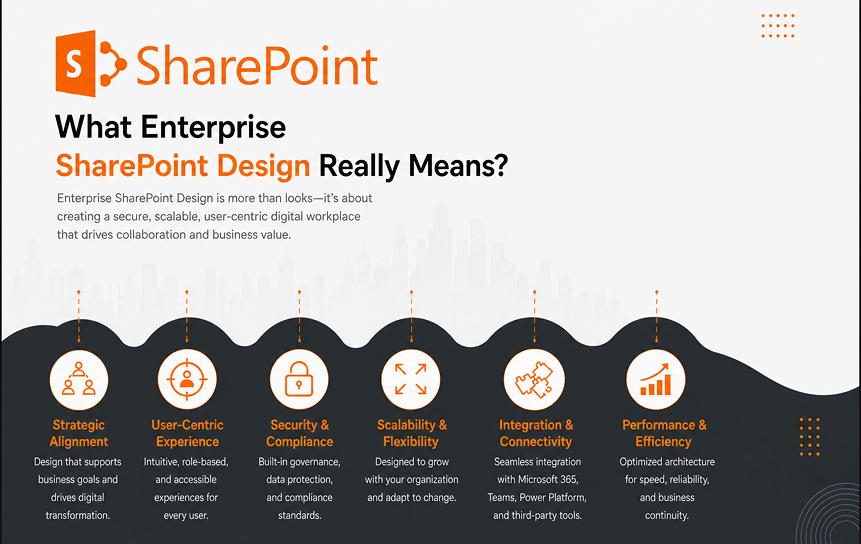
Many organizations believe SharePoint design is only about page layouts, branding, and web parts. While visual appearance matters, true enterprise SharePoint design goes far beyond templates.
A well-designed enterprise SharePoint environment focuses on:
- Information architecture
- Governance and compliance
- Security and permissions
- Metadata and taxonomy strategy
- User experience and journey mapping
- Automation and workflow optimization
- Deep integration with Microsoft 365
Without a structured strategy, SharePoint environments often become disorganized, difficult to manage, and risky from a compliance standpoint. This leads to duplicate content, inconsistent permissions, and employees wasting valuable time searching for information.
Information Architecture & Site Hierarchy
Why Information Architecture Matters
Information architecture (IA) defines how content is organized, structured, and connected across your SharePoint environment.
In large enterprises, thousands of documents are created every month. Without a logical structure, content becomes scattered and hard to find.
A strong architecture ensures:
- Clear navigation paths
- Logical grouping of departments
- Consistent naming conventions
- Easy scalability as the company grows
In Microsoft SharePoint, this is typically achieved using hub sites and associated sites.
Hub Sites and Associated Sites Strategy
Hub sites allow organizations to group related sites under a shared structure.
Example Structure:
- Corporate Hub
- HR Site
- Finance Site
- IT Site
- Operations Site
Each department maintains autonomy while staying connected to a centralized structure.
Benefits of Hub Architecture:
- Unified branding
- Shared navigation
- Centralized search experience
- Consistent governance rules
This structure reduces confusion and prevents departments from creating isolated content silos.
Departmental Structure Mapping
Each team should have a clearly defined digital space with:
- Document libraries
- Announcements
- Task dashboards
- Knowledge bases
- Policy repositories
Mapping business processes to site structure ensures employees know exactly where to go for specific tasks.
For example:
- HR → Employee onboarding, benefits, policies
- Finance → Invoices, budgeting, reporting
- IT → Support tickets, documentation, system updates
This alignment improves clarity and reduces internal friction.
Multi-Location and Global Enterprise Setup
For organizations operating in multiple countries or regions, enterprise SharePoint design must support:
- Regional hubs
- Language variations
- Compliance differences
- Time-zone collaboration
A scalable hierarchy can look like:
Global Hub
→ Region Hub (Americas, EMEA, APAC)
→ Country Sites
→ Department Sites
This ensures global consistency while allowing local flexibility.
Metadata & Taxonomy Strategy
Why Folders Are Not Enough
Traditional folder structures create deep hierarchies that make documents difficult to find. Metadata provides a smarter way to organize content.
Metadata allows documents to be tagged with structured business information, such as:
- Department
- Document type
- Project name
- Status
- Confidentiality level
- Owner
Instead of searching through folders, employees can filter and search using business attributes.
Building an Enterprise Metadata Framework
Step 1: Identify Content Types
Common content types include:
- Policies
- Contracts
- Financial reports
- Project documents
- Training materials
Step 2: Define Business Attributes
For each content type, define key metadata fields. For example:
Contract:
- Vendor name
- Expiry date
- Business unit
- Risk category
Step 3: Create a Managed Term Store
Use SharePoint’s centralized term store to standardize terminology across the organization.
This ensures:
- Consistent tagging
- No duplicate categories
- Accurate filtering
Step 4: Apply Governance Policies
Make metadata mandatory where needed to ensure compliance and standardization.
Business Impact of Metadata Strategy
Organizations with strong metadata governance experience:
- 40–60% faster document retrieval
- Reduced duplication
- Improved compliance reporting
- Better audit readiness
- Faster decision-making
Metadata transforms SharePoint from a storage tool into a knowledge management system.
Permission & Governance Framework
Why Governance Is Critical
Without governance, SharePoint environments become chaotic:
- Users create random sites
- Permissions become inconsistent
- Sensitive data becomes exposed
- Compliance risks increase
Enterprise design includes a structured governance framework.
Role-Based Access Control (RBAC)
Access should be based on business roles, not individuals.
Example:
- HR Manager → Access to HR confidential documents
- Finance Analyst → Access to financial reports
- External Partner → Restricted access to shared project files
This simplifies permission management and reduces risk.
Security Trimming & Sensitive Data Protection
Security trimming ensures users only see content they have permission to access.
This protects:
- Employee records
- Financial reports
- Legal documents
- Executive communications
Clear permission inheritance models reduce complexity and prevent accidental exposure.
External Sharing & Compliance
Modern enterprises collaborate with vendors and partners. Governance must define:
- Who can share externally
- What can be shared
- Approval workflows
- Expiry policies
These rules must align with regulatory standards such as GDPR or industry-specific requirements.
Governance Committee & Ownership Model
Enterprise SharePoint design should define:
- Site owners
- Content owners
- IT administrators
- Governance committee roles
Regular audits and lifecycle policies ensure outdated sites and documents are archived or removed.
User-Centric Experience Design
Why User Experience Drives Adoption
Even the most secure and structured system will fail if employees find it difficult to use.
User-centric design focuses on:
- Simplicity
- Clarity
- Personalization
- Accessibility
Personalized Landing Pages
Modern SharePoint allows role-based personalization, such as:
- HR staff see onboarding tools
- Managers see approval dashboards
- Executives see KPI reports
This reduces clutter and improves efficiency.
Role-Based Dashboards
Dashboards can show:
- Pending approvals
- Tasks
- Announcements
- Quick links
- Key metrics
This helps employees complete tasks faster without navigating multiple systems.
Mobile & Accessibility Compliance
Enterprise SharePoint must support:
- Mobile access
- Tablet optimization
- Accessibility standards (WCAG compliance)
A responsive design ensures productivity from anywhere.
Integration with the Microsoft 365 Ecosystem
Enterprise SharePoint works best when fully integrated with Microsoft 365 tools.
Collaboration with Microsoft Teams
Microsoft Teams integrates directly with SharePoint for document collaboration, conversations, and project management.
Benefits:
- Real-time editing
- Centralized communication
- Team-based file storage
Document Sync with OneDrive
Microsoft OneDrive enables secure file synchronization across devices.
This allows employees to:
- Access documents offline
- Sync document libraries
- Maintain version control
Workflow Automation with Power Automate
Microsoft Power Automate allows organizations to automate:
- Approval workflows
- Document reviews
- Notifications
- Compliance checks
Automation reduces manual effort and human error.
AI Readiness with Microsoft Copilot
Microsoft Copilot uses structured data to provide intelligent assistance.
A well-governed SharePoint environment enables Copilot to:
- Summarize documents
- Generate insights
- Draft reports
- Answer contextual questions
Poor structure limits AI effectiveness, another reason enterprise design matters.
Measuring ROI of Enterprise SharePoint Design
A properly designed enterprise SharePoint solution delivers measurable business value:
- Reduced search time
- Faster onboarding
- Lower IT support tickets
- Improved compliance posture
- Higher employee satisfaction
- Increased productivity
The return on investment is not just technical; it is operational and strategic.
Step-by-Step Enterprise SharePoint Design Process
Discovery & Stakeholder Analysis
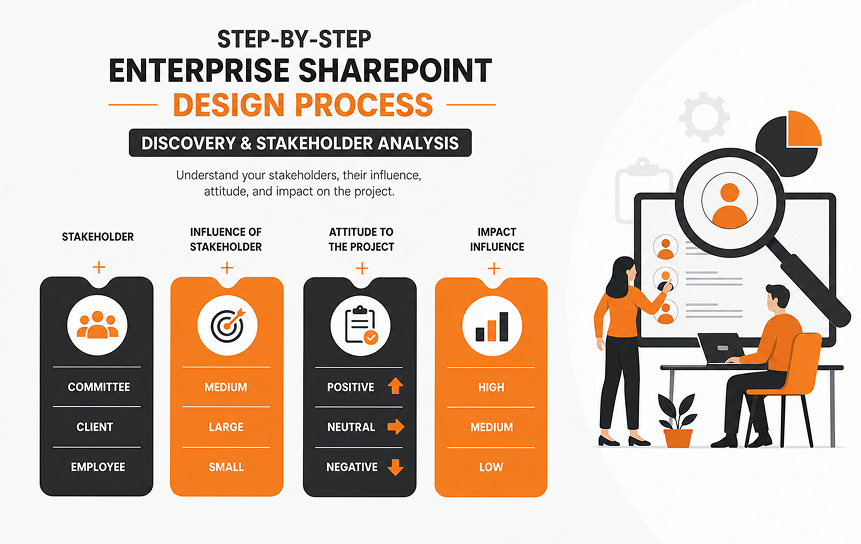
Start by identifying pain points and mapping workflows:
- Conduct departmental workshops.
- Audit legacy intranet systems.
- Define KPIs such as adoption rate and search efficiency.
Solution for misaligned expectations: Maintain detailed documentation and a governance roadmap.
Architecture Blueprint Development
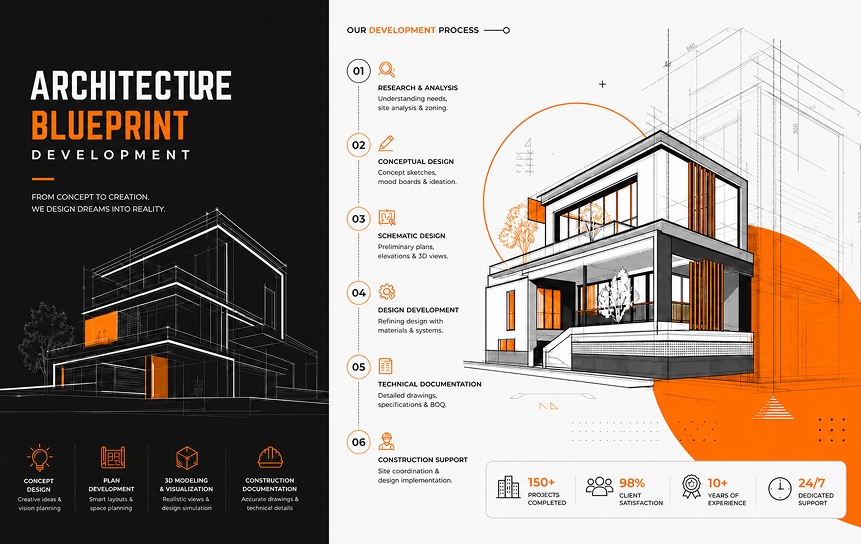
Blueprinting defines structure before deployment:
- Create a site map and hub structure.
- Map permissions and content lifecycle.
- Plan for risk scenarios.
UX Wireframing & Prototype Validation
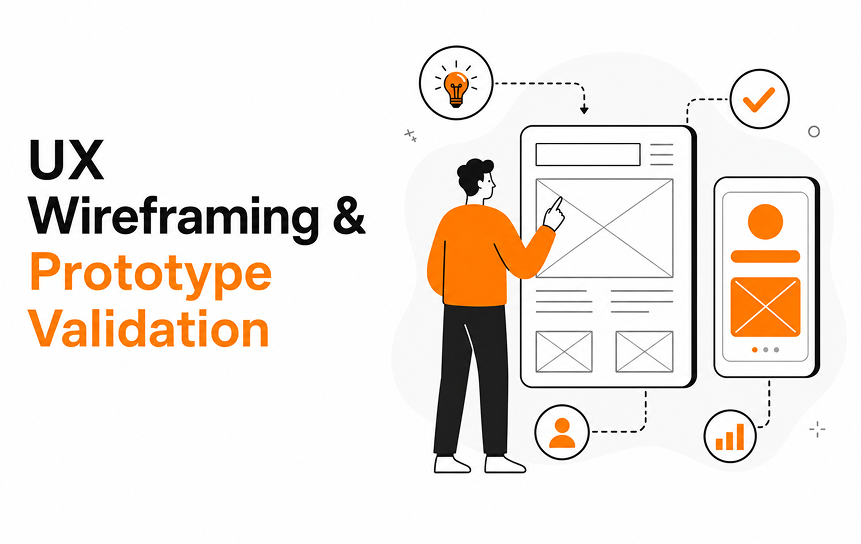
Design mockups for different roles:
- Role-based dashboard prototypes.
- A/B testing layouts and workflows.
- Incorporate feedback loops for continuous improvement.
Build & Configuration
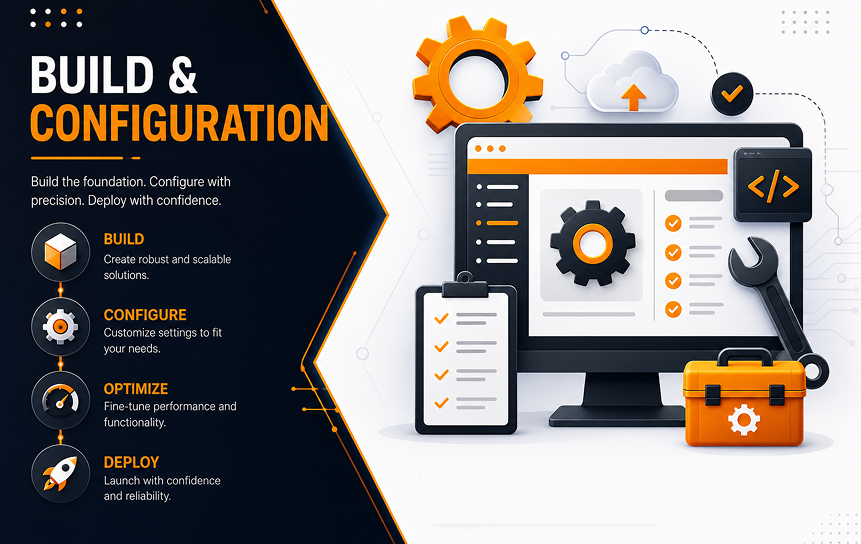
- Site creation with metadata configuration.
- Branding alignment for corporate identity.
- Workflow automation for daily operations.
Testing, Migration & Launch
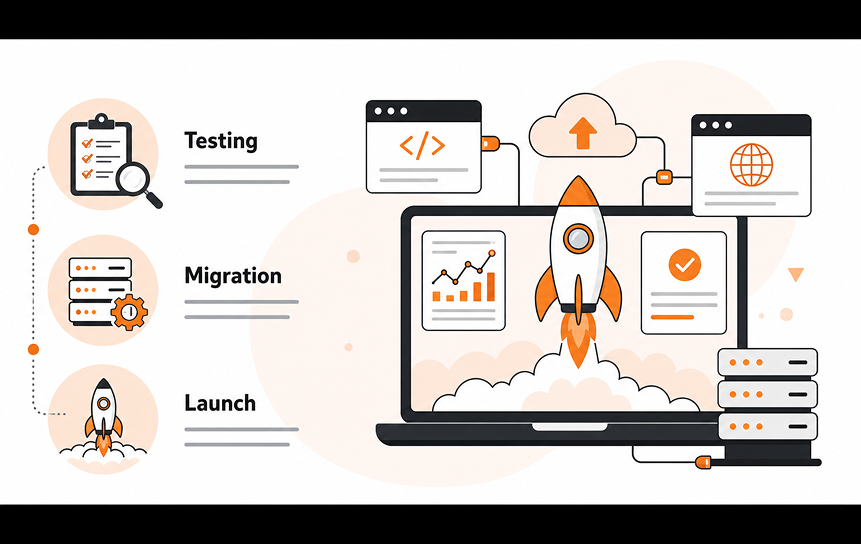
- User acceptance testing (UAT).
- Performance testing under real workloads.
- Migration checklist to ensure a smooth transition.
- Adoption training to maximize efficiency.
Business ROI: Faster document retrieval, reduced internal email dependency, and enhanced collaboration.
Business Benefits & Measurable ROI
Productivity Gains
- Reduced document search time.
- Workflow automation saves hours daily.
- Example: Approval workflows are completed within minutes instead of days.
Compliance & Risk Reduction
- Version control and audit trails.
- Retention policies ensure legal compliance.
Improved Employee Engagement
- Personalized dashboards encourage usage.
- Targeted news and announcements keep teams informed.
Operational Cost Savings
- Reduced costs by consolidating legacy systems.
- Full utilization of the Microsoft 365 ecosystem.
Scalability & Future-Proofing
- Cloud-ready architecture supports growth.
- AI and automation readiness for future improvements.
Common Problems Enterprise SharePoint Design Solves
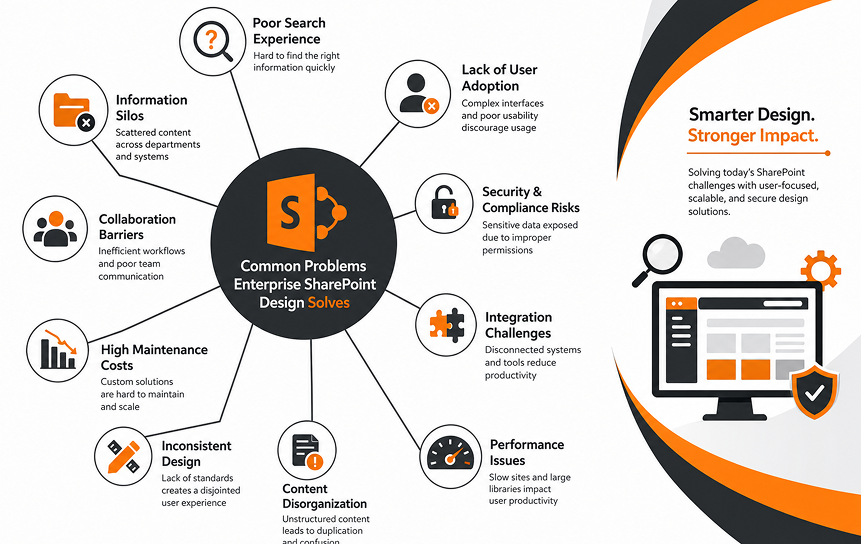
Below are the most common challenges organizations face and how structured design resolves them:
1. Content Chaos and Duplicate Files
The Problem
In large organizations, documents are often stored in multiple places:
- Same policy saved in different libraries
- Different versions of contracts are circulating in email
- Old files mixed with new ones
- No clear ownership of content
This creates confusion, increases compliance risk, and wastes employee time.
The Solution: Metadata Governance & Structured Libraries
Instead of relying on folders alone, enterprise design introduces:
- Standardized document libraries
- Mandatory metadata fields
- Version control policies
- Clear content ownership
- Retention and archiving rules
With a structured metadata model inside Microsoft SharePoint:
- Documents are tagged properly
- Duplicate files are reduced
- Users can filter instead of browsing endlessly
- Only approved versions are visible
Business Impact
- Faster document retrieval
- Reduced storage waste
- Fewer compliance issues
- Improved document accuracy
2. Poor User Adoption
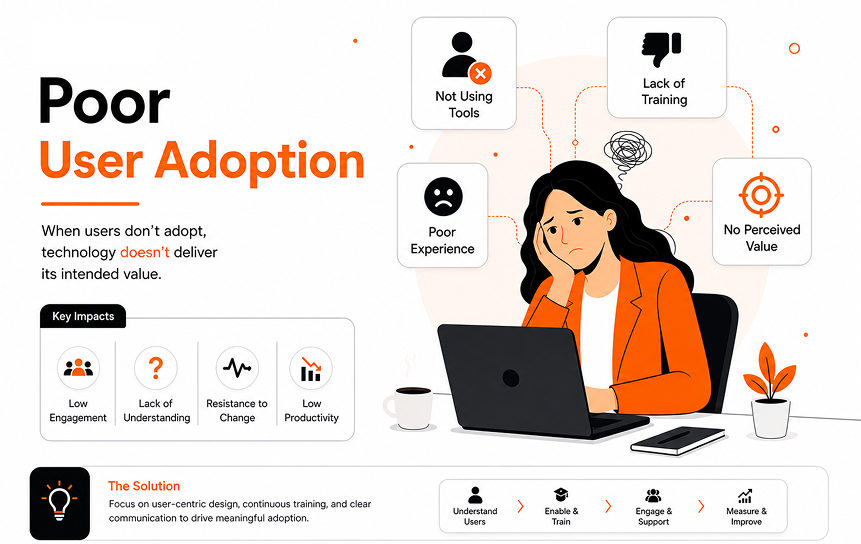
The Problem
Many intranets fail because employees do not use them.
Common reasons include:
- Complicated navigation
- Too many clicks to find information
- Outdated design
- No personalization
- Lack of mobile optimization
If the platform feels difficult, users go back to email or shared drives.
The Solution: UX-Driven Design
Enterprise SharePoint design prioritizes user experience by:
- Simplifying navigation menus
- Creating clear department landing pages
- Adding role-based dashboards
- Using search-driven layouts
- Optimizing for mobile devices
Instead of building for IT convenience, the system is designed around employee tasks.
Business Impact
- Higher engagement rates
- Reduced internal emails
- Faster task completion
- Stronger platform adoption
3. Security and Compliance Risks
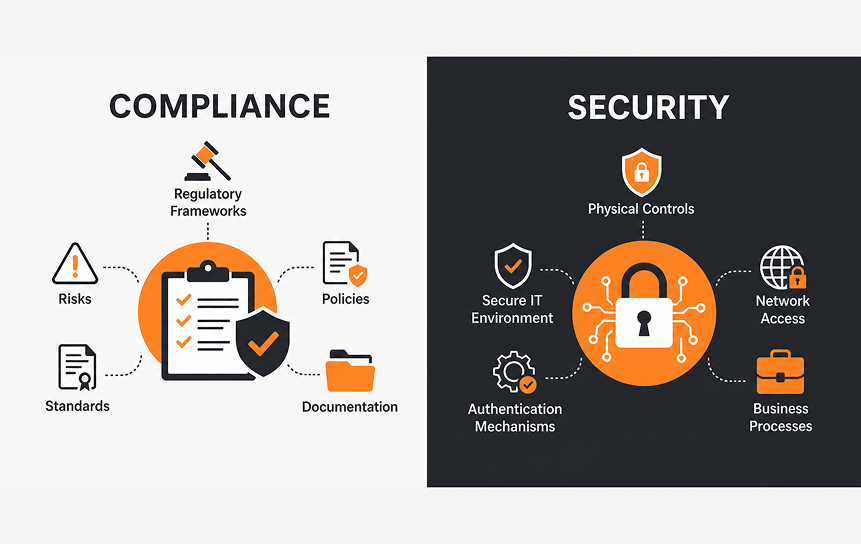
The Problem
Without structured controls:
- Sensitive documents may be visible to the wrong users
- Former employees may retain access
- External sharing can become uncontrolled
- Audits become difficult
Security mismanagement can lead to legal and financial consequences.
The Solution: Structured Permission Models
Enterprise SharePoint design includes:
- Role-based access control (RBAC)
- Clear group-based permissions
- Restricted access for confidential libraries
- Defined external sharing policies
- Periodic access reviews
Security trimming ensures users only see what they are authorized to view.
Business Impact
- Reduced data exposure risk
- Easier compliance audits
- Stronger regulatory alignment
- Safer external collaboration
4. Lack of Automation
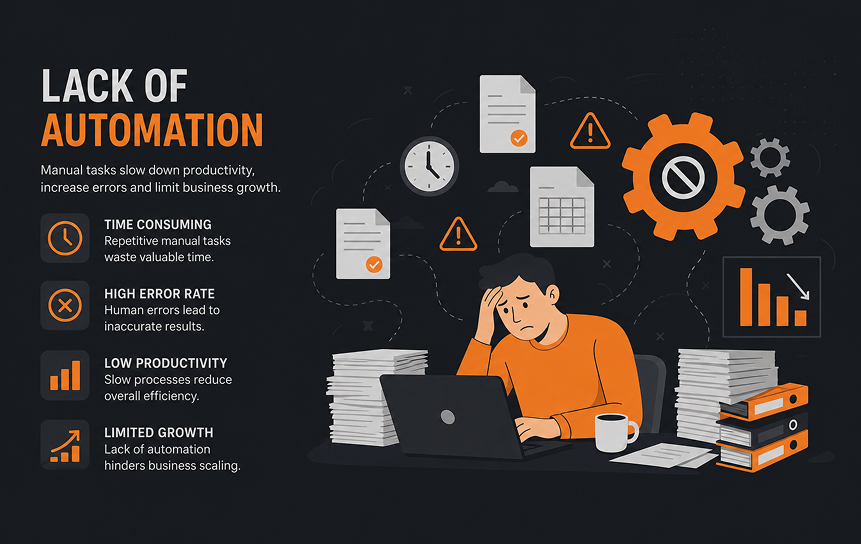
The Problem
Manual processes slow organizations down:
- Approval requests sent via email
- Paper-based forms
- No tracking of task status
- Delays due to unclear responsibilities
Manual work increases human error and reduces productivity.
The Solution: Workflow Automation
With Microsoft Power Automate, enterprises can automate:
- Document approval workflows
- Leave requests
- Procurement processes
- Policy review cycles
- Notification alerts
Automation ensures:
- Tasks are routed automatically
- Deadlines are tracked
- Approvals are recorded
- Processes are standardized
Business Impact
- Faster approvals
- Reduced manual workload
- Clear audit trails
- Increased operational efficiency
5. Legacy Intranet Migration Challenges
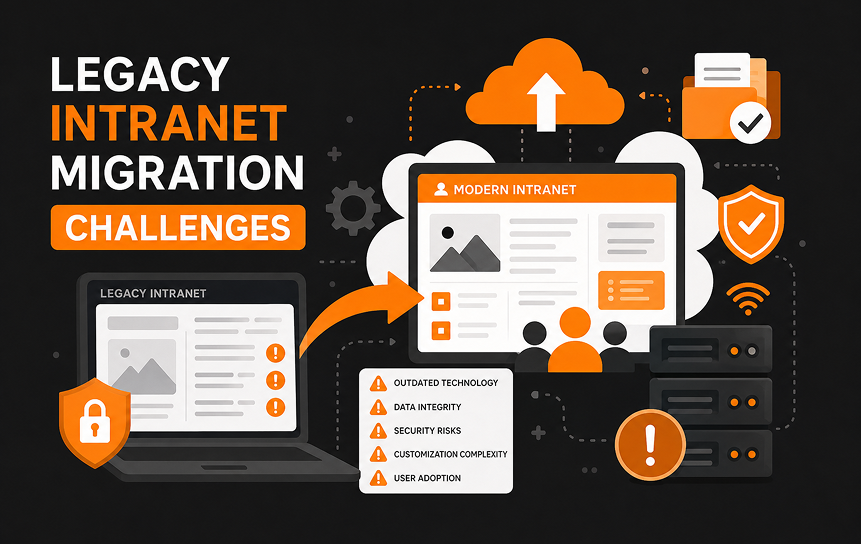
The Problem
Many organizations operate outdated intranets that:
- Use old technology
- Lack of mobile compatibility
- Have broken links and outdated content
- Cannot scale with growth
Migrating everything at once can be risky and overwhelming.
The Solution: Phased Redesign Strategy
A structured modernization plan includes:
- Content audit and cleanup
- Information architecture redesign
- Governance framework setup
- Pilot rollout with selected departments
- Gradual migration and user training
Moving to SharePoint Online often provides better scalability and lower infrastructure maintenance compared to legacy systems.
Business Impact
- Reduced disruption
- Controlled migration risk
- Cleaner and optimized content
- Long-term scalability
Enterprise SharePoint vs Other Intranet Platforms
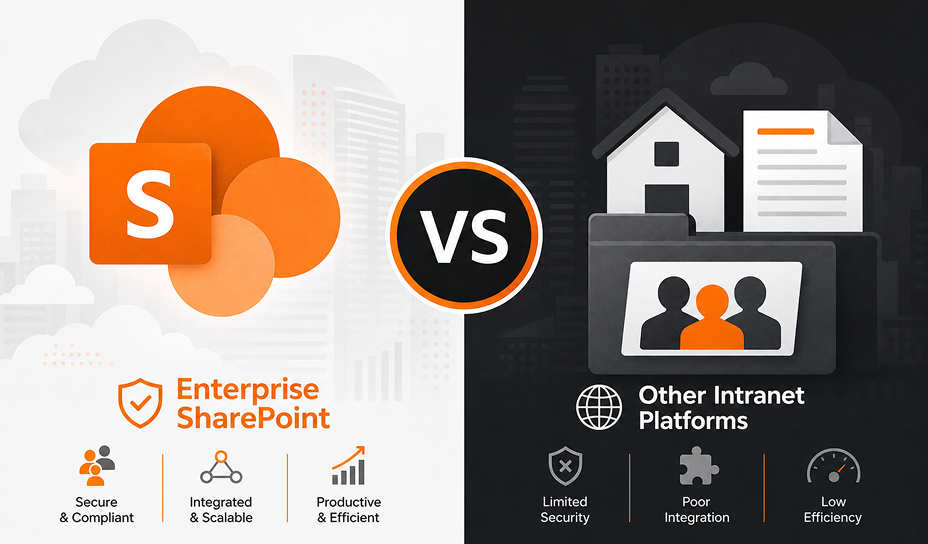
Choosing the right intranet platform requires understanding how SharePoint compares to alternatives.
SharePoint vs Custom-Built Portals
Custom-Built Portals
Custom intranet solutions can offer flexibility, but they often require:
- High development costs
- Ongoing maintenance teams
- Security patch management
- Separate integration work
Long-term costs can increase significantly.
Why SharePoint Is Often More Practical
Because it is part of Microsoft 365, SharePoint provides:
- Built-in integration with collaboration tools
- Enterprise-level security
- Continuous updates from Microsoft
- Lower long-term development costs
It also reduces dependency on custom code that may become outdated.
SharePoint vs Third-Party SaaS Intranets
Third-Party SaaS Platforms
Many SaaS intranet tools offer:
- Quick setup
- Attractive templates
- Basic collaboration features
However, limitations often include:
- Limited customization
- Restricted integration flexibility
- Additional licensing costs
- Data residency concerns
Why SharePoint Offers Greater Control
With SharePoint, organizations benefit from:
- Deep customization options
- Control over data governance
- Seamless connection with collaboration tools
- Integration with automation and reporting systems
Its native integration with:
- Microsoft Teams
- Microsoft OneDrive
- Power Platform tools
makes it a unified digital workplace solution rather than a standalone intranet.
SharePoint Online vs On-Premise
SharePoint Online
SharePoint Online (cloud version) offers:
- Automatic updates
- Lower infrastructure costs
- Built-in scalability
- Remote access support
- Disaster recovery managed by Microsoft
It reduces the need for internal server maintenance.
SharePoint On-Premise
On-premise deployments may provide:
- Full infrastructure control
- Custom server-level configurations
- Internal data hosting
However, they often require:
- Higher maintenance costs
- Dedicated IT teams
- Manual upgrade processes
For most modern enterprises, cloud-based solutions provide greater flexibility and cost efficiency.
Why Structured Enterprise SharePoint Design Matters
Without structured planning, organizations often face:
- Costly redesigns
- Security incidents
- Low user adoption
- Platform underutilization
A strategic enterprise design approach helps:
- Avoid rework expenses
- Ensure long-term governance
- Improve system scalability
- Increase employee engagement
- Maximize return on investment (ROI)
Well-structured design is not just about technology; it supports business continuity, operational clarity, and future growth.
AI & Future Trends in SharePoint Design
Enterprise SharePoint is rapidly evolving with artificial intelligence and modern cloud innovation. Organizations are no longer using intranets just for document storage; they are transforming them into intelligent digital workplaces.
Below are the key AI-driven trends shaping the future of SharePoint design:
AI-Powered Search & Copilot Integration
Traditional search relies on keywords. Modern AI-powered search understands context, intent, and user behavior.
With Microsoft Copilot integrated into Microsoft SharePoint, employees can:
- Ask natural language questions
- Get summarized document insights
- Discover related content automatically
- Receive personalized recommendations
Instead of manually searching multiple libraries, users can type:
“Show me the latest procurement policy updates for Europe.”
Copilot analyzes metadata, permissions, and recent activity to deliver relevant results instantly.
Business Advantage
- Faster information discovery
- Less dependency on manual searching
- Improved knowledge visibility across departments
Smart Document Classification
Manual tagging often leads to mistakes and inconsistent metadata.
AI-powered classification automatically:
- Detects document type
- Suggests metadata tags
- Identifies sensitive information
- Applies retention labels
For example:
- Contracts are automatically tagged as “Legal.”
- Financial reports are labeled “Confidential.”
- HR documents receive restricted access flags
This reduces human error and strengthens governance.
Business Advantage
- Improved compliance accuracy
- Lower risk of data misclassification
- Less administrative workload
Automation-Driven Workflows with AI
Modern enterprises are combining automation with intelligence.
Using AI with tools like Microsoft Power Automate enables:
- Smart approval routing based on document content
- Automatic reminders when deadlines approach
- Escalation workflows triggered by risk keywords
- AI-based sentiment analysis in feedback forms
For example:
- A high-value contract can automatically route to senior management.
- Policy documents nearing expiration can trigger review workflows.
Business Advantage
- Reduced processing delays
- Consistent decision-making
- Lower operational costs
Predictive Collaboration Dashboards
Analytics is becoming a core part of enterprise SharePoint design.
AI-powered dashboards can:
- Track team engagement levels
- Identify inactive project sites
- Monitor document usage trends
- Highlight collaboration bottlenecks
Instead of reacting to problems, managers can proactively improve engagement.
For example:
- If a department’s intranet site shows low activity, leadership can investigate communication gaps.
- If certain documents are frequently accessed, they can be prioritized on landing pages.
Business Advantage
- Data-driven decision-making
- Improved executive visibility
- Higher team productivity
Low-Code & No-Code Expansion
Modern SharePoint design empowers non-developers to build solutions.
Through the Microsoft Power Platform ecosystem, employees can create:
- Custom forms
- Internal apps
- Workflow automation
- Reporting dashboards
This “citizen developer” model reduces dependence on IT and accelerates innovation.
Why It Matters
- Faster internal solution development
- Reduced development costs
- Greater business agility
- Increased ownership at the department level
Use Cases Across Industries
Enterprise SharePoint design is not industry-specific. Its flexibility makes it valuable across sectors.
Financial Services: Secure Document Management
Banks and financial institutions handle highly sensitive information such as:
- Client records
- Regulatory filings
- Audit documentation
- Investment reports
Enterprise SharePoint supports:
- Strong permission controls
- Version tracking
- Regulatory retention policies
- Secure collaboration with partners
This ensures compliance with financial regulations while improving operational efficiency.
Healthcare: Compliance-Focused Access Control
Healthcare organizations must protect patient and operational data.
Enterprise SharePoint helps by providing:
- Role-based access to medical documentation
- Controlled access to patient-related policies
- Audit trails for compliance reviews
- Structured document lifecycle management
Secure design reduces risk while maintaining accessibility for authorized staff.
Manufacturing: Central Operations Documentation Hub
Manufacturing companies rely on:
- SOPs (Standard Operating Procedures)
- Safety manuals
- Engineering drawings
- Quality control documents
A centralized SharePoint environment ensures:
- Consistent document access across plants
- Controlled version management
- Faster onboarding for factory workers
- Reduced operational errors
Education: Knowledge Repositories for Students and Faculty
Educational institutions use SharePoint for:
- Academic resources
- Research documentation
- Administrative policies
- Department collaboration
With structured architecture, institutions can:
- Provide role-based access for students and faculty
- Maintain organized course materials
- Enable cross-department research collaboration
IT & Technology: Project Collaboration Dashboards
Technology companies benefit from:
- Centralized project documentation
- Agile workflow tracking
- Knowledge-sharing portals
- Development collaboration spaces
Integrated dashboards improve visibility into:
- Sprint progress
- Deployment timelines
- Resource allocation
This enhances project transparency and delivery speed.
Why Enterprises Choose Structured SharePoint Architecture
Organizations that adopt a structured SharePoint architecture experience long-term strategic advantages.
1. Mature Governance Model
A defined governance framework ensures:
- Clear site ownership
- Standardized policies
- Consistent permission structures
- Regular content audits
This reduces operational chaos and strengthens compliance.
2. Long-Term Cost Savings
Unstructured environments often require expensive redesigns.
Structured architecture helps avoid:
- Rebuilding site hierarchies
- Fixing broken permissions
- Cleaning up duplicate content
- Reworking automation processes
Proper planning from the beginning reduces future technical debt.
3. Reduced Redesign Cycles
Without planning, organizations repeatedly “fix” their intranet every few years.
A scalable architecture supports:
- Business growth
- Mergers and acquisitions
- Regional expansion
- Technology upgrades
This ensures the system evolves without complete overhauls.
4. Increased Adoption and Executive Visibility
When the intranet is structured, secure, and easy to use:
- Employees trust the platform
- Leadership gains visibility into operations
- Collaboration improves across departments
Executives can use dashboards and analytics to monitor engagement and performance in real time.
Conclusion
Enterprise SharePoint Design is more than building an intranet; it is about creating a structured, secure, and scalable digital foundation for your organization. By combining modern SharePoint architecture with strong information architecture, content taxonomy, metadata structure, and a clearly defined permission model, businesses can transform their SharePoint intranet design into a powerful collaboration ecosystem.
A well-executed corporate SharePoint portal design supports enterprise document management in SharePoint, improves SharePoint UI/UX optimization, and strengthens Microsoft 365 collaboration design across departments. It also prepares your organization for AI-powered SharePoint search, intelligent document classification, and Microsoft Copilot integration in SharePoint, enabling a truly automation-driven intranet experience.
Whether you are planning a custom SharePoint intranet solution, evaluating SharePoint Online vs On-prem architecture, or starting a corporate SharePoint redesign project, structured governance and a clear SharePoint hub site architecture strategy are essential for long-term digital workplace transformation and enterprise collaboration modernization.
FAQs
1. How long does enterprise SharePoint design typically take?
A full Enterprise SharePoint Design project usually takes 3 to 6 months, depending on complexity, number of departments, and whether it includes intranet migration to SharePoint Online. Large-scale environments may require phased rollouts as part of a legacy intranet redesign strategy, especially when implementing advanced workflow automation and governance frameworks.
2. What is the difference between SharePoint design and SharePoint development?
SharePoint design focuses on modern SharePoint architecture, SharePoint governance and information architecture planning, site hierarchy, metadata structure, and SharePoint UI/UX optimization.
SharePoint development, on the other hand, involves custom coding, integrations, and technical configurations. Understanding SharePoint design vs SharePoint development ensures you build a scalable foundation before adding custom features.
3. How much does an enterprise SharePoint redesign cost?
The cost of a corporate SharePoint redesign project depends on scope, customization level, integration requirements, and governance complexity. Projects involving enterprise document management in SharePoint, designing role-based SharePoint portals, and advanced Microsoft 365 collaboration design typically require strategic planning. Working with an enterprise SharePoint implementation partner or SharePoint architecture consulting expert helps define a realistic investment aligned with business goals.
4. Can SharePoint integrate with existing ERP or CRM systems?
Yes. As part of a modern Microsoft 365 collaboration design, SharePoint can integrate with ERP, CRM, and third-party systems using APIs, connectors, and workflow automation tools. This creates a connected collaboration ecosystem and supports enterprise collaboration modernization without replacing existing core systems.
5. How do we ensure high employee adoption after launch?
High adoption depends on a strong user adoption strategy that includes SharePoint UI/UX optimization, personalized dashboards, clear navigation, and proper training. Designing role-based SharePoint portals and delivering a custom SharePoint experience for large organizations increases engagement. Continuous feedback loops and smart content recommendation engines further improve long-term usage.
6. Is SharePoint Online secure for enterprise compliance requirements?
Yes. SharePoint Online supports advanced security controls, structured permission models, and enterprise-grade compliance features. When implemented with proper SharePoint governance and information architecture planning, it meets most enterprise compliance standards. Comparing SharePoint Online vs On-prem architecture helps organizations determine the right balance between control, scalability, and maintenance costs.


