

Connecting Salesforce with all software/tools used by businesses on a daily basis refers to Sales force integrations. Accounting software to marketing to customer support software or internal databases etc., are all examples of tools used in business. By connecting Salesforce with all other business systems together through an integration service, you have a single location where all data can flow without the need for any manual work and less chance of any errors occurring.
The ability to automate and remove repetitive tasks also allows sales departments to get the most current data related to customers and marketing departments. It provides the ability to conduct improved campaign activities and provide higher service and response levels to customers, based on the entire customer history. Factually, the trustworthy integration services available for multiple countries and locations helps to create more efficient workflows from department to department and across the globe.
This blog outlines 14 Salesforce integration services and shows how different departments use them to automate workflows, boost productivity, and improve ROI. It includes real-world examples of businesses leveraging Salesforce integrations for growth and global expansion. Overall, the guide of the best salesforce integration helps both new and existing Salesforce users understand how effective integration planning drives smarter, faster, and more efficient operations!
Why Are Salesforce Integrations Critical for Modern Businesses?
Once integrated, Salesforce and its connected systems enable information sharing in an automated fashion. Automating the sharing of information between Salesforce and its linked systems results in the ability to automate repetitive business processes through power-based automation (this feature is referred to as ‘Workflow Automation’).
A key advantage of utilizing Salesforce is its ability to provide centralized data management through integrations. All customer data, including emails, sales history, support requests/tickets, and payments, can be stored in one location. This allows teams to get rid of the need to search for answers throughout numerous systems. By having a single source of truth for all data, a business will maintain continuous organization and confidence whether the data is accurate or not!
Using the Salesforce integrations allows for better collaboration between departments, as departments can communicate through the Salesforce collaboration tools. This allows teams to share updates easily and track progress while working towards common goals.
From a business perspective, the positive effects of Salesforce integrations are obvious. Improving effectiveness through automation helps businesses simplify operations and allows team members to focus on productive activities rather than performing repetitive tasks!
How to Choose the Right Salesforce Integration Service?

Thinking about how to integrate Salesforce with other tools? Begin by picking a reliable salesforce integration provider! Making sure you are choosing the correct integration services will ensure your business runs more efficiently. All businesses are different and the tools they use, the goals they have, and how they operate will all vary. An effective integration service should simplify things, not confuse things for the user. Thus before you integrate Salesforce with another tool, you need to ensure you are clear on what your business needs are before connecting Salesforce.
Key Considerations
- Business size & goals
Generally speaking, small business owners prefer simple integrations as they provide quicker access to the information needed to complete daily manual tasks. Enterprise businesses typically require advanced integrated solutions which link multiple systems across multiple locations and departments. In fact, according to New Relic’s Cloud Application Performance Monitor survey, approximately half of all small businesses use CRM solutions; on the other hand, 91 percent of larger businesses use CRM solutions. When selecting an integration service, it is essential that you pick a vendor that is in alignment with your organization’s goals (i.e., faster customer service, improved sales tracking, better reporting etc.).
- Team workflows & department needs
Salesforce is used by various types of teams differently. For example, sales teams will often require email tools and marketing tools to integrate Salesforce, whereas Finance Teams would likely be connecting Salesforce with their accounting platforms. Also, customer service teams may want to connect Salesforce with their helpdesk systems. There are currently 65% of organizations using CRM systems alongside a marketing, service and operations tool to ease manual tasks and encourage inter-departmental collaboration. A quality Salesforce Integration should cater to the needs of all departments and integrate perfectly into existing workflows with no extra steps!
- Budget & scalability
Another important consideration when choosing a digital Integration Solution is cost. While there are integrations that are low-cost and simple, there are also solutions available that are considerably higher cost and are much more difficult to implement. Select an option that is in line with your budget, but is also able to adjust the growth of your company down the road. Scalability is a vital factor to avoid having to switch Integration providers again as your business grows!
Common Mistakes & Pitfalls
- A mistake businesses often make when establishing an integration is to do so without developing a strategy. Firms tend to connect too many solutions at once and can therefore create problems for themselves.
- Another issue is that businesses fail to think ahead as to how many users or how much business they will have to manage through the integrated software, resulting in selecting a solution that is not scalable as their needs grow.
- Not providing enough training to employees can be another hurdle, as well. Businesses can avoid these challenges by checking their true needs first and then selecting the optimal Salesforce integrations for businesses. These integrations are cost effective, reliable and provide a flexible solution!
It is important to start small and test one or two of the critical integrations, before moving on to others, only after your staff has achieved a level of comfort and confidence with the integrations!
14 High-Impact & Top Salesforce Integrations For Business
Salesforce to Jira Integration
Key Features / Benefits
- Automatically create Jira tickets from Salesforce customer issues.
- Automatically sync any updates between Salesforce and Jira at all times.
- Get rid of double entries and reduce human errors on each system, thus saving time and money.
- Allow development teams and sales/marketing departments to effectively communicate with each other.
Real-World Use Case / Department Application
Departments will leverage the integration to receive customer requests in Salesforce, and then create Jira tickets in Jira for the customer issue. Developers are able to obtain these tickets in real-time and track the status of each ticket efficiently with lesser risk. Therefore, there would be much less chance of delay in resolving customer issues and providing timely updates to the customers. The potential department examples include customer support, product, and development!
Pricing
Jira plans start at around $8 per user/month. Salesforce–Jira connector apps usually range from free to $25/month.
Salesforce Slack Integration

Key Features / Benefits
- Provides Salesforce Notifications sent directly into channels within Slack.
- Allows teamwork on the deal without requiring access to Salesforce.
- Increases team collaboration and ease of communicating with each other.
- Reduces time taken to respond to customer inquiries by improving communication.
- Centralizes all Salesforce Notifications in one place for easier tracking of notification history.
Real-World Use Case / Department Application
An example of using this tool in practice is for sales managers to receive notifications through this tool when new leads and/or closed deals occur. At the same time, CSRs receive notification through Slack on urgent matters related to customer accounts. The result is improved communication and a very quick response time for sales and customer service representatives.
Pricing
Slack offers a free plan. Paid plans start at $7.25 per user/month.
Salesforce HubSpot Integration

Key Features / Benefits
- Syncs lead/contact/deal information between HubSpot and Salesforce.
- Aligns marketing/sales team members from the same data.
- Tracks marketing efforts/campaigns and customer interactions.
- Provides companies with a better understanding of their marketing effectiveness through reporting and analytics.
Real-World Use Case / Department Application
Marketing tracking is one real-world delay of the value of this tool. Marketing departments are able to identify the most effective campaigns that have generated lead responses, while sales departments are able to select the best-qualified leads for follow-up. By working together, both marketing and sales teams can increase their conversion rates and have access to accurate measurements of the return on investment (ROI) of their marketing efforts.
Pricing
HubSpot CRM is free. Paid plans start at $20/month.
Salesforce Mailchimp Integration

Key Features / Benefits
- Sync email lists from Mailchimp and campaigns with Salesforce.
- Track engagement with emails (opened or clicked) from within Salesforce.
- Be more targeted with campaigns to specific segments of an audience.
- Reduce the amount of manual entry done by marketing teams.
Real-World Use Case / Department Application
Marketing teams conduct campaigns based on customer segments created in Mailchimp and can analyze how successful those campaign segments were inside Salesforce. This allows the Marketing Department to make better decisions for future campaigns and increase customer engagement.
Pricing
There is a free plan on MailChimp, and the paid plans start at $13/month.
Salesforce DocuSign Integration

Key Features / Benefits
- Send documents for signature directly from Salesforce to your customers.
- Track the status of documents being signed in real time.
- Speed up the approval process and close deals more quickly.
- Reduce paperwork, reduce the risk of errors.
Real-World Use Case / Department Application
Sales teams will utilize DocuSign to send contracts to customers for signing, and upon signing, DocuSign will automatically update the signed documents into Salesforce. Hence, it speeds up the process of closing deals for both Sales and Legal teams.
Pricing
DocuSign plans start at $10.00/user/month.
Salesforce Tableau Integration

Key Features / Benefits
- Tableau turns all of the data collected in Salesforce into easily understood visual dashboards and reports.
- Tableau provides insights for sales performance, customer trends, KPI’s, etc.
- Tableau updates data in real-time and provides accurate data to make informed decisions.
- Tableau provides non-tech savvy teams with easy-to-read charts and dashboards.
Real-World Use Case / Department Application
Management teams can track sales performance and customer information through Tableau’s comprehensive features without having to conduct manual exports of data. This data is useful for analytics and leadership for making informed and knowledgeable business decisions.
Pricing
Tableau Creator for a single user costs $75 monthly
Workfront Salesforce Integration

Key Features / Benefits
- Links project management data with Salesforce.
- Provides a project/task/deadline tracking ability.
- Enables better collaboration among operations, sales, and delivery teams.
- Ensures timely project delivery.
Real-World Use Case / Department Application
Upon closing a deal in Salesforce, project managers receive automatic notifications of all associated tasks and timelines in Workfront. This is a major benefit for both operations and delivery teams.
Pricing
Enterprise pricing (custom quotes).
Harvest Salesforce Integration
Key Features / Benefits
- Tracks time spent on projects and links it back to Salesforce for invoicing purposes.
- Improves billing accuracy and resource allocation.
- Reduces the potential for errors in time logging and invoicing.
- Allows for better management of project costs.
Real-World Use Case / Department Application
Service personnel record their time spent working on client projects and automatically update Salesforce with this data. The finance department can bill clients without requiring manual entry. This application is useful for both finance and service-oriented personnel.
Pricing
Harvest costs $12 per user/month.
Salesforce CRM Integrations

Key Features / Benefits
- Link Salesforce with other Business Tools, including email, calendar, or ERP Systems.
- All customer-facing information in a single location.
- Reduces duplicate data entry across sales and marketing, support and other deputy departments.
- Increases productivity across all teams or departments.
Real-World Use Case / Department Application
All sales and marketing personnel access the same customer information without switching systems (e.g., they can see all interactions). Salesforce data integration helps connect customer information from different systems into one place. This is useful for all electrical engineers.
Pricing
Included in all Salesforce plans, beginning at $25/user/month.
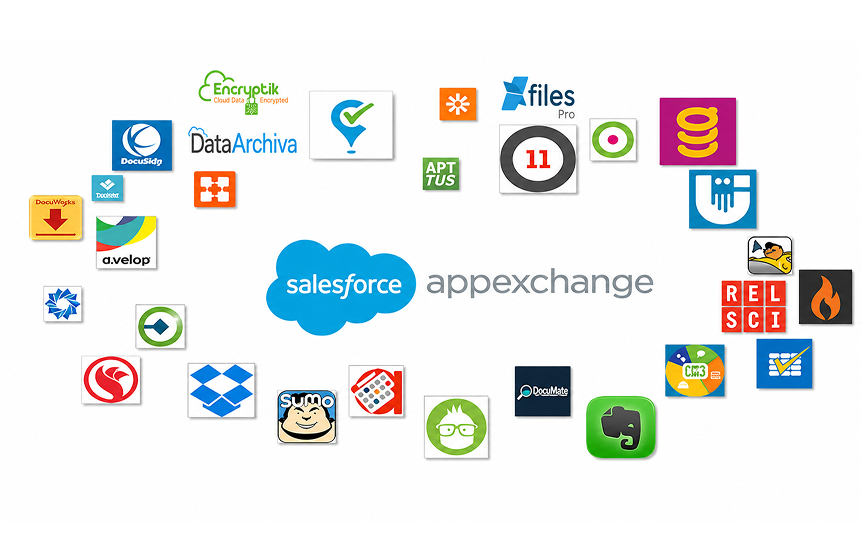
Salesforce AppExchange Apps
Key Features / Benefits
- Thousands of existing and pre-built applications available for use with Salesforce.
- Easy to add features such as reporting, automation and analytics to your Salesforce application.
- Salesforce app integrations prove to be safe and trustworthy.
- In addition, you save time and money developing this functionality yourself.
Real-World Use Case / Department Application
Companies need quick access to applications for lead scoring and automated reporting. It is helpful for teams looking for additional features, but not wanting to deal with Custom Coding.
Pricing
Free and paid apps available (pricing varies).
Salesforce Marketing Cloud Tools

Key Features / Benefits
- Email, SMS & social media customer journey automation.
- Analytics for analyzing campaigns’ performance.
- Ability to personalize communications with customers at scale.
- Minimizes the need for manual marketing work.
Real-World Use Case / Department Application
Salesforce integrations for marketing ensure business’s success. Marketing teams analyze and act on campaigns targeting multiple customer segments in Salesforce to produce performance reports. It is helpful for marketing and customer engagement teams.
Pricing
Starts around $1,250/month.
Custom Salesforce Third-Party Integrations

Key Features / Benefits
- Solutions for business requirements.
- Allows for integration of Salesforce with nearly any software.
- Maximum flexibility.
- Ability to support complex workflows.
Real-World Use Case / Department Application
Large Companies with specialized internal systems connecting Salesforce to internal ERPs or legacy systems used by enterprises with unique business processes.
Pricing
Pricing available from $3,000+ one time purchase.
Workflow Automation Tools

Key Features / Benefits
- Automate repetitive tasks such as approvals, updates, and notifications
- Reduces manual work and errors
- Ensures that tasks are completed in a timely manner
- Increases efficiency of team members.
Real-World Use Case / Department Application
Teams automate lead assignment, follow up, or approvals within Salesforce. This is useful across all departments.
Pricing
Included in Salesforce licenses.
Productivity & Collaboration Tools

Key Features / Benefits
- Improve team communication
- Track progress deadlines
- Allow collaboration in Salesforce
- Decrease time spent in coordination.
Real-World Use Case / Department Application
Sales, support, and management teams can collaborate and complete tasks, deals, and/or projects in one place. This is useful to teams with inefficient coordination processes.
Pricing
Mostly included in Salesforce plans.
Department-Wise Salesforce Integration Recommendations
-
Sales Teams → Pipeline & CRM automation
Every day, the sales teams deal with leads, deals, and customer follow-ups. With Salesforce CRM integrations, they can manage all the customer data very easily in one location. Salesforce workflow automation which is one of the tools can lead to the automatic assignment of leads, the updating of deal stages, and the sending of reminders for follow-ups. The integration with Jira or Harvest provides the sales teams with a tool to monitor client requests or project time without being limited to the same system. The Salesforce integration for the sales team allows time-saving, error-reduction, and enables the salespeople to focus on the closure of more deals.
-
Marketing Teams → Campaign automation, analytics, lead nurturing
The marketing departments need to handle campaigns, measure customer participation, and create customers. The integrations, HubSpot Salesforce, Mailchimp Salesforce, and Salesforce Marketing Cloud tools, provide a viable solution that automates campaigns, sends targeted emails, and monitors performance. The Tableau Salesforce integration provides a connection that offers clear dashboards for deciding on the most successful campaigns. The use of these tools makes it less labor-intensive to bring up leads, measure results, and upgrade marketing tactics through less manual effort.
-
Support Teams → Ticketing, collaboration, knowledge base
The support teams are responsible for dealing with customer problems, supporting requests, and service tickets. Support teams receive help from integrations such as Salesforce to Jira, Slack to Salesforce, and Workfront to Salesforce among others, which allow them to keep track of tickets, communicate more quickly, and share the workload effectively. The knowledge bases can also be integrated to ease the fast sharing of solutions among the teams. These tools together result in less time of replies, better communication and, therefore, customers receiving wrong less and quicker support.
-
Executive & Analytics → Reporting dashboards, business insights
The executives and analytics teams need precise data to make decisions. Integrations such as Tableau Salesforce integration, Salesforce AppExchange apps, and custom third-party integrations provide detailed reports and dashboards. The leaders are allowed to monitor the performance of sales, the success of campaigns, and the productivity of teams in real-time. The integration tools in Salesforce not only support but also make the executives’ decision-making smarter, allowing them to plan for growth and measure business ROI effectively.
How to Automate Workflows Using Salesforce Integrations?

Through the integration of Salesforce businesses can automate boring tasks, save a lot of time, and increase outputs. By means of the proper Salesforce integration services or Salesforce integration solutions, the teams are able to work on the important tasks while not getting stuck doing the same thing over and over again. Here is the step-by-step process to automate workflows.
Step 1: Identify Repetitive Tasks
Repetitive tasks that occur frequently such as lead assignment, email dispatch, deal stage updating, and ticket creation are perfect for being automated by Salesforce.
Step 2: Choose the Right Salesforce Integration Tools
You can go for CRM automation tools, Salesforce productivity tools, or applications from Salesforce AppExchange to integrate the system properly. Among the many examples:
- Use HubSpot Salesforce integration to sync leads from marketing campaigns automatically.
- Use Slack Salesforce integration to be notified instantly of new deals or tickets.
Step 3: Set Up Automation Rules
What should be the cause for the automation must be known in advance. As an example of causes consider:
- New lead enters Salesforce → assign it to the right salesperson
- A deal is closed → send a notification to the finance team
- A support ticket is created → automatically open a Jira ticket
Step 4: Test and Monitor
Testing the workflow before executing the system will ensure that the tasks are carried out correctly. Verify that the data interchange among the tools is smooth and that the automation does not result in errors.
Step 5: Adjust and Scale
When your team grows, it is possible to introduce further automation. For instance, you can set up Mailchimp Salesforce for the coordination of email campaigns fully, or Workfront Salesforce for the transmission of updates regarding projects. Consequently, the operation of the company will be growing in productivity without the introduction of further laborious tasks.
Employing the best Salesforce integration services and solutions, companies can make their processes smoother, improve cooperation among staff, and get more done. Automation can release employees from boring activities and direct their efforts towards earning more revenue.
Challenges in Salesforce Integrations & How to Overcome Them?
Salesforce integrations prove to be very useful, but sometimes businesses face difficulties while trying to connect Salesforce with other apps. Below are the most common issues and their related solutions.
-
Data synchronization issues
There are instances when data between Salesforce and other tools is not updated accurately. This could lead to errors or missing data.
Solution: Implement proven CRM automation tools or integration apps such as HubSpot Salesforce or Mailchimp Salesforce integration. It is always wise to conduct initial testing of the data flow and create alerts for errors.
-
API limitations
Certain applications impose restrictions on the maximum amount of data that can be received at a time via APIs. This situation might lead to delays in workflows or even stop automation.
Solution: Take the time to think through your data transfers. Look for tools that allow you to create bulk API transactions, use Salesforce’s automated internal management processes and connectors in the AppExchange to handle the limits for you.
-
Compatibility problems
Some software does not function correctly with Salesforce. For example, you may find that some of the more popular tools do not support all of the latest Salesforce updates, or may need custom coding.
Solution: Use certified Salesforce Integrations that are either built or supported by Salesforce. If you have custom integration needs, work with developers who can create the custom integration you need.
When you understand the above challenges and get hold of proper planning, testing, and trusted connections to integrate Salesforce, you will be able to effectively integrate Salesforce into your organization. In addition to improved output and revenues due to utilizing integrations, businesses will also experience a greater decrease in the possibility of errors, lost time, and less trust in the integrated systems!
Measuring ROI & Tracking Success of Salesforce Integrations

Businesses invest in Salesforce Integration Solutions to save time and generate more income through improved employee collaboration. The best way to assess the effectiveness of your Salesforce integrations is to decide your (ROI) and to monitor your integration success through objective metrics.
Key KPIs to Track
- Efficiency – save time by automating duplicate processes through workflow automation from Salesforce.
- Revenue – measure how quickly deals close or improved sales results using integrated apps.
- Productivity – know how teams are using Salesforce productivity tools to improve collaboration and job completion.
- Error Reduction – discover how many errors occur (data entry, communication) before and after automating those processes using Salesforce.
Tools to Measure Success
- The Tableau Integration for Salesforce offers ways to visualize business KPI reports.
- Salesforce Reports and Analytics provide insight into both team performance and workflow efficiency.
- AppExchange applications can help with tracking and measuring different aspects of campaigns, support ticket management, and project completion.
Understanding how key performance indicators (KPIs) can help organizations in checking out their success with Salesforce Integration Solutions. This assists to improve the organization’s processes on a continuous basis, prove investment in these solutions, and prepare for better versions in the future!
Future Trends in Salesforce Integrations

-
AI-powered automation
Artificial Intelligence-driven automation capabilities within Salesforce automate lead assignments, follow-ups and deal updates. It also will forecast certain customer behaviors to hel[ sales and support staff to focus on important tasks. AI also improves sales and support efficiency by saving time and decreasing errors.
-
Adva nced workflow analytics
Advanced workflow analytics track tasks, delays, and obstacles in real time. This allows teams to see where improvement is needed within their processes and how to make decisions quickly while reducing errors. The insights provided from advanced workflow analytics also allow businesses to gain greater value from Salesforce automation integration of workflows, leading to increased overall output.
-
Integration with new SaaS tools
Salesforce now connects the user to many new SaaS software tools across various industries such as Marketing, Finance, and Project Management Applications. These integrations allow these teams to share information, automate processes, and work within one solution while providing businesses with the capability to quickly adapt to changes and easily grow their business while maintaining all of their systems efficiently.
Frequently Asked Questions
-
Which Salesforce integrations are best for small businesses?
The best Salesforce integrations to use for a small business would be easy to use, low-cost, and simple to integrate into their existing procedures. Some common options for small businesses include: Slack Salesforce integration for internal team communication, Mailchimp Salesforce integration for email marketing, and Hubspot Salesforce integration for lead management. These apps have been created to help automate many of the daily routine tasks, saving valuable time and keeping all customer information in one location. A small business can begin with the basic integrations that best address current challenges and grow as the business expands into extra applications.
-
How much does Salesforce integration cost?
As with many cloud software products, the actual costs of integrating Salesforce will depend upon what tools you’re using as well as how complicated the setup itself is. Many of the applications found on the Salesforce AppExchange are either free or very low-cost. On average, you can expect to pay between $10 and $50/month per user for paid applications. Custom integrations can typically range from several to thousands of dollars. While the total cost of ownership (TCO) is usually relatively low, the automation that is implemented through integrating Salesforce often leads to reduced operating costs in the long run.
-
Can Salesforce integrate with XYZ tools?
Generally speaking, yes. Salesforce can integrate with virtually all types of third-party applications, from marketing systems to sales systems and support applications, as well as finance-oriented systems. There are many integration apps that have already been created and are available for download on the Salesforce AppExchange. For any applications that are not currently available there, a developer can create an app that integrates Salesforce with that particular application using the APIs that Salesforce provides. This gives Salesforce great flexibility to enable simple connections between almost every conceivable business system.
4. What Apps Can You Connect With Salesforce?
Why Is NGS Solution The Best for Mastering Salesforce Integration in 2026 and Beyond?
In 2026 and beyond, NGS Solution will provide a solid foundation for mastering Salesforce integration. Our expertise in connecting Salesforce with the right tools will help automate workflow processes and improve collaboration between teams, resulting in perfect and efficient data management, as well as reducing errors. In addition, our services will help businesses save time and increase productivity, enabling them to focus on revenue growth, rather than on tedious manual activities.
By providing businesses with proven expertise and real life experience through all aspects of their Salesforce Journey, NGS Solution can provide the most reliable Salesforce Integration service for your business! Whether it is automating CRM, creating marketing campaigns, optimizing both processes within Workflows or creating reporting dashboards.
Take the first step towards better business operations and contact NGS Solution to assist in transforming your Salesforce Journey into something smarter!
To Conclude
Integrating Salesforce with applications to maximize benefits for organizations through better speed and efficiency will result when various applications, including Slack, HubSpot, Mailchimp, Jira, DocuSign, and Tableau, are integrated. The integration of these apps will enable your organization to improve collaboration among employees while increasing the ability to be efficient in collecting, organizing, and analyzing customer-related data.
To get started, take a look at what tasks take up an excessive amount of time on a daily basis (e.g., such as manually entering data into Salesforce or having to perform repetitive follow-up calls). Identify which types of Salesforce integrations would help reduce these tasks. After identifying the type of integrations you want to implement, systematically sort them and test the system fully to verify that it functions properly. In instances where you may have a complex setup, consider utilizing the expertise of a professional Salesforce integration company to provide assistance with streamlining and securing the implementation of these integrations!
NGS Solution, a professional Salesforce Integration provider, offers quality Salesforce integration services to assist in connecting your organization with the best applications and creating the necessary automation to manage your daily workflow effectively. Our consultants will customize your solution based on your organization’s needs and provide solutions that can grow with your business!
If you are looking to increase your efficiency and your business’s overall productivity, please contact NGS Solutions today to start your journey toward integrating with Salesforce into your organization!


