
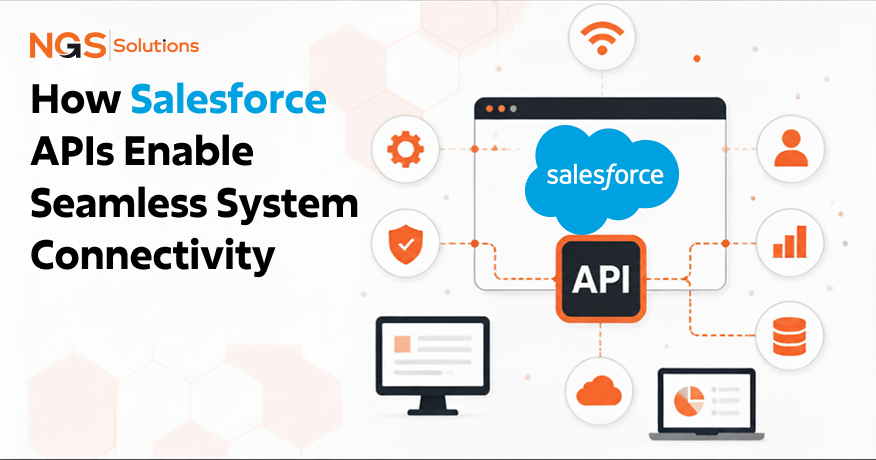
Modern organizations rarely operate with a single software platform. Sales teams work in CRM systems, finance departments rely on ERP applications, customer support teams use service platforms, and marketing teams manage campaigns through specialized automation tools. While these systems serve different business functions, they must continuously exchange information to keep operations efficient and customer experiences consistent.
This is where Salesforce APIs become essential. As organizations expand their technology ecosystems, the ability to connect Salesforce with other applications becomes a critical requirement rather than a technical convenience. Businesses need reliable ways to transfer data between systems, automate workflows, eliminate duplicate data entry, and ensure information remains synchronized across departments.
Salesforce provides a comprehensive set of APIs that enable organizations to build secure, scalable, and flexible integrations. Whether a company needs real-time communication between applications, large-scale data migration, event-driven updates, or automated system configuration management, Salesforce offers purpose-built interfaces to support these requirements.
Understanding how Salesforce APIs enable system connectivity is increasingly important for business leaders, architects, developers, and integration specialists. APIs form the foundation of modern enterprise integration strategies, allowing organizations to create connected digital ecosystems without replacing existing systems.
In this guide, we will explore Salesforce API architecture explained from both business and technical perspectives. We will examine the different API types available, how Salesforce communicates with external systems, the benefits of Salesforce APIs for data exchange, common integration challenges, and the future of API-driven enterprise connectivity. By the end, you’ll have a clear understanding of how APIs connect Salesforce with enterprise systems and why they remain central to modern digital transformation initiatives.
What Are Salesforce APIs and Why They Matter
Understanding APIs in the Salesforce Ecosystem
At its core, an API, or Application Programming Interface, is a set of rules that allows software systems to communicate with one another. Rather than requiring users to manually move information between platforms, APIs enable applications to exchange data automatically and securely.
Within the Salesforce ecosystem, APIs act as communication bridges between Salesforce and external applications. These interfaces allow organizations to retrieve, update, create, delete, and synchronize information across multiple systems without requiring direct access to underlying databases, making them a key component of Salesforce Integration Solutions.
Think of Salesforce APIs as standardized communication channels. Instead of every application speaking a different language, APIs provide a common framework that enables structured interactions between systems.
For example, when an e-commerce platform creates a new customer order, an API can instantly send that information to Salesforce. Similarly, when a sales representative updates an account record in Salesforce, the change can automatically appear in downstream systems such as ERP platforms, customer support applications, or data warehouses.
This ability to facilitate seamless data exchange is one of the primary reasons APIs have become foundational to enterprise technology architecture.
Role of APIs in Modern Integration
Modern businesses operate in highly interconnected digital environments. Organizations may use dozens or even hundreds of cloud applications across departments. Without APIs, maintaining consistency across these systems becomes nearly impossible. The role of Salesforce API integration is to establish reliable communication pathways between applications. APIs eliminate isolated data silos and create unified business processes that span multiple platforms.
For example, consider a manufacturing company that uses Salesforce for customer management, an ERP system for inventory management, and a billing platform for invoicing. APIs ensure that information entered into one system can immediately flow into the others.
This integration layer helps organizations:
- Automate data exchange
- Enable real-time communication
- Improve system interoperability
- Reduce manual data entry
- Streamline workflows
- Support enterprise integration
- Enhance business connectivity
As digital transformation initiatives continue to accelerate, API-driven integration has become a strategic business capability rather than a purely technical function.
Why Businesses Rely on Salesforce APIs
Businesses rely on Salesforce APIs because they provide flexibility, scalability, and efficiency. Without APIs, organizations often depend on manual processes to transfer information between systems. Manual processes introduce delays, increase operational costs, and create opportunities for human error.
Salesforce APIs help organizations improve data accuracy by ensuring information remains synchronized across systems. Instead of entering customer details into multiple applications, teams can update information once and allow integrations to propagate changes automatically.
Another major advantage is operational speed. When systems communicate directly, workflows that previously took hours or days can occur within seconds.
For example:
- A customer submits a form on a company website.
- The website immediately sends lead information into Salesforce through an API.
- Salesforce triggers automation workflows.
- Marketing receives the lead.
- Sales receives assignment notifications.
- Customer onboarding processes begin automatically.
This level of automation dramatically increases organizational efficiency while reducing administrative workload.
API-Driven Architecture Overview
API-driven architecture is an approach in which applications communicate through standardized interfaces rather than direct system dependencies.
In traditional architectures, systems were often tightly connected. Changes in one application could require extensive modifications across multiple platforms. Modern API-driven architecture promotes loose coupling.
Each application performs its specialized function while APIs handle communication between systems.
Within Salesforce environments, API-driven architecture typically includes:
- Salesforce is the CRM platform
- External business applications
- Middleware platforms
- Authentication services
- Integration monitoring tools
- Data transformation layers
This approach creates a scalable architecture capable of supporting growth without requiring major redesign efforts.
Organizations implementing API-first strategies often experience faster innovation cycles because systems can evolve independently while maintaining connectivity.
Data Communication Through APIs
Understanding how Salesforce communicates with external systems starts with understanding the request-response model. Most API interactions follow a simple sequence:
- An application sends a request to Salesforce.
- Salesforce processes the request.
- Salesforce returns a response.
The response may include customer records, account information, opportunity details, or confirmation that an action has been completed successfully.
A typical API interaction contains:
- Endpoints
- Authentication credentials
- Request parameters
- Data payload
- Response data
Endpoints define where requests are sent. Authentication verifies access permissions. The data payload contains information being transmitted. Responses return requested information or confirmation messages.
This structured communication process enables reliable and secure data exchange between systems while maintaining data integrity.
Types of Salesforce APIs Used in System Integration
REST API for Real-Time Communication
The REST API in Salesforce is one of the most widely used integration technologies available today.
If someone asks for a Salesforce REST API explained for integrations, the simplest answer is this:
The REST API enables lightweight, fast, web-based communication between Salesforce and external applications using standard HTTP methods.
REST stands for Representational State Transfer. It is designed around web standards and is particularly effective for cloud-based integrations.
Organizations commonly use REST API in Salesforce for:
- Mobile applications
- Customer portals
- Web applications
- SaaS integrations
- Real-time data synchronization
The REST API supports standard operations such as:
- GET
- POST
- PATCH
- DELETE
For example, an e-commerce platform can use REST APIs to create new customer records in Salesforce immediately after a purchase is completed.
One major advantage is simplicity. REST APIs typically exchange data using JSON payloads, making them easier to implement and maintain than many legacy integration methods.
Because of their speed and flexibility, REST APIs are often the preferred choice for modern CRM API integration projects.
SOAP API for Structured Messaging
SOAP API Salesforce integrations remain important for organizations that require highly structured communication and strict standards compliance.
SOAP stands for Simple Object Access Protocol. Unlike REST, SOAP uses XML-based messaging formats and relies on formal contracts known as WSDL files.
Many enterprise environments continue to use SOAP because of its:
- Strong security standards
- Formal message structures
- Built-in error handling
- Enterprise governance support
Industries such as banking, healthcare, insurance, and government frequently rely on SOAP-based integrations because regulatory requirements often demand consistent messaging standards.
A SOAP API Salesforce implementation may be appropriate when organizations need highly controlled communication between mission-critical systems.
Although REST has become more popular for modern applications, SOAP remains a valuable component of enterprise integration strategies.
Bulk API for Large Data Transfers
Not every integration involves real-time communication. Many organizations must move millions of records between systems. This is where Bulk API Salesforce capabilities become extremely valuable. Bulk APIs are specifically designed for high-volume data processing. Instead of processing records individually, Bulk API operations handle large datasets in batches.
Common use cases include:
- Data migration projects
- Historical data imports
- Data warehouse synchronization
- System consolidation initiatives
- Large-scale updates
For example, a multinational organization migrating customer information into Salesforce may need to transfer several million records.
Attempting this through standard APIs would be inefficient and potentially exceed API limits. Bulk APIs optimize performance by processing records asynchronously and in parallel. This significantly reduces processing times while minimizing system strain.
Organizations managing large-scale data exchange workloads frequently depend on Bulk APIs as a core component of their integration architecture.
Streaming API for Event-Based Data
Traditional APIs rely on request-response communication. Streaming APIs introduce a different model. Instead of repeatedly asking Salesforce whether data has changed, external systems receive notifications when events occur.
This event-driven communication approach enables near real-time awareness of system activity.
Examples include:
- Opportunity status changes
- Case updates
- Lead conversions
- Inventory notifications
- Customer activity events
When a predefined event occurs, Salesforce publishes a notification that subscribing applications can immediately consume.
This approach reduces unnecessary API traffic and improves responsiveness.
Streaming APIs are especially useful for organizations building event-driven architectures where business processes must react instantly to changing information.
As enterprises increasingly adopt real-time operating models, Streaming APIs continue to gain importance.
Metadata API for System Configuration
The Metadata API serves a different purpose from APIs focused on business data.
Instead of managing customer records or transactions, the Metadata API manages Salesforce configuration components.
These components include:
- Custom objects
- Fields
- Page layouts
- Workflows
- Validation rules
- Apex classes
- Lightning components
Development teams frequently use Metadata APIs to automate deployment processes between environments.
For example, when moving configurations from a sandbox environment to production, Metadata APIs help ensure consistency and reduce manual effort.
This capability supports DevOps practices and accelerates release cycles.
Organizations managing complex Salesforce environments often depend on Metadata APIs to maintain governance, consistency, and deployment reliability.
Connecting Salesforce with External Applications
The primary purpose of Salesforce APIs is to create reliable communication channels between Salesforce and external business systems. Modern enterprises rarely operate with a single application. Instead, they rely on interconnected ecosystems that include ERP platforms, marketing automation tools, customer support systems, e-commerce applications, analytics platforms, and industry-specific software.
Salesforce APIs provide the mechanism that enables these systems to work together as a unified environment.
When discussing how Salesforce APIs enable system connectivity, the simplest explanation is that APIs act as translators between applications. Each system maintains its own database structure, business logic, and operational processes. APIs allow these systems to exchange information in a standardized format without requiring direct database access.
Consider a company using Salesforce for customer relationship management, an accounting system for invoicing, and a marketing platform for campaign execution. Without integration, employees would need to manually transfer information between systems. With API-based connectivity, customer records, purchase history, campaign engagement metrics, and financial data can move automatically between applications.
This connectivity creates a single source of truth across the organization. Teams gain access to consistent information regardless of which system they use. Sales representatives can view billing information, finance teams can access customer records, and marketing teams can monitor customer engagement without switching between multiple platforms.
This level of integration is a cornerstone of modern digital business operations.
Data Exchange Between CRM and ERP Systems
One of the most common Salesforce API integration scenarios involves connecting CRM platforms with ERP systems.
CRM applications focus on customer interactions, sales activities, marketing engagement, and service operations. ERP systems manage financial processes, inventory, procurement, manufacturing, and resource planning.
Both systems contain information that is valuable to the other.
For example, when a sales representative creates an opportunity in Salesforce, inventory availability stored in the ERP system may influence pricing and delivery timelines. Once an order is closed, customer and product information may need to flow into the ERP system for fulfillment and invoicing.
Salesforce APIs facilitate this bidirectional data exchange.
A typical CRM API integration between Salesforce and an ERP platform may synchronize:
- Customer accounts
- Contacts
- Product catalogs
- Orders
- Invoices
- Payment statuses
- Inventory levels
- Shipping information
The result is greater operational visibility and fewer disconnected business processes.
Organizations that successfully integrate CRM and ERP environments often experience measurable improvements in efficiency because information moves automatically rather than relying on manual intervention.
This ability to transfer data between systems is one of the strongest business cases for API-driven integration.
Real-Time Sync Using APIs
Real-time synchronization has become a critical requirement for many organizations.
Customers expect immediate responses, employees require current information, and business decisions increasingly depend on up-to-date data.
Salesforce APIs support real-time communication by enabling systems to exchange information as events occur.
Imagine a customer updates their contact details through a self-service portal. Through API integration, that information can immediately update Salesforce, trigger validation processes, notify support teams, and synchronize with downstream systems.
Similarly, when a sales representative closes a deal in Salesforce, APIs can instantly update order management systems, billing platforms, and fulfillment applications.
Real-time synchronization provides several advantages:
- Organizations reduce delays between business events and system updates.
- Employees gain access to current information.
- Customers receive faster service.
- Business processes become more responsive.
- Data inconsistencies decrease significantly.
The REST API in Salesforce is particularly effective for real-time communication because it supports lightweight, high-speed interactions using standard web technologies.
For organizations seeking to improve operational agility, real-time integration is often one of the most impactful API use cases.
Authentication and Secure Access
Security is a fundamental aspect of Salesforce API architecture. Whenever applications exchange data, organizations must ensure that only authorized systems can access information.
Salesforce provides multiple authentication mechanisms designed to support secure integration.
Authentication verifies the identity of users, applications, or services attempting to access Salesforce resources. Authorization determines what actions those entities can perform.
Most Salesforce API integrations use OAuth-based authentication frameworks. OAuth allows external applications to obtain secure access tokens without exposing user credentials.
This approach improves security while simplifying access management.
Additional security controls often include:
- Multi-factor authentication
- IP restrictions
- Session controls
- Encryption
- Connected app policies
- Role-based access controls
For enterprises handling sensitive customer information, these capabilities are essential.
Security considerations should never be treated as an afterthought during integration projects. Effective authentication strategies help organizations maintain compliance, protect data, and reduce operational risk.
API Request and Response Lifecycle
Understanding the API request and response lifecycle is critical for understanding how Salesforce communicates with external systems.
Every API interaction follows a structured process.
First, an external application sends a request to a Salesforce endpoint.
The request typically includes:
- Authentication information
- Headers
- Request parameters
- Data payload
Salesforce validates the request and determines whether the application has permission to perform the requested action.
If validation succeeds, Salesforce processes the request.
This may involve retrieving records, updating data, creating objects, or executing business logic.
Salesforce then returns a response.
The response usually contains:
- Status codes
- Response data
- Error messages
- Metadata
For example, a customer portal may request account information associated with a logged-in user.
The portal sends an authenticated request.
Salesforce retrieves the relevant records.
Salesforce returns a structured response containing account details.
The portal displays the information to the user.
This request-response model forms the foundation of most API interactions and supports scalable architecture across enterprise environments.
Key Benefits of Salesforce API-Based Connectivity
Improved Data Accuracy
One of the most immediate benefits of Salesforce APIs for data exchange is improved data accuracy in Salesforce Automation. Organizations often struggle with inconsistent information when data exists in multiple systems. Customer addresses may differ across applications. Product information may become outdated. Sales and finance teams may work from conflicting records.
API-based integrations reduce these problems by synchronizing information automatically.
When updates occur in one system, APIs can propagate changes to connected applications.
This approach minimizes duplicate records, eliminates many manual entry errors, and helps ensure that users access consistent information.
Improved data quality directly impacts decision-making, reporting accuracy, and customer interactions.
Reliable data becomes a strategic asset rather than an operational challenge.
Faster Business Operations
Business speed increasingly influences competitive advantage.
Organizations that can process information quickly often outperform those that rely on manual workflows.
Salesforce APIs accelerate business operations by automating communication between systems.
Tasks that once required human intervention can occur automatically.
For example:
- A customer places an order.
- The order appears in Salesforce.
- Inventory is checked automatically.
- Shipping processes begin.
- Billing systems generate invoices.
- Notifications are sent.
Each step can occur through integrated workflows powered by APIs. This automation reduces processing times while improving operational consistency.
The result is faster execution across sales, service, marketing, and back-office functions.
Reduced Manual Work
Many organizations underestimate the hidden costs of manual data management.
Employees frequently spend hours entering information into multiple systems, correcting errors, reconciling records, and validating data consistency. API-based integration significantly reduces this burden. Rather than asking employees to update multiple applications, organizations can automate data exchange between systems. This allows staff to focus on higher-value activities. Sales teams spend more time engaging customers. Service teams resolve issues more efficiently.
Operations teams concentrate on process improvement rather than administrative tasks. Reducing manual work not only improves productivity but also enhances employee satisfaction by eliminating repetitive tasks.
Better Customer Experience
Customers rarely care about the internal systems used by a business. They care about receiving fast, accurate, and consistent service.
Salesforce APIs help organizations deliver better customer experiences by ensuring information flows seamlessly across customer-facing and operational systems.
For example, customer support agents can access current order information without switching applications. Sales representatives can view recent service interactions before contacting customers. Marketing teams can personalize campaigns using synchronized behavioral data.
The result is a more connected customer journey. Organizations gain a comprehensive view of customer interactions, allowing them to respond more effectively to customer needs. Improved business connectivity ultimately translates into stronger customer relationships.
Scalable Integration Architecture
Growth often introduces integration challenges.
New business units, acquisitions, applications, and customer demands can strain existing technology environments.
API-driven architectures are inherently more scalable than traditional point-to-point integrations.
Rather than building unique connections between every system, organizations can establish reusable integration patterns.
Salesforce APIs support this scalability by providing standardized interfaces that remain consistent as systems evolve.
This flexibility allows enterprises to add new applications without redesigning their entire technology ecosystem.
Scalable architecture is particularly important for organizations pursuing digital transformation initiatives because it supports long-term growth without introducing excessive complexity.
Common Challenges in API-Based Integrations
Rate Limits and API Usage Constraints
Although Salesforce APIs provide significant flexibility, they operate within defined usage limits.
Salesforce enforces API consumption limits to protect platform performance and ensure fair resource allocation.
Organizations with high transaction volumes may encounter challenges if integrations generate excessive API calls.
Common causes include:
- Inefficient queries
- Redundant requests
- Poor integration design
- Excessive polling
Managing API consumption requires careful planning.
Architects must understand usage patterns and optimize integrations to avoid unnecessary requests.
Monitoring API utilization is essential for maintaining performance and preventing disruptions.
Authentication Complexity
Authentication requirements can become complex in enterprise environments.
Organizations often manage numerous applications, integration services, users, and security policies.
Ensuring secure access while maintaining operational efficiency requires careful design.
Challenges may include:
- Token management
- Credential rotation
- Identity federation
- Access governance
- Regulatory compliance
Poor authentication design can create security vulnerabilities or operational bottlenecks.
Successful integration projects prioritize authentication planning early in the implementation process.
Data Mapping Issues
Different systems frequently use different data structures.
A customer record in Salesforce may not align perfectly with a customer record in another application.
This creates data mapping challenges. Fields may use different names, formats, validation rules, or business definitions.
For example, one system may separate customer names into multiple fields while another stores names in a single field.
Integration teams must define transformation rules that ensure information remains accurate during synchronization.
Effective data governance practices help reduce mapping-related complications.
Performance Bottlenecks
Performance issues can emerge when integrations process large volumes of information or rely on inefficient communication patterns.
Common bottlenecks include:
- Excessive API requests
- Large payload sizes
- Network latency
- Poor query design
- Insufficient infrastructure capacity
Performance optimization requires continuous monitoring and refinement.
Organizations should regularly review integration performance metrics and identify opportunities to improve efficiency.
As transaction volumes grow, proactive optimization becomes increasingly important.
Error Handling and Monitoring
No integration operates perfectly all the time.
Network interruptions, system outages, invalid data, and authentication failures can all cause integration errors.
Effective error handling is essential for maintaining operational reliability.
Organizations should implement monitoring frameworks that provide visibility into:
- Failed transactions
- Authentication issues
- Performance degradation
- Data synchronization failures
- API consumption trends
Proactive monitoring allows teams to identify problems before they affect business operations.
Robust error management strategies are a hallmark of mature integration environments.
Best Practices for Using Salesforce APIs
Optimize API Calls
Efficient use of Salesforce APIs is one of the most important factors in building stable and scalable integrations. Poorly designed integrations often generate excessive calls, leading to performance degradation and hitting usage limits.
A well-optimized integration minimizes unnecessary communication and focuses on meaningful data exchange. Instead of repeatedly querying Salesforce for the same dataset, systems should use caching strategies or incremental data retrieval approaches. Filtering results at the query level also reduces payload size and improves response time.
When designing integrations, it is important to understand that Salesforce APIs are not just technical endpoints, they are shared platform resources. Efficient usage ensures that all connected applications maintain consistent performance.
Organizations that invest in optimizing their API usage typically experience lower latency, reduced operational costs, and improved system reliability across their integration landscape.
Secure Authentication Methods
Security remains a foundational requirement for all Salesforce API integrations. Authentication is the first line of defense in protecting enterprise data.
Most modern implementations rely on OAuth 2.0, which allows external systems to securely access Salesforce without exposing credentials. This approach improves both security and flexibility, especially in environments with multiple connected applications.
Organizations should also implement token refresh strategies, IP whitelisting where appropriate, and strict permission controls for connected apps. Authentication should always follow the principle of least privilege, ensuring that each system only has access to the data it genuinely needs.
Secure authentication not only protects sensitive data but also strengthens trust between integrated systems and business stakeholders.
Use Bulk Processing When Needed
When dealing with large datasets, using Salesforce APIs designed for high-volume processing is essential. The Bulk API Salesforce capabilities are specifically built to handle millions of records efficiently.
Instead of processing records one by one, bulk processing groups them into batches and executes them asynchronously. This approach significantly reduces processing time and minimizes strain on the Salesforce platform.
Bulk processing is particularly useful in scenarios such as data migration, system consolidation, and periodic synchronization with data warehouses. By leveraging bulk operations, organizations can transfer data between systems without impacting real-time application performance.
Monitor API Usage
Continuous monitoring of API usage is critical for maintaining system stability. Without visibility into consumption patterns, organizations risk exceeding limits or experiencing unexpected disruptions.
Salesforce provides tools that help track API consumption, identify high-usage endpoints, and detect anomalies. Integration teams should regularly review these metrics to ensure efficient usage.
Monitoring also helps identify inefficient integration patterns, such as redundant queries or unnecessary polling. Over time, this insight enables teams to refine integrations and improve overall system performance.
Effective monitoring is not just a technical requirement; it is a governance practice that ensures long-term scalability of Salesforce API integration ecosystems.
Design Scalable Integration Architecture
Scalability should be a core consideration from the beginning of any integration strategy. As organizations grow, the number of connected systems, data volume, and transaction frequency all increase.
A scalable architecture avoids point-to-point connections and instead uses modular integration layers. Middleware platforms like MuleSoft often play a central role in this approach by acting as a mediation layer between Salesforce and external systems.
Scalable design principles include decoupling systems, using asynchronous communication where appropriate, and standardizing data formats. This ensures that new applications can be added without redesigning existing integrations.
A well-designed architecture supports long-term growth and reduces technical debt over time.
Future of API-Based Salesforce Connectivity
Event-Driven APIs
The future of Salesforce integration is increasingly event-driven. Instead of relying solely on request-response models, systems are shifting toward architectures that react to events in real time.
Event-driven APIs allow Salesforce to publish changes as they occur. External systems can subscribe to these events and respond instantly. This model significantly improves responsiveness and reduces unnecessary API traffic.
For example, when a customer updates their profile or when a deal reaches a specific stage, connected systems can immediately trigger downstream actions such as notifications, workflow automation, or data synchronization.
This shift toward event-driven communication represents a major evolution in how Salesforce APIs enable system connectivity.
AI-Driven Integration Automation
Artificial intelligence is beginning to influence how integrations are designed and managed. AI-driven tools can analyze integration patterns, detect inefficiencies, and recommend optimizations.
In the context of Salesforce APIs, AI can help automate data mapping, predict integration failures, and optimize API usage patterns. This reduces manual effort for integration teams and improves system reliability.
As organizations adopt more intelligent systems, APIs will increasingly serve as the foundation for AI-powered automation across enterprise ecosystems.
Hyperconnected Enterprise Systems
Enterprises are moving toward fully hyperconnected environments where all systems communicate seamlessly through APIs.
In this model, Salesforce acts as a central hub within a broader ecosystem of interconnected applications. Data flows continuously between CRM, ERP, analytics, customer service, and external partner systems.
This level of connectivity enables organizations to make faster decisions, respond to market changes more effectively, and deliver more personalized customer experiences.
Salesforce APIs play a critical role in enabling this hyperconnected architecture by providing standardized and scalable communication interfaces.
Low-Code Integration Evolution
Low-code and no-code platforms are transforming how integrations are built and managed. These tools allow users to create workflows and system connections without extensive programming knowledge.
Salesforce, combined with integration platforms like MuleSoft, supports this shift by offering pre-built connectors and visual development tools.
This democratization of integration development accelerates deployment timelines and reduces reliance on specialized engineering resources.
As low-code adoption grows, Salesforce APIs will continue to serve as the underlying foundation powering these simplified integration experiences.
Conclusion
Salesforce APIs have become a foundational component of modern enterprise integration strategies. They enable organizations to connect Salesforce with virtually any external system, creating a unified digital ecosystem where data flows seamlessly across applications. From real-time communication using the REST API in Salesforce to large-scale data transfers using Bulk API Salesforce capabilities, these tools support a wide range of integration scenarios that power today’s connected businesses.
As organizations continue to adopt cloud technologies, the importance of Salesforce APIs will only grow. They are no longer just technical interfaces; they are practical tools that help businesses work smarter. Companies use them to improve data accuracy, automate workflows, reduce manual effort, and deliver better customer experiences. Whether integrating CRM systems with ERP platforms or building event-driven architectures, Salesforce APIs provide the flexibility and scalability needed in modern enterprise environments.
Looking ahead, trends such as event-driven APIs, AI-driven automation, and more connected systems will continue to change how organizations build system connectivity. Platforms like MuleSoft will remain important for managing complex integrations, while low-code tools will make it easier for teams to build and manage connections without heavy development work.
Ultimately, understanding how Salesforce APIs enable system connectivity is important for any organization that wants to run smoothly and scale with confidence. With the right approach, businesses can build simple, reliable, and future-ready integration systems that support long-term growth.
If you want to take your integration strategy further, working with Salesforce integration experts can help you design and implement solutions that actually fit your business needs.
FAQs
-
What are Salesforce APIs used for?
Salesforce APIs are used to enable communication between Salesforce and external applications. They allow organizations to retrieve, create, update, and delete data programmatically.
In enterprise environments, Salesforce APIs support CRM API integration, automation, reporting, and system interoperability.
They help businesses connect Salesforce with ERP systems, marketing platforms, customer support tools, and data warehouses.
By using APIs, organizations can transfer data between systems efficiently and reduce manual work. This improves data accuracy, enhances workflow automation, and enables real-time communication across business applications.
Salesforce APIs are essential for modern digital ecosystems where multiple systems must work together seamlessly.
-
How do Salesforce APIs connect systems?
Salesforce APIs connect systems by acting as intermediaries that facilitate structured data exchange. External applications send requests to Salesforce endpoints, which process the requests and return responses containing relevant data.
This request-response model allows systems to communicate without direct database access.
Authentication mechanisms ensure secure communication, while standardized data formats like JSON or XML ensure compatibility.
Through Salesforce API integration, systems such as ERP, CRM, and marketing platforms can exchange information in real time or through batch processes.
This enables organizations to synchronize customer data, automate workflows, and improve system interoperability across their enterprise architecture.
-
What is the difference between REST and SOAP API in Salesforce?
The REST API in Salesforce is lightweight, flexible, and uses standard HTTP methods with JSON data formats, making it ideal for modern web and mobile applications. It supports fast, real-time communication and is easier to implement.
In contrast, the SOAP API Salesforce uses XML-based messaging and follows strict standards defined by WSDL contracts. SOAP is more rigid but offers stronger governance, security, and formal structure.
REST is commonly used for modern integrations, while SOAP is often preferred in enterprise environments requiring strict compliance and legacy system support.
Both APIs serve different integration needs depending on system complexity and requirements.
-
Can Salesforce APIs handle real-time integration?
Yes, Salesforce APIs support real-time integration through REST API and Streaming API capabilities.
REST API enables immediate request-response communication, allowing systems to exchange data instantly.
Streaming API provides event-driven communication, where external systems receive notifications when specific changes occur in Salesforce.
This allows organizations to enable real-time communication between systems, synchronize customer data instantly, and trigger automated workflows based on events.
Real-time integration improves responsiveness, reduces delays, and enhances customer experience by ensuring that systems always operate with the most up-to-date information.
-
What are the limitations of Salesforce APIs?
Salesforce APIs have certain limitations, primarily related to usage limits, performance constraints, and integration complexity.
API rate limits restrict the number of requests an organization can make within a specific timeframe. High-volume integrations may require optimization or bulk processing.
Authentication complexity and data mapping challenges can also increase implementation effort.
Performance bottlenecks may occur if integrations are poorly designed or generate excessive API calls.
Additionally, monitoring and error handling require careful planning to ensure reliability.
Despite these limitations, Salesforce APIs remain highly scalable and effective when implemented using best practices and proper architectural design.
-
How secure are Salesforce API integrations?
Salesforce API integrations are highly secure when implemented correctly. They use OAuth 2.0 authentication, encryption protocols, and strict access controls to protect data.
Connected apps must be explicitly authorized, and organizations can enforce IP restrictions, session policies, and role-based permissions.
Salesforce also supports multi-factor authentication for additional security layers.
These mechanisms ensure that only authorized systems can access sensitive data.
However, security also depends on implementation practices. Proper credential management, secure token handling, and adherence to least-privilege principles are essential for maintaining strong API security in enterprise environments.


