
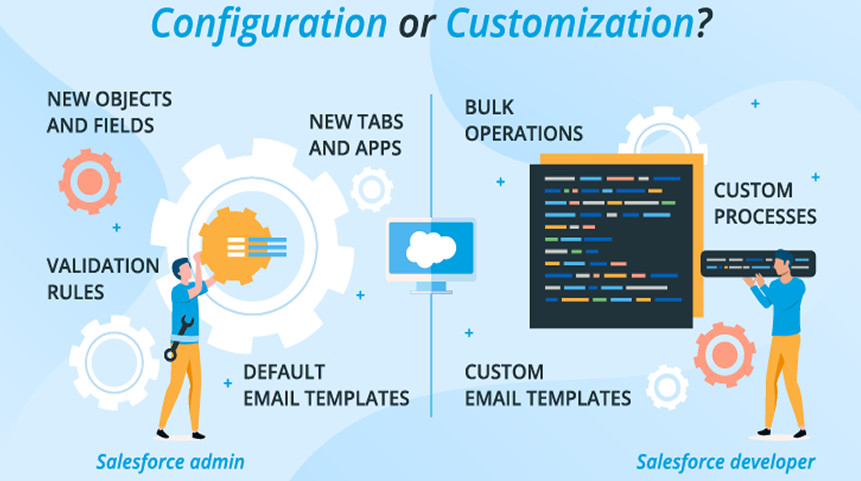
The best use of Salesforce is to use the built-in no-code tools to create simple workflows and processes using Salesforce’s configuration capabilities. You would only use the customization potential of Salesforce if you need to support a more advanced business process or if your business has specific needs (i.e. your own rules or processes). So most companies will implement their business within Salesforce in terms of configuration first, then move to customization as needed!
Salesforce is a great technology tool for businesses, however; many times businesses are not sure whether they should configure or customize Salesforce. When you configure Salesforce you use the built-in no-code tools of Salesforce to update your existing workflow, page layout and settings. When you customize Salesforce, you develop custom code to create custom features that can address complex rules and support unique business processes.
By 2026, businesses are focused on quicker implementation, reduced cost and ease of updating systems. Choosing the right method for your business can have a great impact on both the businesses overall cost of doing business as well as the speed in which they perform. An incorrect choice in method can cause extra costs, slow down performance and create future problems. So, is your next question, ‘’how to choose Salesforce customization or configuration?’’
This blog will provide you with a better understanding of how to differentiate configuration and customization for Salesforce and how to use them both effectively, thereby making informed decisions when it comes to using the right method(s).
What Is Salesforce Configuration?
Salesforce configuration involves establishing the CRM with simple point-and-click tools and no coding. It allows the user to make changes in no time by setting up new options, creating new fields, changing the layout, and making simple Salesforce configuration for workflows. Configuration works best with standard business processes and daily activities. It is a great way for teams to start quickly and still have a system that is easy to maintain. Most companies turn to configuration as the first option simply because it is quick, safe, and does not need any technical coding skills. Indeed, Salesforce configuration services focus on optimizing standard features without heavy coding.
Salesforce Configuration Examples
-
Fields, Page Layouts, Record Types
The function of fields is to keep important data such as names, emails, or phone numbers. Page layouts manage how this data is displayed on the screen. Record types are used to sort different records for various business purposes. Also, declarative configuration Salesforce enables admins to build features without writing code.
-
Flows, Workflows, Approval Rules
Flows and Salesforce workflow automation make it possible to automate some manual tasks so that everything happens automatically without any extra effort. Approval rules take the hassle out of management when it comes to approving requests, deals, or changes. Together, they are a big time-saver and help to reduce errors in everyday operations.
-
Reports and Dashboards
Reports pull out information from Salesforce and present it in a very simple manner. Dashboards are where the data is shown in the form of charts and graphs, thus helping the teams in monitoring their activities, evaluating their performance, and making wise and quick decisions.
When Salesforce Configuration Works Best?
-
Simple to Medium Business Processes
Salesforce configuration tools are suitable for simple to medium-level business processes. It operates by means of no-code handling of daily tasks, which practically makes it the most suitable solution for most ordinary workflows that do not require complex logic or special features.
-
Faster Implementation
Salesforce can be readily set up by businesses with the help of configuration. The use of point-and-click tools allows the team to quickly create fields, layouts, and workflows which therefore speeds up the system’s being ready for use compared to the constructing of custom solutions.
-
Lower Cost and Easy Maintenance
Configuration is less costly since there’s no need for coding or hiring technical experts. Moreover, it is very easy to maintain so companies can easily make changes or updates without experiencing extra time, costs or requiring technical skills, thus ensuring that Salesforce operates smoothly.
What Is Salesforce Customization?
When talking about Salesforce customization one means to say the changing of the system using code like Apex, Visualforce, or Lightning components for adding special features or handling complex business needs. In instances when the standard configuration cannot cope with unique requirements, customization comes in. Through it, firms are able to create advanced automation, special workflows, or unique user experiences that go beyond the limitations of the no-code tools. While it provides more control, it generally demands more time and technical skill. Indeed, Salesforce customization services help tailor the platform to meet specific business requirements.
Salesforce Customization Examples
-
Custom Business Logic
Custom business logic basically means that code is the main operator that takes over the special rules which the standard configuration could not handle. For instance, a discount may be applied by a retailer only if a client buys a certain combo of products. This confirms that the rules will be functioning precisely as needed.
-
Advanced Automation
Advanced automation involves the usage of code for performing a series of complicated tasks automatically. A case in point would be the automatic assigning of leads to particular salespeople with the help of region, deal size, or customer type as the determining factors. This application will also save time and reduce manual errors.
-
Custom UI Components
Custom UI components are generally responsible for changing Salesforce’s look and functionalities for its users. For instance, a dashboard showing real-time sales targets might consist of interactive buttons or charts which are not present in the standard layouts.
-
Complex Third-Party Integrations
Complex integrations involve the connection of Salesforce to other systems, such as accounting or e-commerce platforms. As an example, there is the possibility of web orders being directly synced into Salesforce with specific rules applied to automatically track inventory and customer details.
What Can Be Customized in Salesforce?
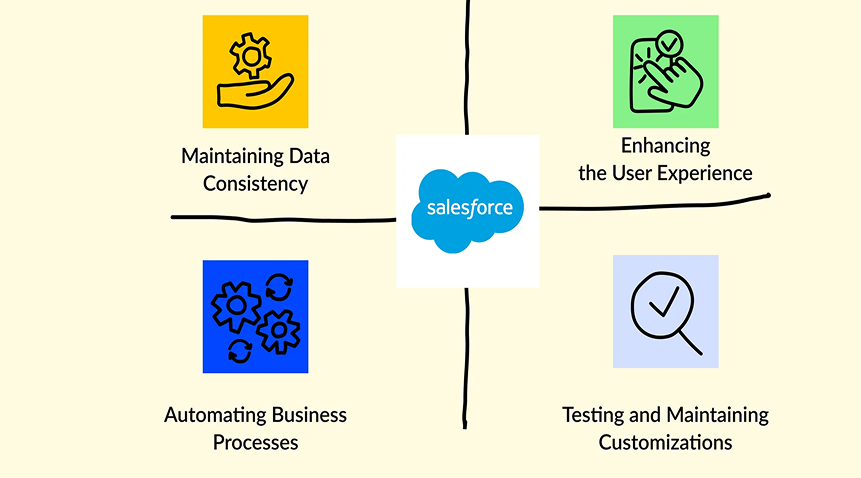
Salesforce is a flexible platform that allows various types of modifications. The major customization areas can be categorized into three groups:
-
User Interface (UI)
-
Functionality
-
Integrations
Salesforce User Interface Customization (UI)
Salesforce gives you the option to completely change its look and feel according to your company style. This is done by adding your company colors, logos, and fonts. Moreover, the Lightning home page layouts can also be changed for better user-friendliness and comfort.
Functionality
Salesforce allows you to change or improve the following system features:
- Objects
- Fields
- Reports
- Dashboards
- Tabs
- Templates
- Notifications
- Workflows
In some cases, simple change won’t be enough. The creation of complex processes or the building of custom apps might be required to get Salesforce to work exactly as your business demands.
Integrations
Salesforce is compatible with a wide range of other tools, including:
- ERP systems
- Content management platforms
- Project management software
- Social networks
- Email marketing tools
- Reporting tools
- E-commerce platforms
- Accounting software
- Telephone systems
Most integrations can be achieved through the use of AppExchange apps, APIs, or ready-made connectors. Additionally, Salesforce provides technologies like MuleSoft Anypoint for app integration and Heroku for building and connecting apps. Custom code is sometimes necessary to tie together several systems.
Salesforce Customization Tools
How to customize Salesforce for business needs? Salesforce through its built-in features and the feature of its partners allows the user to make changes in the platform. Some commonly used Salesforce customization tools likes Apex, visualforce, SOQL are explained below:
-
Visualforce
Visualforce is a front-end development tool that works in much the same way as HTML. Indeed, visualforce pages salesforce allows developers to create web pages and web components that will be presented to users and allow users to interact with the application.
-
Apex
Apex is similar to the Java, C#, .NET, or other back-end programming languages that control the way Salesforce operates within its ecosystem. Apex Salesforce customization is used when complex business logic cannot be handled declaratively. Without any doubt, Apex customization in Salesforce enables developers to implement complex business rules. gives developers control over the actions users take when interacting with their data and other users using the Salesforce platform.
-
SOQL (Salesforce Object Query Language)
SOQL is an acronym for Salesforce Object Query Language. In essence, SOQL is very similar to SQL and helps developers search for, retrieve, and work with Salesforce data. SOQL Salesforce queries retrieve specific records efficiently from the database.
-
Lightning Components
The Lightning Components framework is a JavaScript framework that lets developers build core reusable components to create an optimized user experience. Lightning components salesforce customization helps create dynamic and reusable UI elements.
-
Salesforce Connect
Salesforce Connect (OData) is the method by which Salesforce integrates data with other external systems. Factually, Salesforce Connect integration custom connector enables users to use data from an external source within the Salesforce platform as if it were part of Salesforce. Salesforce data model customization allows businesses to tailor objects and relationships to match their processes.
Due to the complex nature of using all these tools together, it is typical for businesses to hire a Salesforce customization partner to ensure that everything runs effectively.
Salesforce Customization vs Configuration (Direct Comparison)
| Feature | Configuration | Customization |
| Cost | Low, uses built-in tools | Higher, needs coding and developers |
| Implementation Time | Fast, easy setup | Slower, requires coding and testing |
| Flexibility | Limited to standard features | High, can handle complex needs |
| Maintenance Effort | Easy, simple updates | More effort, needs technical support |
| Upgrade Impact | Minimal, usually safe | Can break custom code, careful testing needed |
| Scalability | Good for small to medium needs | Best for complex, large-scale processes |
Which One Should You Choose? (Decision Logic)
Choose Salesforce Configuration If
-
Your requirements fit native Salesforce features
Use if your company can create bumps (fields, license layouts, etc.) using the built-in obligations from Salesforce. The sales team can easily track leads by simply creating fields, layout fields, and workflow fields within Salesforce using the user interface, no code required.
-
You want faster go-live
With Salesforce configuration best practices, you will be able to set up your company on Salesforce very quickly. For instance, in 3-5 days you can establish the sales funnel for your sales pipeline using drag-and-drop tools that are simple and “self-help” based.
-
Budget and scalability matter
Since Configuration is less costly than Customization, it will save your company from spending on customization. It will allow your small or growing company to make updates to fields, layouts, and workflow without needing to hire or spend on consultants.
Choose Salesforce Customization If
-
Business logic is complex
When the task, process or rule set in your business process requires creating conditional relationships between multiple rules, you must follow as part of your business to maintain, modify or set up your company in a preset manner. Salesforce will need to create a way for those rules to work automatically using code.
-
Heavy automation or integrations are needed
When you have a great number of steps or you want to use Salesforce to connect to other applications to create a link between your company and those applications, then Customization will be most effective. For example, if your Business requires online orders to automatically sync with Salesforce to manage inventory and ship from the manufacturer.
-
Industry-specific workflows exist
Some industries require workflows that are unique to them. For example, healthcare businesses may have unique patient tracking or regulatory compliance needs. Custom workflows allow you to create exactly what you need, where standard workflows cannot.
Salesforce Customization Benefits: Why Your Org Needs It?
Customization Makes User Interface More Intuitive
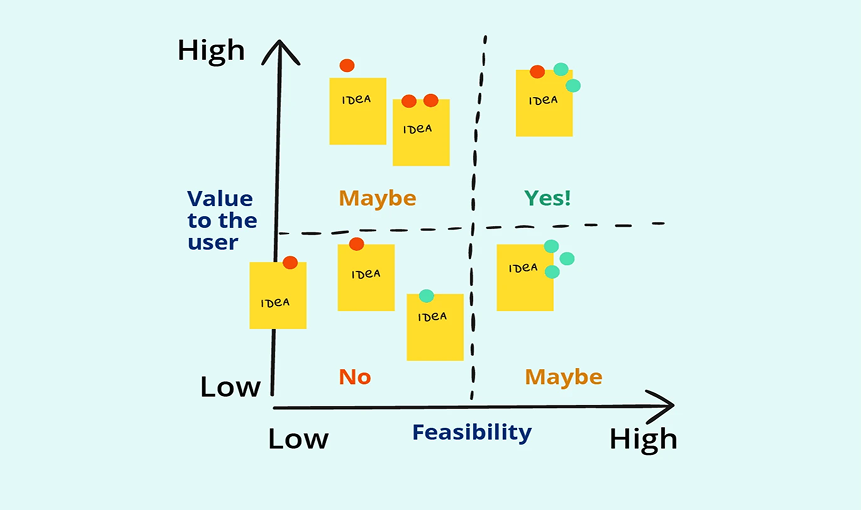
Salesforce has an excellent user interface; however, users may find it simpler with additional tools or features without designing the code of the User Interface. Salesforce user interface customization improves usability by adapting layouts, pages, and navigation for users. It will allow easier interaction with and use by your organization.
Ultimately Personalized User Experience
With customization, you can change or create:
- Page layouts based upon your color schemes and styles
- Public pages, visual components or visual emails
- Lead capture forms
- Specialized applications and Lightning components
- Connections between your current systems
- Partner portals
Your business is different and your process is unique. Therefore, the perfect fit of Salesforce will allow you to customize your system so it will look like it fits your business.
Faster App Development
Salesforce makes app development easy with drag-and-drop features. Although it may take extra time to develop your complete application, you will have set up your critical elements of the app quickly and get started now.
Vast Variety of Pre-built Applications
Salesforce AppExchange has 1,000’s of pre-designed applications for almost every industry. You will have the ability to connect (integrate) these applications easily to your SalesForce account and quickly improve the effectiveness of your SalesForce account.
Seamless Integration with Third-Party Systems
Salesforce does not limit its internal tools. You are able to use Salesforce linking to third party tools, including erp systems, online retailers, social media sites, or even e-mailing systems. There are different ways you can achieve linking Salesforce to these systems such as using a built in platform, using a low-code method, or writing your own custom code to join everything together. Third party system integration Salesforce connects external applications for seamless data exchange.
Advanced Data Management
Many people that have large quantities of data or complex functions have extra customization within Salesforce to help manage this data. Salesforce allows you to update a number of records at once, as well as manage multiple lead submissions on a weekly basis that you would not be able to do with most standard reporting applications.
Real-Time Personalized Reporting
While standard salesforce reports might give you useful information, you might not receive all of the information that you need. The ability to create customized reports and Salesforce configuration for report dashboards to allow your sales team, marketing team and service team to see what’s important to each team is critical.
Custom Email Templates
You can format your e-mail templates in whatever style you would like. Custom e-mail templates not only help your e-mails match your branding, they also provide a professional look to your e-mail campaigns.
What Can Salesforce Customization and Configuration be used for?
| Use | Configuration | Customization |
| Look of Salesforce (UI) | Change page layouts, fields, tabs, and dashboards using drag-and-drop tools. | Make custom pages, components, and visual designs using Visualforce or Lightning. |
| Automation | Make workflows, approval steps, and flows without coding. | Create complex multi-step processes or advanced automation using Apex code. |
| Reports & Dashboards | Make standard or custom reports and dashboards using built-in tools. | Build special reports or dashboards with custom logic and calculations. |
| Data Handling | Manage standard objects, fields, and records using tools in Salesforce. | Work with large data, complex rules, or relationships using code |
| Connections (Integrations) | Connect Salesforce to other apps using Salesforce AppExchange configuration tools or any other built-in tools. | Build custom links to other systems using APIs or custom code. |
| Emails & Notifications | Use default email templates and alerts. | Create fully custom emails, notifications, and messaging workflows. |
| Apps & Features | Use standard Salesforce features for Sales, Marketing, or Service Cloud. | Make new apps, objects, and features for specific business needs. |
Salesforce Configuration Use Cases/Salesforce Customization Use Cases (2026 Focus)
-
Sales Team Use Case
To implement lead routing through configuration, the right salesperson will automatically receive the leads. The custom pricing rules through customization will take care of giving discounts only in cases where certain special conditions are met, which the standard tools cannot cover.
-
Marketing Team Use Case
Configuration is used for the campaign automation, i.e., sending emails or messages depending on customer actions. The marketing team needs advanced data sync through customization. This means connecting Salesforce with other marketing tools to automatically update contacts and campaign results.
-
Service & Support Use Case
Configuration will be used for case management, where customer issues are tracked and routed to the correct support agent. Customization will be used to implement SLA rules that will manage deadlines, alerts, and hikes for more sophisticated service needs.
Cost, Risk, and Scalability Comparison
-
Cost Difference Between Salesforce Configuration and Customization
Configuration requires less money as it works with the built-in tools and no coding is needed. On the other hand, Customization is more expensive because it requires the involvement of developers, coding, testing, and maintenance for the special or complex processes.
-
Performance & Security Risks
Configuration is the safest option and also easier to manage. Custom coding between errors, slow state of the system, and security issues might come up if it is not done accurately. Hence, testing and monitoring are very crucial.
-
Long-Term Scalability in 2026
The configuration approach is good for small and medium-sized businesses. The customization approach is more suitable for large enterprises or delicate processes that grow over time and demand advanced automation or special integrations.
Best Practices Recommended by Salesforce Experts
-
Always configure first
Use standard Salesforce tools from the beginning whenever it is possible. Configuration is able to handle most of the business needs, thus saving time, money, and effort. Do not use coding unless it is very important for complex tasks.
-
Customize only when required
Use customization only when business processes are too complex for standard tools or require unique features. Coding should be applied carefully to meet specific needs that cannot be solved with point-and-click configuration.
-
Follow Salesforce upgrade-safe practices
Ensure that all customizations are safe during Salesforce updates. Always test new changes in a sandbox or safe environment first to prevent breaking existing workflows, processes, or integrations in your system. Sandbox testing Salesforce customization ensures changes are validated before production deployment.
-
Document every customization
Make complete notes of all custom code and changes made in Salesforce. This helps future teams in understanding, maintaining, and fixing the system easily without confusion or errors.
Common Mistakes Businesses Make
-
Over-customizing too early
Adding a lot of custom code from the beginning can slow down Salesforce and create a problem for the updates in the future. Just do it simple at the first place and customize it when needed to lessen the troubles in the future.
-
Ignoring native Salesforce capabilities
Not taking advantage of the native Salesforce instruments also clearly increases the costs and wastes time. A good deal of the issues can be easily solved through configuration thus, unwanted coding and complexity in your system can be avoided.
-
Not planning for future upgrades
A custom code has the possibility of becoming unsuitable during the Salesforce upgrade if there is no pre-plan. Always take the future updates into account when making decisions related to the customizations’ design to prevent such cases and needless effort from being made.
-
Choosing customization for short-term needs
Using a coding solution for a small or temporary issue will only lead to more expenses and a more complex system unnecessarily. Configuration is often enough for short-term tasks and it keeps the system simpler and easier to manage.
Salesforce Customization vs Configuration – Decision Checklist
-
Does Salesforce already support this feature?
First check if the feature can be achieved by the use of the standard configuration. Then, if that is the case, avoid coding as this will not only save time and effort but also done at a lower cost.
-
Is coding really required?
The customization option should only be considered if the particular business process cannot be resolved through configuration means. The programming should be used very slightly for those areas where the standard tools fall short.
-
What is the long-term maintenance cost?
The long-term maintenance cost is set on by the total cost and effort of maintaining the custom code, which can be very important depending on the complexity of the customization. Furthermore, there is a risk that custom code can be put in danger every time Salesforce updates its systems. Detailed testing is promised to prevent disruption of workflows, processes, or integrations during platform upgrades.
-
Will this break during upgrades?
As the Salesforce System upgrades, ensuring the safety of the Custom Code created will help prevent issues from occurring during those upgrades. Therefore, Custom Code should be fully tested to ensure that workflows, processes, and integrations are not affected when upgrades to the platform occur.
Detailed SFDC Customization Plan
Having a clear Salesforce Customization Plan is vital to ensuring successful customization. Below are twelve helpful steps to aid project completion and avoid errors.
-
Prepare Ahead
Customizing Salesforce is not an easy task; it requires detailed planning. Proper planning Salesforce customization will help the implementation process be smooth. Identify and list all tasks and pick their order of prioritization. Decide whether a business requires full configuration/customization, and if so, once you identify all gaps, proceed with the necessary changes.
-
Survey the Users
Talk to users of Salesforce on a daily basis. Inquire about their pain points, what features are important/relevant to their roles, and what features may not be as useful. This will help to make the Salesforce System easier to use for all users, and more useful to the organization as a whole.
-
Consult a Salesforce Customization Company
Seek out professionals who specialize in Salesforce Customization for guidance before you begin. These professionals will help you discover the best tools to use, provide you with expertise to prevent Salesforce customization risks, and help in the overall customization process.
-
Prioritize Features You Want to Create
When creating new features for users, create a complete list of what they want, remove things that are not needed, then focus on building the features that will give the greatest benefit and the best return on investment. This will help you stay on track and within your project budget.
-
Use Sandbox Before Customization
You should test everything you do in a sandbox (or a safe environment) before you implement it in your production (live) environment. Sandboxes are a safe way to create a duplicate of your Salesforce environment:
- Developer (Dev) – this is used to develop new features and test them on a new, empty environment.
- Partial Sandbox – this is a copy of your production Salesforce org with some real data included for testing purposes.
- Full Sandbox – this is an exact duplicate of your production system and can be used to conduct any final testing before you implement new features in your production environment.
With any sandbox type, you can test your applications using tools such as Force.com, Heroku or Lightning in a secure environment.
-
Decide on Key CRM Terms for Simplified Communication
Common terms for various objects, features, and processes used in CRM (Salesforce) are essential to improve communication between users, administrators, and developers. The more simple, straightforward, and consistent the terminology you use the less likely confusion will occur.
- Structure: Use the same naming structure on all objects.
- Concise: The name should be as short as possible; it should also be easy to read.
- Consistent: All team members in your organization should use the same naming rules.
-
Conduct Tests Regularly
Every change needs testing prior to being deployed. As a minimum, test any increments of data and perform an analysis on each validation / indexing rule and trigger. Ensure at least 75% coverage in the test scripts against feature sets.
-
Train the End-users
Provide end-users with a user manual on using new functionality created from customized applications. Consider the use of training environments to avoid errors within the production environment. Obtain feedback from users in order to enhance their user experience.
-
Keep Documentation and Notes
Capture and retain any and all business needs, plan, goals, numbering scheme, mapping schema, documented information about implementations, etc. All of these things should be captured in a document in order for future developers and/or users to reference their understanding of how the system works and help avoid unnecessary customizations.
-
Add Customization Details
Add a description of newly created features within Salesforce. Record changed/added features for other admins and developers to be able to view and also add messaging / prompts to the fields to help with the proper use of the new functionality. Custom objects fields Salesforce support storing unique data that standard objects cannot capture.
Frequently Asked Questions (FAQs)
-
What is the difference between Salesforce customization and configuration?
Salesforce Configuration is the use of standard Salesforce features (fields, page layouts, workflow rules, report types). This is done without custom coding. Salesforce Customization consists of writing code to develop custom features, complex process rules, or to create an integration with another program.
-
When should I choose Salesforce configuration instead of customization?
If your business process can be supported by standard Salesforce features, use Configuration. Configuration is faster, cheaper to implement, and easier to maintain. Configuration is a better fit for most standard process flows.
-
When is Salesforce customization necessary?
When your business has complex process rules or requires advanced automated processes or requires special features that cannot be met by standard features, Customization is necessary. You will also need Customized solutions to integrate Salesforce with other systems.
-
Which option is more cost-effective: customization or configuration?
Configuration is more cost-effective as it uses the built-in features of Salesforce and does not require other resources to code it. Customization is more costly because it requires a developer to write code, perform testing, and provide ongoing support/maintenance for the Custom code.
-
How does Salesforce customization impact system upgrades and maintenance?
The custom code written may cause issues when a new version of salesforce is released. If this occurs, it will create more issues for upgrading the salesforce version. Therefore, proper testing, planning, and documentation must be done to prepare for an upgrade and provide for ongoing maintenance.
-
What are the limitations of Salesforce configuration?
Salesforce configuration has different limitations that prevent it from meeting certain advanced needs. Configuration will not have the tools needed to create more complex business rules, provide advanced types of automation, or integrate with other software systems. It is only capable of performing the functions of a standard Salesforce product as it pertains to simple and moderate types of processing needs.
-
Is Salesforce customization or configuration better for small businesses?
For small businesses, the use of the configuration capabilities of Salesforce is more beneficial than the use of a customized product. Using the configuration capabilities of Salesforce will be quicker, less costly and less difficult than the setup process if you are performing most standard processes.
Why NGS Solution?
NGS Solutions has great expertise in the design and customization of Salesforce products. Their services include reviewing your Salesforce instance, creating a customization roadmap, building custom code and integration, developing an application and component set, supporting end-users with training, and ensuring that your Salesforce instance is operating optimally. Salesforce configuration consultation provides guidance on designing efficient system setups. Certainly, our reliable Salesforce configuration and professional Salesforce customization help ensure solutions follow platform standards and scalability needs.
For advice on Salesforce configuration at the expertise level, contact our Salesforce experts! We can help you determine the best option for your company, create a well-defined Salesforce customization roadmap, and get your Salesforce implementation working as needed. Contact us today for assistance!
Bottom Line
Salesforce is a highly adaptable product; therefore with the help of the right consultant, you can create a Salesforce instance that operates similarly to an out-of-the-box product designed specifically for your organization. Furthermore, you will be able to manage complex processes, increase the number of processes your organization will be able to perform, and minimize your organization’s exposure to security issues.
Furthermore, you will be able to use configuration to adjust the Salesforce instance to suit your preferences. Also to automate many processes that you would otherwise do manually using basic point-and-click functions. We have created this Salesforce customization vs. configuration guide for your help!
Salesforce Configuration is the most effective way to implement Salesforce within your enterprise. Customization is only allowed if it is impossible to set up a typical configuration to meet your enterprise’s needs. The correct balance of configuration/customization will provide an enterprise with a scalable, effective, and low-cost solution in the long run.


