
Imagine walking into your office on a Monday morning, ready to close major deals, only to find your sales team frustrated because Salesforce takes thirty seconds to load a single opportunity record. Dashboards stall, reports time out, and user adoption starts to decline.
This type of performance issue often develops gradually as Salesforce environments expand. Over time, organizations accumulate unused fields, outdated automations, complex customizations, heavy Apex code, and redundant reports that increase system complexity and slow daily workflows. The impact goes beyond technical performance; inefficient CRM processes can reduce the time sales teams spend on revenue-generating activities. According to Salesforce research, sales professionals spend a significant portion of their time on administrative work rather than selling, highlighting the importance of streamlined systems and optimized processes.
Performing a regular Salesforce org health check allows administrators and system architects to identify bottlenecks, reduce technical debt, and ensure the platform continues running efficiently. In this comprehensive guide, we will explore what an org audit involves, the key warning signs to watch for, step-by-step optimization strategies, and best practices for maintaining a fast, scalable CRM.
What Is a Salesforce Org Health Check?
Definition
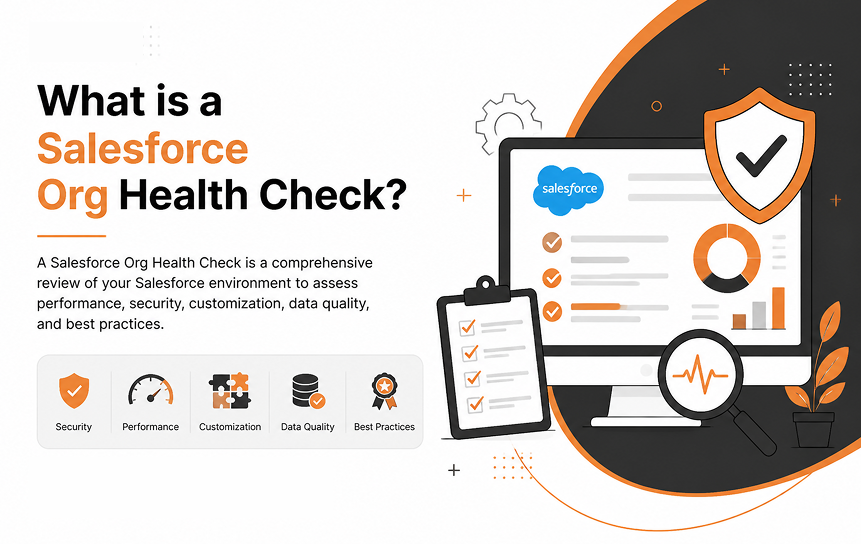
A Salesforce org health check is a thorough evaluation of your Salesforce instance’s setup, architecture, code, automations, and data usage. Its primary goal is to assess overall Salesforce system health, identify potential performance bottlenecks, detect security risks, and highlight areas where customization can be streamlined.
Think of it as a comprehensive medical exam for your CRM, a proactive checkup designed to ensure platform efficiency before small issues turn into system outages.
Why Every Salesforce Org Needs Regular Reviews
Salesforce is a dynamic platform that evolves alongside your business. Every time a new custom field, Flow, Apex trigger, or third-party integration is added, the system’s complexity increases. Without periodic oversight, your org runs the risk of accumulating severe technical debt.
A regular Salesforce org assessment, often a foundational element of a broader strategic Salesforce advisory & roadmap, prevents performance degradation, ensures security compliance, keeps system limits in check, and boosts user adoption by keeping the user interface fast and intuitive.
Regular reviews help you catch misconfigurations early. They ensure your setup aligns with modern Salesforce best practices, such as migrating legacy automations to Lightning Flows, and keep your platform agile enough to support changing business goals.
Business Benefits
Investing time in a routine Salesforce org analysis yields direct financial and operational benefits across your organization:
| Benefit Area | Primary Impact | Practical Result |
| User Productivity | Faster page loads and cleaner navigation. | Reps spend less time waiting for screens to refresh and more time selling. |
| System Stability | Reduced risk of reaching governor limits. | Integrations and automated background processes run reliably without failing. |
| Cost Efficiency | Optimized file and data storage usage. | Prevents sudden expenses from over-purchasing additional Salesforce storage. |
| Maintainability | Clean metadata and standard configurations. | Future developers and admins spend less time debugging legacy logic. |
Common Signs Your Salesforce Org Has Performance Problems
Before doing a lot of technical diagnostics, it helps to recognize the everyday symptoms of an unhealthy org. If you notice these signs that your Salesforce organization needs improvement early on, you can take action before users stop trusting the platform.
Slow Reports
If operational reports take several minutes to run or consistently hit execution timeout limits, your org likely suffers from indexing issues, inefficient filter conditions, or bloated data objects.
Long Page Load Times
When record pages take more than a few seconds to load, the issue often stems from over-customized Lightning pages. Too many heavy components, embedded Visualforce pages, complex record detail layouts, or excessive related lists severely degrade Lightning performance.
Too Many Unused Fields
An account object with 400 custom fields where 250 haven’t contained data in two years creates unnecessary visual noise. Beyond confusing users, bloated schemas complicate reporting, increase payload sizes, and slow down record processing.
Duplicate Automation
Having multiple automations triggering on the same event, such as a Flow, an old Process Builder, a Workflow Rule, and an Apex Trigger all firing when an Opportunity is updated, creates processing conflicts, causes unpredictable behavior, and consumes valuable governor limits.
Conflicting Validation Rules
When users encounter cryptically worded error messages that prevent them from saving records, conflicting validation rules are often the culprit. Overlapping or redundant validation logic frustrates users and frequently breaks background automated processes.
User Complaints
When account executives, customer support agents, and managers start bypassing Salesforce entirely, using spreadsheets or external notes because the CRM is ‘too slow and confusing’, it is a clear sign that your platform lacks the proactive Salesforce support and maintenance needed to keep it performing at its best.
How to Perform a Salesforce Org Health Check
Executing a structured how to perform a Salesforce org health check process ensures you do not overlook critical architectural areas. Follow this step-by-step audit framework to evaluate your instance thoroughly.
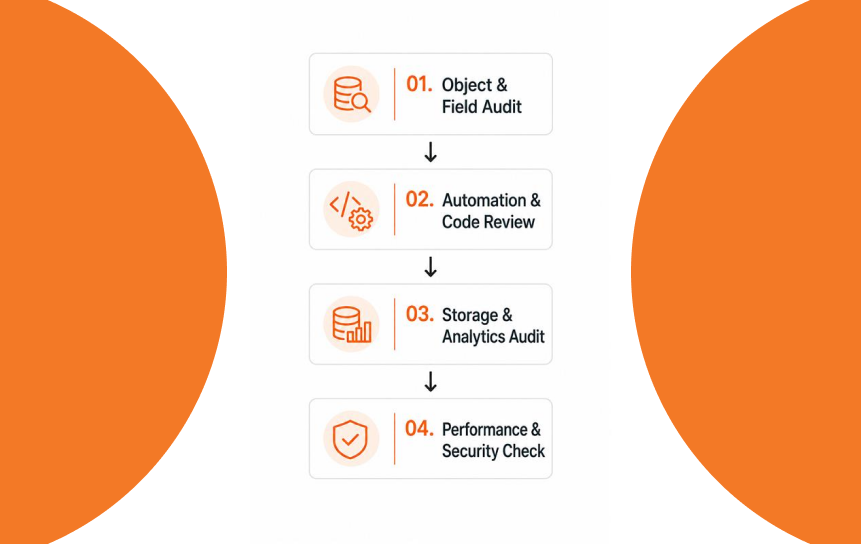
Review Object Structure
Start by analyzing your custom objects and standard object customizations. Determine if your data model uses master-detail and lookup relationships appropriately. Overly complex data models with deep parent-child hierarchies can lead to severe record-locking issues during large data updates.
Audit Custom Fields
Run a metadata extraction tool (such as Salesforce Optimizer or Field History Tracking utilities) to identify fields with low or zero population rates.
- Identify fields that have less than 10% fill rate.
- Verify if custom fields replicate standard fields that Salesforce already offers.
- Flag deprecated fields for removal during scheduled maintenance windows.
Analyze Reports
Examine your existing report folders. Filter out reports that have not been run in the past 365 days. Look closely at active reports built on broad criteria without indexed filter fields, as these force Salesforce to perform full database sweeps, dragging down overall query execution speed.
Review Dashboards
Dashboards with numerous components pulling data from non-optimized, complex reports cause heavy server strain. Verify how many dynamic dashboards your business uses. Limit dynamic dashboards to essential executives, as they process queries in real-time based on the logged-in user’s access levels.
Inspect Automation
Examine the automation architecture on your primary objects (Account, Contact, Lead, Opportunity, Case). Focus on consolidating legacy tools into modern declarative options:
- Identify active Workflow Rules and Process Builders that should be migrated to single, streamlined Flows.
- Ensure automations are re-entrant safe and do not trigger infinite loops across related objects.
Check Apex Performance
Review your custom Apex codebase for efficient programming patterns. Verify that developers adhere to core coding guidelines:
- Ensure all database queries (SOQL) and data manipulation statements (DML) are properly bulkified.
- Confirm SOQL queries use indexed fields in WHERE clauses to prevent query timeouts.
- Check that test classes run efficiently and cover edge cases rather than simply satisfying minimum deployment metrics.
Evaluate Storage Usage
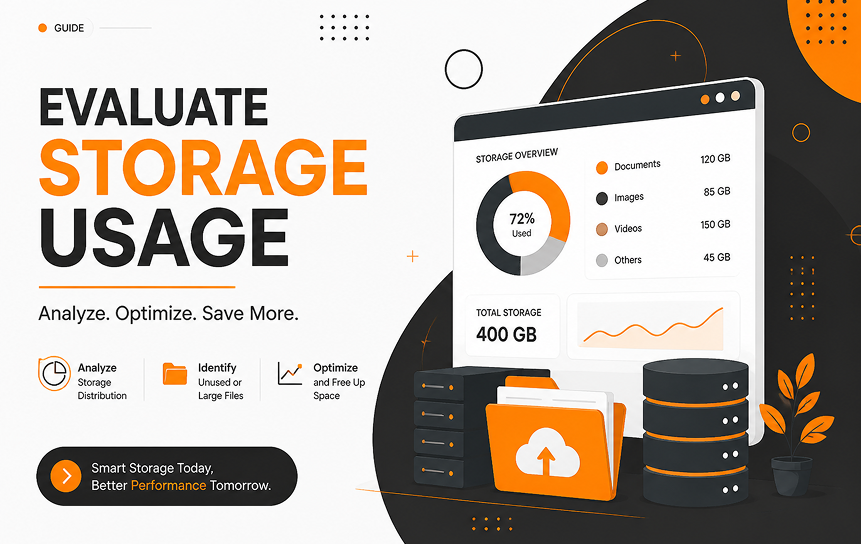
Navigate to Setup > Data Management > Storage Usage. Compare your current usage against platform limits for both Data Storage and File Storage. Identify high-volume objects (such as Task, Event, EmailMessage, or custom log objects) that consume valuable capacity and plan archival strategies accordingly.
Areas That Usually Require Optimization
Once your audit highlights specific weaknesses, focus your cleanup efforts on these core configuration components using this targeted Salesforce optimization checklist:
Page Layouts
Streamline Lightning Record Pages by leveraging Dynamic Forms. Instead of displaying hundreds of fields in a single, continuous detail component, break layouts into clean, organized tabs and display field sets conditionally based on user profiles or record states.
Record Types
Having dozens of record types per object makes administration difficult and confuses users. Review whether separate record types are truly necessary for business process separation or if dynamic page visibility can achieve the same result with less overhead.
Flows
Consolidate multiple record-triggered Flows on a single object into a structured framework. Utilize Flow Orchestration or follow a single-before-save and single-after-save design pattern. This approach controls execution order, prevents recursive loops, and minimizes runtime processing overhead.
Process Builder
Process Builder is legacy technology that carries significant performance overhead compared to modern Flows. Converting legacy Process Builders to streamlined Flows is one of the most effective ways to achieve immediate Salesforce performance optimization.
Permission Sets
Avoid creating redundant user profiles whenever a distinct permission variance occurs. Transition toward a streamlined base profile architecture supplemented by Permission Set Groups. This modern authorization approach simplifies user management and speeds up security audits.
Sharing Rules
Wide-open, complex criteria-based sharing rules can slow down recalculation speeds during large data imports or mass record updates. Keep your internal default access levels as open as reasonable, using explicit sharing rules only where strict data privacy requirements demand it.
Best Practices for Keeping Salesforce Healthy
Maintaining platform health is an ongoing discipline, not a one-time project. Implement these proven Salesforce system performance best practices to keep your CRM operating at peak efficiency over time:
Quarterly Audits
Schedule a dedicated Salesforce org assessment every three months. Regularly running native utilities like the built-in Salesforce Optimizer tool helps track system trends, spot growing technical debt, and address emerging risks before they impact end users.
Metadata Cleanup
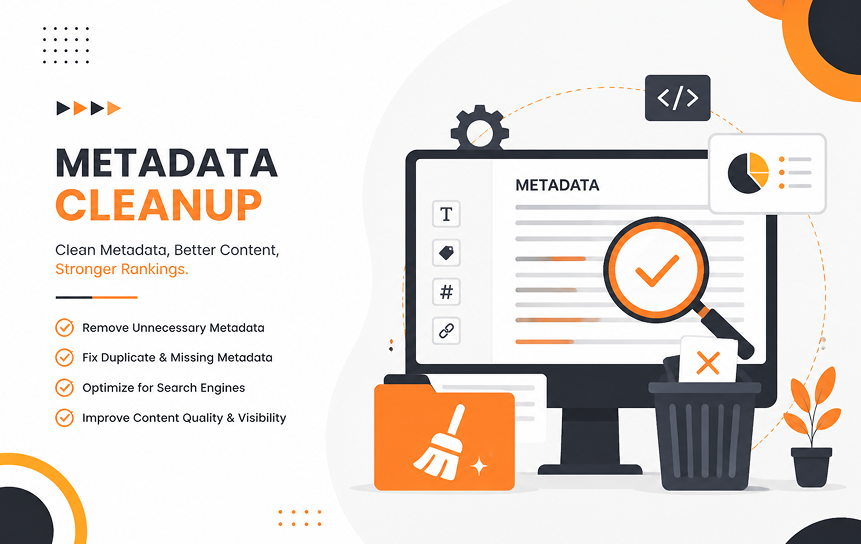
Establish a regular cleanup rhythm to purge unused components. Delete inactive workflows, orphan page layouts, old email templates, unused validation rules, and empty custom fields on a predictable schedule.
Key Rule: Always backup metadata and test deletions thoroughly in a sandbox environment before running cleanup scripts in production.
Documentation
Maintain complete, up-to-date documentation for custom architecture, complex Flows, Apex class frameworks, and third-party integrations. Documenting the why behind custom logic ensures future admins understand system dependencies before making alterations.
User Feedback
Set up a clear, structured system for users to report performance lag, broken features, or awkward workflows. System admins should regularly analyze help-desk trends to spot emerging system usability issues early.
Governance Policies
Establish a strong Center of Excellence (CoE) or clear governance board. Define standards for sandbox management, deployment routines, naming conventions, and change management. Strong governance prevents admins and developers from creating redundant configurations that bloat the system.
Mistakes Organizations Commonly Make
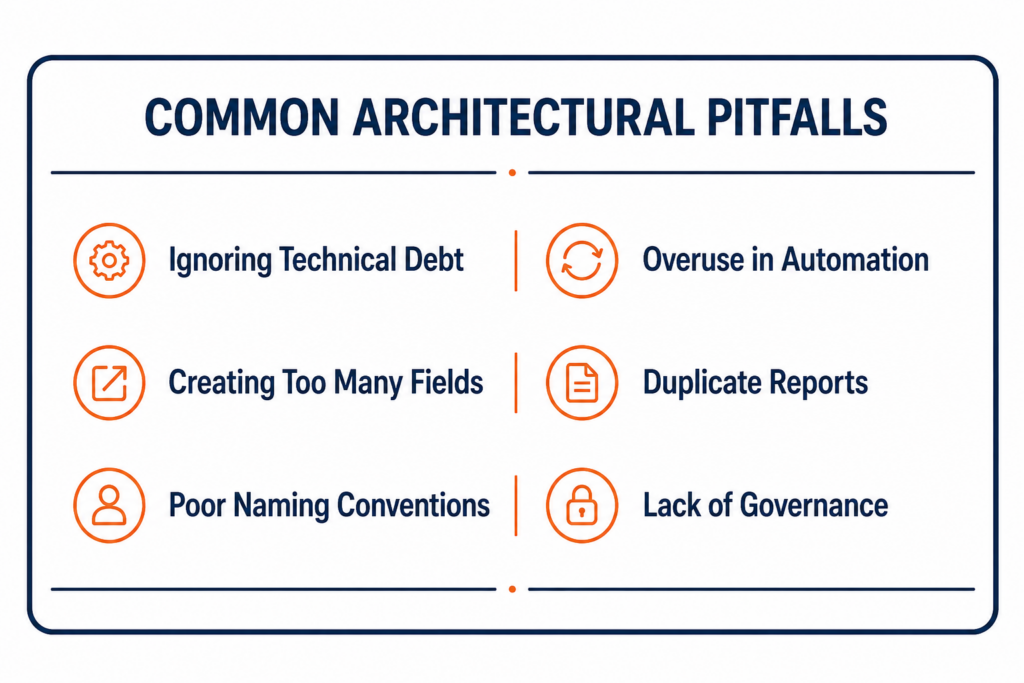
Even experienced teams fall into common traps when scaling their Salesforce environments. Learning to recognize these Salesforce technical debt examples will save your organization time and money.
Ignoring Technical Debt
Postponing system maintenance to push out quick, temporary fixes causes technical debt to compound over time. Eventually, even simple changes require hours of regression testing and complex workarounds.
Creating Too Many Custom Fields
Creating a new custom field for every minor stakeholder request leads to cluttered user interfaces and bloated objects. Instead, look for ways to fulfill requests using existing fields, picklist options, or dynamic user interfaces.
Poor Naming Conventions
Naming a Flow Update Info 2 or labeling an Apex trigger TestTrigger creates immediate confusion for anyone else working in the org. Establish strict, descriptive naming standards for all metadata components (e.g., Opportunity_BeforeSave_UpdateStageDetails).
Duplicate Reports
When users do not know where to find standard analytics, they often build duplicate, highly specific reports. Hundreds of unorganized user reports clutter search results and increase system strain. Establish a clear public folder structure and restrict management of core public folders to authorized analytical users.
Excessive Automation
Layering automation built across different eras, such as combining legacy Workflow Rules, Process Builders, multiple Flows, and Apex Triggers on a single object, creates dynamic conflicts. This complexity often triggers unhandled faults, generates unexpected field values, and degrades processing performance.
Final Thoughts
A high-performing Salesforce org does not happen by accident; it is the result of thoughtful architecture, consistent monitoring, and proactive maintenance. Knowing how to perform a Salesforce org health check allows teams to identify hidden issues, address Salesforce technical debt, and create a system that scales with changing business needs.
Using a structured Salesforce health check checklist helps administrators review critical areas such as automation, security, data quality, storage, and customization. Regular reviews can reveal signs your Salesforce org needs optimization, including slow page loads, inefficient processes, excessive customizations, and declining user adoption.
By applying Salesforce system performance best practices, organizations can improve overall efficiency through better CRM optimization, smarter object optimization, and effective field optimization. Reviewing code quality through Apex optimization, improving Lightning performance, and maintaining proper storage management can prevent small issues from becoming major system limitations.
Salesforce optimization is an ongoing process, not a one-time project. Continuous workflow optimization, regular cleanup, and performance reviews help transform your CRM from a cluttered platform into a reliable, fast, and user-friendly system that supports long-term business growth.
FAQs
What is a Salesforce org health check?
A Salesforce org health check is a detailed evaluation of your Salesforce environment’s configuration, code, architecture, security, and data performance. It helps administrators identify security risks, resolve technical debt, remove unnecessary customizations, and improve system reliability before issues affect users.
How often should a Salesforce health check be performed?
Organizations should perform a comprehensive Salesforce health check at least once every quarter. Additional reviews are recommended after major Salesforce releases, significant process changes, or large deployments to ensure the system continues operating efficiently.
What are the signs your Salesforce org needs optimization?
Common signs your Salesforce org needs optimization include slow record loading, delayed automation execution, increasing storage usage, duplicate data, complex customizations, and reduced user productivity. These issues often indicate that the org requires performance tuning and cleanup.
What are some Salesforce technical debt examples?
Common Salesforce technical debt examples include outdated workflows, duplicate automation rules, unused custom fields, poorly structured Apex code, redundant objects, unmanaged integrations, and outdated configurations that make future changes more difficult.
Can too many custom fields slow Salesforce?
Yes. Excessive fields on an object can increase page load times, complicate user experiences, and affect reporting performance. Regular field optimization helps remove unnecessary fields, improve usability, and maintain a cleaner Salesforce data structure.
Why is metadata cleanup important?
Metadata cleanup removes unused fields, outdated page layouts, inactive automations, old reports, and unnecessary customizations. It reduces technical debt, improves object optimization, simplifies administration, and creates a healthier Salesforce environment.
How can businesses improve Salesforce performance?
Businesses can learn how to improve Salesforce performance by streamlining automation, optimizing Apex code, improving Lightning performance, managing storage efficiently, simplifying page layouts, and following proven Salesforce system performance best practices. Effective workflow optimization and regular CRM audits also help maintain a fast and reliable platform.


