
Modern businesses operate in an environment where speed, accuracy, and scalability directly influence success. Organizations that still rely heavily on manual processes often struggle with delayed responses, inconsistent workflows, data entry errors, and operational bottlenecks. This is where Salesforce automation tools become essential.
Businesses today need systems that can automate repetitive business tasks, streamline workflows, and improve operational efficiency without increasing administrative overhead. Salesforce provides a powerful ecosystem of automation capabilities that help companies standardize business operations, reduce manual data entry, and improve CRM performance across departments.
From lead routing and approval workflows to intelligent process orchestration and customer service automation, Salesforce offers advanced tools to optimize workflow management. Whether you are a Salesforce administrator, operations manager, CRM consultant, or business owner, understanding these automation tools is critical for improving efficiency and maintaining scalability.
This guide explores Salesforce automation tools explained in detail, including how Salesforce Flow works, the benefits of workflow automation, common automation challenges, and best practices for long-term success.
What Is Automation in Salesforce?
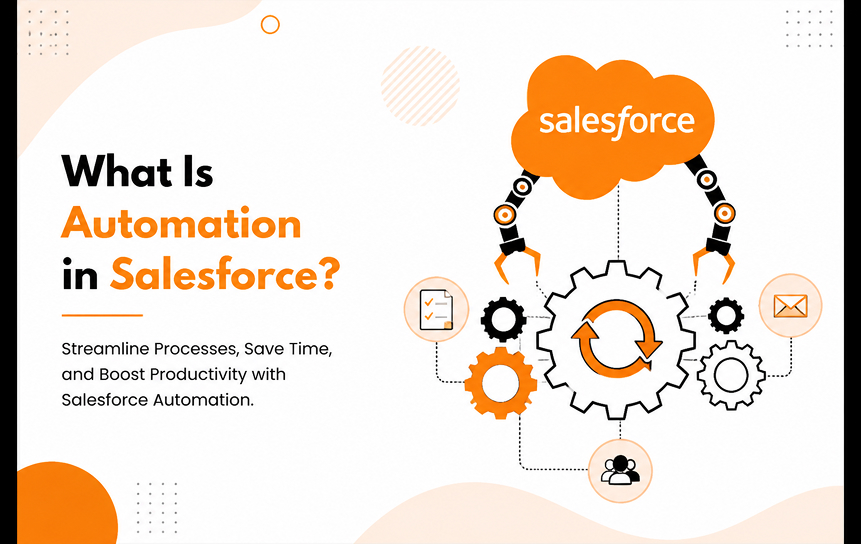
Automation in Salesforce refers to the use of built-in technologies and workflow tools that execute business processes automatically based on predefined rules, triggers, or conditions. Instead of relying on manual intervention, organizations can automate tasks, approvals, notifications, calculations, and data updates across their CRM ecosystem.
Definition of Salesforce Automation
Salesforce automation tools are technologies within the Salesforce platform that automate business workflows and operational processes. These tools enable organizations to manage repetitive tasks with minimal human effort while maintaining consistency and accuracy. When combined with Salesforce customization solutions, businesses can tailor automation workflows to their unique operational requirements, ensuring greater efficiency and alignment with organizational goals.
Automation can include:
- Lead assignment
- Email notifications
- Approval processes
- Task creation
- Data synchronization
- Scheduled actions
- Customer follow-ups
- Case escalation workflows
The core goal of Salesforce process automation is to eliminate inefficiencies and improve workflow optimization throughout the organization. Through strategic Salesforce customization and automation, businesses can create scalable processes that adapt to evolving customer expectations and business needs.
Why Organizations Automate Business Processes
Businesses automate processes because manual operations consume time, increase error rates, and slow down decision-making.
Organizations commonly use Salesforce workflow automation to:
- Increase employee productivity
- Eliminate process bottlenecks
- Improve customer response times
- Standardize business operations
- Enhance workflow visibility
- Improve collaboration between teams
For example, a sales team can automatically assign incoming leads based on geography, company size, or product interest without requiring manual review. This reduces delays and ensures leads reach the right representative immediately.
Evolution of Salesforce Automation Capabilities
Salesforce automation has evolved significantly over the years. Earlier automation relied heavily on Workflow Rules and Process Builder. While effective for basic tasks, these systems had limitations in complexity and scalability.
Today, Salesforce Flow and Flow Builder provide advanced capabilities for enterprise-level business process automation. Modern Salesforce automation features support:
- Multi-step workflows
- Dynamic logic
- Record-triggered automation
- User-guided screen flows
- Integration with external systems
- AI-powered decision logic
This evolution has transformed Salesforce into a complete automation platform rather than just a CRM system.
Relationship Between Automation and Productivity
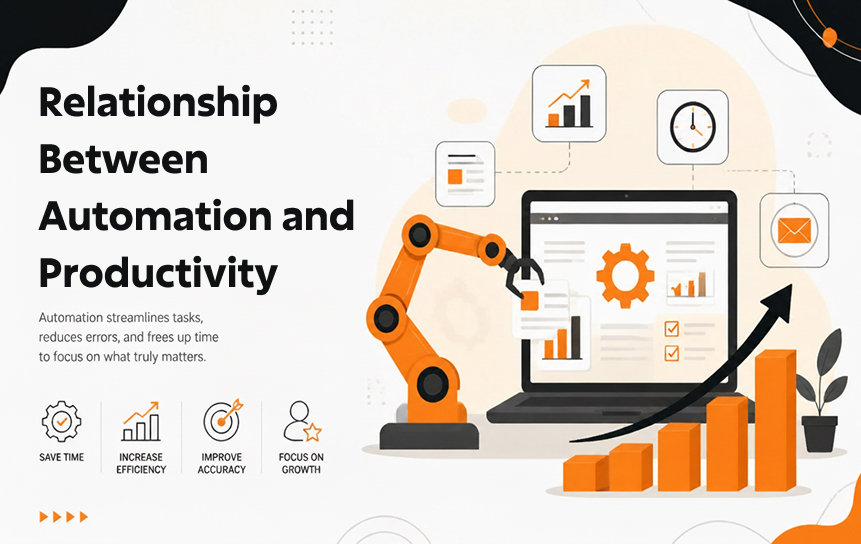
Automation directly impacts operational productivity. Employees spend less time on repetitive tasks and more time on strategic work.
For example:
- Sales teams focus on closing deals instead of entering data
- Service agents respond faster with automated case routing
- Managers approve requests instantly through automated approval processes
As a result, organizations improve operational efficiency while reducing labor-intensive administrative tasks.
Key Benefits of Process Automation
The benefits of Salesforce business automation extend across multiple departments.
Key advantages include:
- Faster workflows
- Improved consistency
- Better compliance management
- Reduced operational costs
- Higher customer satisfaction
- Enhanced reporting accuracy
- Improved scalability
Organizations using workflow automation often experience measurable improvements in process completion speed and overall CRM effectiveness.
Core Salesforce Automation Tools Explained
Salesforce provides several automation technologies that work together to support workflow management in Salesforce environments.
Salesforce Flow

Salesforce Flow is the primary automation engine within Salesforce. It allows users to create sophisticated workflows using a visual interface.
Salesforce Flow supports:
- Task automation
- Guided user interactions
- Approval logic
- Complex branching decisions
- Data updates across multiple objects
Many organizations consider it the best Salesforce automation tool for business processes because of its flexibility and scalability.
Flow Builder Capabilities
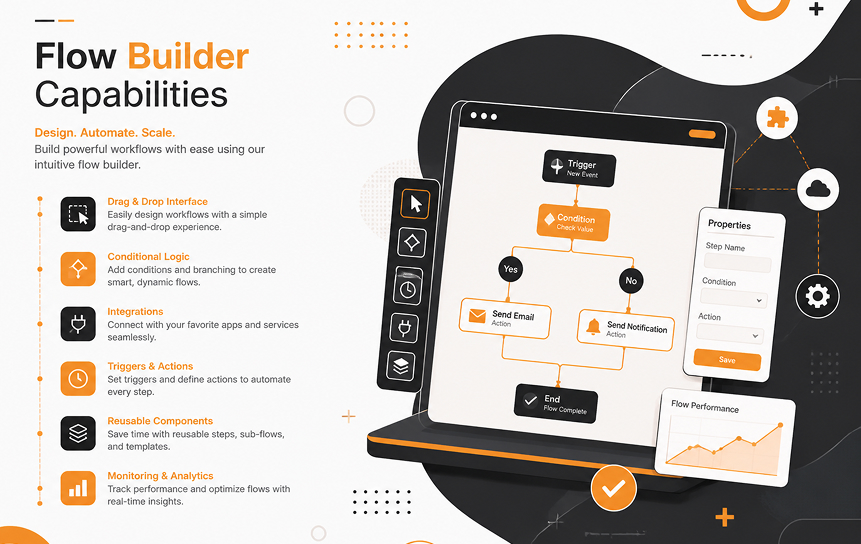
Flow Builder is the visual design interface used to create flows within Salesforce Lightning.
Flow Builder enables users to:
- Design automation visually
- Build trigger-based actions
- Configure process orchestration
- Add conditional logic
- Create reusable automation components
Its drag-and-drop functionality makes automation accessible even to users without extensive coding knowledge.
Approval Processes

Approval processes automate decision-making workflows requiring managerial authorization.
Examples include:
- Discount approvals
- Expense approvals
- Contract sign-offs
- Purchase requests
Instead of manually emailing documents, Salesforce workflow automation routes requests automatically to designated approvers.
Scheduled Automation Functions
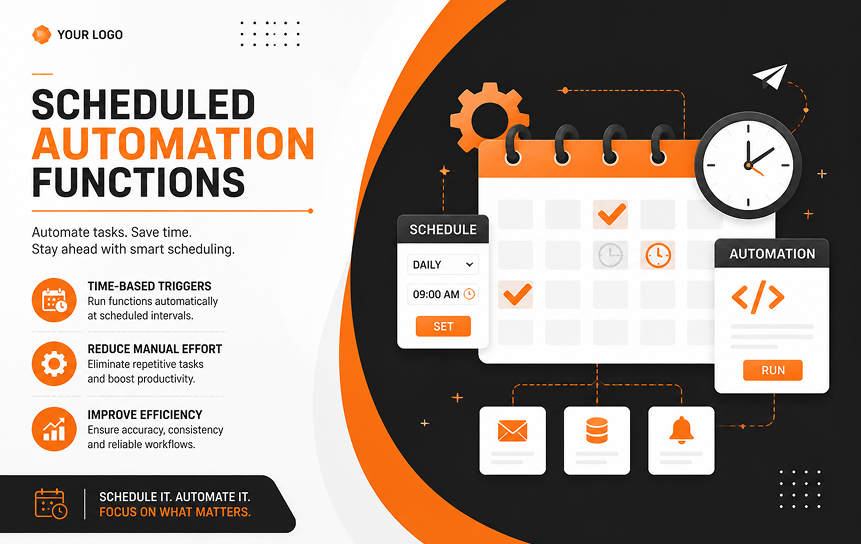
Scheduled automation executes processes at predetermined intervals.
Common use cases include:
- Weekly reporting
- Subscription renewals
- Data cleanup
- Reminder notifications
- Scheduled follow-up tasks
Scheduled flows help businesses maintain consistency without requiring daily manual oversight.
Event-Based Automation Mechanisms
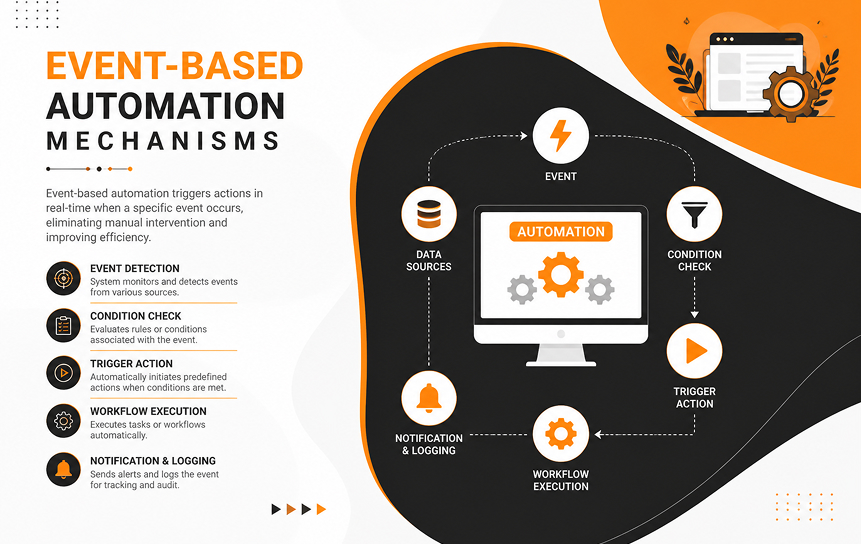
Event-based automation reacts instantly when specific actions occur.
Examples include:
- Sending alerts when opportunities close
- Escalating unresolved support tickets
- Updating account statuses
- Triggering onboarding sequences
These trigger-based actions improve responsiveness and operational agility.
How Salesforce Automation Improves Business Operations
Automation plays a central role in improving organizational performance.
Reducing Manual Tasks
Manual administrative work consumes valuable employee time. Salesforce automation tools reduce repetitive activities such as:
- Data entry
- Record updates
- Email follow-ups
- Assignment routing
- Reminder scheduling
By automating repetitive business tasks, organizations free employees to focus on strategic initiatives.
Improving Data Accuracy
Human error often leads to inaccurate CRM records. Automated validation rules and workflows help ensure consistency.
Automation improves:
- Data completeness
- Standardized formatting
- Duplicate prevention
- Reporting reliability
Improved CRM performance depends heavily on clean and accurate data.
Accelerating Response Times
Customers expect rapid communication and support. Automation ensures immediate responses through:
- Auto-generated emails
- Instant lead assignment
- Automated case escalation
- Real-time alerts
Faster response times improve both customer experience and sales conversion rates.
Standardizing Business Processes
One major advantage of Business Process Automation is consistency.
Automation ensures that:
- Every lead follows the same process
- Approvals follow company policy
- Service requests meet SLA standards
- Employees follow defined workflows
This standardization reduces confusion and improves accountability.
Enhancing Operational Visibility
Salesforce automation features provide visibility into workflow status and operational performance.
Managers can track:
- Workflow completion rates
- Pending approvals
- Escalated cases
- Process bottlenecks
- User engagement metrics
Enhanced workflow visibility enables data-driven decision-making.
Common Business Processes Automated in Salesforce
Organizations automate a wide variety of workflows within Salesforce.
Lead Management Workflows
Lead automation is one of the most common use cases.
Automation can:
- Assign leads automatically
- Score leads based on behavior
- Send nurture emails
- Create follow-up reminders
- Notify sales representatives instantly
This helps sales teams respond faster and improve conversion rates.
Opportunity Management Processes
Salesforce process automation streamlines opportunity management by:
- Updating sales stages automatically
- Sending deal progression alerts
- Tracking forecast changes
- Creating renewal reminders
These automations improve pipeline management and forecasting accuracy.
Customer Service Operations
Customer service teams use automation to:
- Route support tickets
- Escalate unresolved cases
- Send automated responses
- Trigger customer satisfaction surveys
Automation reduces wait times and improves support consistency.
Approval and Escalation Procedures
Approval processes eliminate delays caused by manual reviews.
Common approval automations include:
- Pricing approvals
- Contract approvals
- Expense authorizations
- Escalation management
This ensures compliance while accelerating operations.
Follow-Up Task Automation
Businesses frequently struggle with inconsistent follow-ups.
Automation helps by:
- Scheduling tasks automatically
- Sending reminder notifications
- Triggering customer outreach sequences
- Assigning ownership responsibilities
Consistent follow-ups improve customer engagement and retention.
Salesforce Flow and Modern Workflow Automation
Modern workflow automation in Salesforce increasingly revolves around Salesforce Flow.
Understanding Flow Logic
To understand how Salesforce Flow works, it is important to recognize its logic structure.
Flows operate using:
- Triggers
- Conditions
- Decisions
- Loops
- Actions
This automation logic allows businesses to create highly customized workflows that adapt to different scenarios.
Screen Flows
Screen Flows provide guided user experiences.
They are commonly used for:
- Customer onboarding
- Employee data collection
- Service request forms
- Guided sales processes
Screen Flows combine automation with interactive user input.
Record-Triggered Flows
Record-triggered flows execute automatically when records are created, updated, or deleted.
Examples include:
- Sending notifications when opportunities close
- Updating account statuses
- Triggering approval requests
These flows support real-time workflow automation.
Scheduled Flows
Scheduled Flows run at predefined times.
Use cases include:
- Subscription renewals
- Monthly reporting
- Batch record updates
- Scheduled customer outreach
They are ideal for recurring business operations.
Best Use Cases for Salesforce Flow
Some of the best Salesforce automation tools for business processes involve Salesforce Flow because of its versatility.
Popular use cases include:
- Employee onboarding
- Customer support escalation
- Sales pipeline automation
- Renewal management
- Marketing campaign workflows
- Compliance tracking
Organizations seeking scalable Salesforce business automation often prioritize Flow Builder implementations.
Common Automation Challenges and How to Avoid Them
Although automation provides major advantages, poor implementation can create operational issues.
Over-Automation Risks
Too much automation can complicate workflows unnecessarily.
Symptoms include:
- Excessive notifications
- Confusing approval chains
- Slow system performance
- User frustration
Organizations should automate strategically rather than automating every task.
Poor Process Design
Automation amplifies existing processes. If workflows are poorly designed, automation may worsen inefficiencies.
Before implementation:
- Analyze business objectives
- Simplify workflows
- Remove unnecessary steps
- Identify bottlenecks
Effective workflow optimization starts with strong process design.
Lack of Governance Controls
Without governance, organizations risk automation conflicts and compliance issues.
Best practices include:
- Defining ownership responsibilities
- Establishing naming conventions
- Maintaining version control
- Reviewing automations regularly
Governance ensures sustainable CRM automation practices.
User Adoption Challenges
Employees may resist automation if they do not understand its benefits.
Organizations should:
- Provide proper training
- Explain workflow changes clearly
- Gather user feedback
- Offer ongoing support
Strong user adoption is essential for automation success.
Automation Maintenance Issues
Automation systems require ongoing maintenance.
Businesses should regularly:
- Review workflows
- Remove outdated logic
- Update automation rules
- Test new releases
Neglected automation can reduce efficiency over time.
Best Practices for Salesforce Automation Strategy
Successful automation requires a long-term strategic approach.
Start With Business Objectives
Automation should solve real operational problems.
Before implementing automation:
- Define measurable goals
- Identify inefficiencies
- Prioritize high-impact processes
- Align automation with business strategy
Clear objectives improve implementation outcomes.
Map Processes Before Automation
Organizations should document workflows before automating them.
Process mapping helps:
- Identify bottlenecks
- Clarify dependencies
- Improve workflow visibility
- Simplify automation logic
Understanding workflow automation in Salesforce begins with accurate process analysis.
Monitor Automation Performance
Automation should be continuously evaluated.
Key monitoring areas include:
- Error rates
- Completion times
- Workflow success rates
- User engagement metrics
Monitoring helps organizations improve operational efficiency continuously.
Maintain Documentation Standards
Documentation improves transparency and simplifies troubleshooting.
Organizations should document:
- Flow logic
- Approval rules
- Trigger conditions
- Workflow dependencies
Good documentation reduces maintenance complexity.
Continuously Optimize Workflows
Business operations evolve constantly.
Companies should regularly:
- Review automation effectiveness
- Gather stakeholder feedback
- Eliminate unnecessary steps
- Enhance process orchestration
Continuous improvement keeps automation aligned with organizational goals.
Measuring the Success of Salesforce Automation
Measuring automation performance helps organizations understand ROI and operational impact.
Productivity Improvements
One of the clearest indicators of success is increased employee productivity.
Businesses can track:
- Time saved
- Reduced administrative work
- Faster task completion
- Increased output levels
Automation allows employees to focus on higher-value activities.
Error Reduction Metrics
Automation reduces human error significantly.
Organizations often measure:
- Data accuracy improvements
- Reduced duplicate records
- Fewer compliance violations
- Lower reporting inconsistencies
Error reduction improves decision-making quality.
Workflow Completion Rates
Tracking workflow completion helps identify operational efficiency gains.
Metrics may include:
- Approval turnaround time
- Task completion speed
- Resolution rates
- Escalation frequency
Improved completion rates indicate effective workflow management in Salesforce.
User Adoption Indicators
User engagement directly affects automation success.
Important indicators include:
- Active user participation
- Reduced manual overrides
- Workflow utilization rates
- Employee feedback scores
High adoption reflects successful automation integration.
Operational Efficiency Gains
Organizations often evaluate broader business outcomes such as:
- Reduced operating costs
- Improved service delivery
- Increased sales efficiency
- Faster customer onboarding
These improvements demonstrate the value of Salesforce automation best practices.
Future Trends in Salesforce Automation
Automation technology continues evolving rapidly.
AI-Powered Workflow Automation
Artificial intelligence is transforming workflow automation capabilities.
AI-driven automation can:
- Predict workflow outcomes
- Recommend next actions
- Detect anomalies
- Automate intelligent decisions
AI helps organizations optimize business process automation at scale.
Predictive Process Optimization
Future Salesforce automation tools will increasingly use predictive analytics.
Predictive systems can:
- Identify workflow inefficiencies
- Forecast delays
- Recommend process improvements
- Prevent operational disruptions
This creates more proactive automation strategies.
Intelligent Decision Automation
Automation is evolving beyond simple rules-based logic.
Intelligent systems can:
- Evaluate multiple variables
- Make context-aware decisions
- Adapt workflows dynamically
- Improve customer interactions
This significantly enhances operational efficiency.
Hyperautomation in CRM Systems
Hyperautomation combines multiple technologies such as:
- AI
- Machine learning
- Robotic process automation
- Advanced analytics
Salesforce business automation is moving toward fully connected enterprise ecosystems.
Autonomous Business Operations
The future of CRM automation may involve semi-autonomous business processes.
These systems can:
- Self-optimize workflows
- Detect process issues automatically
- Initiate corrective actions
- Reduce human intervention further
Autonomous operations will redefine enterprise productivity.
Conclusion
As organizations continue pursuing greater efficiency and scalability, Salesforce automation tools have become essential components of modern CRM strategy. Automation not only helps businesses reduce manual data entry and eliminate process bottlenecks but also improves accuracy, consistency, and customer responsiveness across departments.
From Salesforce Flow and Flow Builder to approval processes and event-driven workflows, Salesforce provides a comprehensive ecosystem for business process automation. When implemented strategically, these tools can streamline workflows, improve CRM performance, and increase employee productivity significantly.
However, successful automation requires more than simply enabling workflows. Organizations must align automation with business goals, design efficient processes, monitor performance continuously, and maintain governance standards over time.
Companies that embrace Salesforce workflow automation effectively position themselves for long-term operational excellence, improved agility, and stronger customer experiences in an increasingly competitive business environment.
Every business has unique processes, which is why effective Salesforce automation is never one-size-fits-all. Get in touch with our team to discover where automation can deliver the greatest value for your organization.
FAQs
-
What are Salesforce automation tools?
Salesforce automation tools are technologies within Salesforce that automate workflows, approvals, notifications, data updates, and business processes. They help organizations reduce manual work, improve accuracy, and streamline operations.
-
What is Salesforce Flow used for?
Salesforce Flow is used to build automated workflows within Salesforce. It enables organizations to automate business logic, guide users through processes, trigger actions automatically, and manage complex workflow automation scenarios.
-
How does Salesforce automation improve productivity?
Salesforce automation improves productivity by eliminating repetitive manual tasks, accelerating response times, improving workflow consistency, and enabling employees to focus on strategic responsibilities rather than administrative work.
-
Which business processes can be automated in Salesforce?
Organizations can automate many processes including lead management, customer onboarding, approval workflows, task assignments, case escalations, sales pipeline management, reporting, and follow-up communications.
-
What are common Salesforce automation mistakes?
Common mistakes include over-automation, poor workflow design, inadequate governance, lack of user training, and failing to maintain automation systems over time.
-
How can organizations measure automation success?
Automation success can be measured through productivity gains, reduced errors, faster workflow completion rates, improved customer response times, user adoption metrics, and operational cost savings.


