
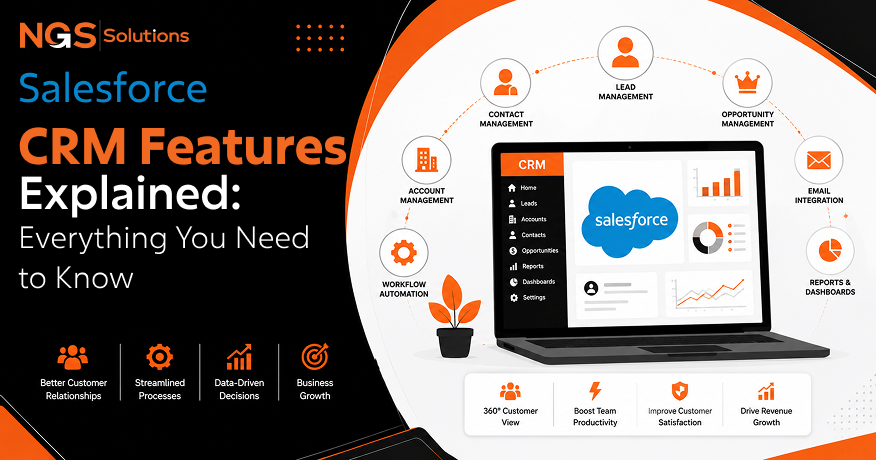
Choosing the right customer relationship management system can shape how a business grows. Understanding Salesforce CRM features helps companies improve customer service, increase sales, and simplify daily work. Whether you run a small business or a large company, knowing what the platform offers makes it easier to get the best value from your investment.
The Salesforce CRM platform brings customer information, sales activities, service processes, and business data into one place. With Salesforce CRM consulting services, businesses can optimize their Salesforce environment, improve system performance, and ensure the platform is aligned with their specific needs. Instead of using different systems, teams can work together with accurate and updated information. This improves customer engagement, reduces manual work, and helps employees make better decisions.
This guide explains the most important Salesforce functionality in simple language. You will learn how different Salesforce modules support sales, marketing, customer service, and management. The blog also covers reporting, automation, artificial intelligence, security, customization, and integration, so you can understand the platform before choosing the best CRM strategy.
Contact and Account Management

Contact and account management form the foundation of the Salesforce CRM features available to every business. Companies need a reliable way to organize customer records, track conversations, and maintain complete profiles. By maintaining and optimizing Salesforce environments, businesses can ensure these customer records remain accurate, updated, and easily accessible. These features help sales and support teams deliver consistent service while reducing duplicate information.
Organizing Customer Information
One of the most valuable Salesforce capabilities is keeping customer information organized in one secure location. Every contact record stores names, phone numbers, email addresses, job titles, company details, and communication history. Employees no longer need to search through spreadsheets or emails to find important information.
The platform also supports contact management by allowing users to group customers based on industry, location, business size, or other details. This organized approach saves time and improves communication across departments.
Businesses can easily update records as customer information changes. Since everyone works from the same database, teams always have access to current information. This reduces mistakes and creates a better customer experience.
Managing Customer Relationships
Strong relationships grow through regular communication and personalized service. The best Salesforce CRM features make it easier to understand customer needs by storing every interaction in one place.
Sales representatives can review previous conversations before contacting a customer. Service teams can quickly understand past issues without asking customers to repeat information. Managers can monitor relationship health and identify accounts that need additional attention.
These Salesforce tools also support long-term customer engagement by helping businesses schedule follow-ups, assign account owners, and monitor important milestones throughout the customer journey.
Activity History
Keeping a complete activity history helps businesses understand every customer interaction. Calls, emails, meetings, notes, and completed tasks remain attached to each customer record, creating a clear timeline.
This history allows teams to continue conversations without missing important details. New employees can quickly understand an account before making contact. Managers also gain better visibility into team performance.
Key benefits include:
- Complete records of customer communication.
- Better collaboration between departments.
- Faster responses to customer questions.
- Improved planning for future interactions.
Lead Management Features

Generating leads is only the beginning of the sales process. Effective Salesforce CRM features help businesses collect, organize, evaluate, and convert leads into paying customers through structured processes that improve productivity and support business automation.
Lead Capture

Businesses receive leads from websites, online forms, email campaigns, trade shows, phone calls, and referrals. Instead of entering information manually, Salesforce automation features collect and organize new leads automatically whenever possible.
The system stores lead details, tracks the source, and prevents duplicate records. Marketing and sales teams can immediately begin communication without delays.
This process also supports lead scoring, allowing businesses to rank prospects based on interest, behavior, or business value. Sales teams can focus first on the leads most likely to become customers.
Lead Assignment

Assigning leads quickly improves response time and increases sales opportunities. Salesforce uses flexible assignment rules to send new leads to the right salesperson based on territory, product, company size, or other business requirements.
| Feature | Business Benefit |
| Automatic lead assignment | Faster response times |
| Territory-based routing | Balanced workloads |
| Lead ownership tracking | Clear accountability |
| Smart distribution rules | Better customer experience |
These Salesforce customization features allow businesses to build assignment processes that match their own sales structure. Managers can adjust rules as teams grow or business priorities change, ensuring every opportunity reaches the right employee without unnecessary delays.
Lead Qualification

Not every lead is ready to buy. Lead qualification helps sales teams decide which prospects deserve immediate attention and which need more time. This process saves effort and improves sales results.
Sales teams can review a lead’s company size, budget, industry, location, and level of interest. They can also look at previous conversations and website activity to understand buying intent. These details support better opportunity management because representatives spend more time with qualified prospects.
Many businesses also use Salesforce automation tools to score leads based on predefined rules. High-value leads move to the top of the sales queue, while lower-priority leads continue through marketing campaigns until they become ready for direct sales contact.
Qualified leads help businesses shorten sales cycles, improve conversion rates, and increase productivity without adding unnecessary manual work.
Lead Conversion

After a lead meets qualification standards, it can be converted into a customer record. This is one of the most useful parts of Salesforce functionality because it moves information through the sales process without creating duplicate records.
During conversion, the system creates related contact, account, and sales opportunity records while preserving previous activity. Sales representatives do not need to enter the same information again.
This smooth process improves data accuracy and helps every department work from consistent information. It also supports better collaboration between marketing, sales, and customer service teams.
Opportunity Management
Opportunity management helps businesses monitor active deals from the first conversation to the final sale. These Salesforce CRM features provide a clear picture of every sales opportunity, allowing teams to stay organized and make informed decisions throughout the sales cycle.
Tracking Sales Opportunities

Every opportunity contains important information such as deal value, expected close date, sales stage, products, competitors, and customer requirements. Representatives can update progress after every customer interaction, giving managers real-time visibility into ongoing work.
Tracking opportunities reduces missed follow-ups and keeps sales activities moving forward. It also helps identify stalled deals before they become lost business.
Sales managers can review each opportunity to provide coaching, remove obstacles, and improve the chances of closing important deals.
Pipeline Visibility

A healthy sales pipeline allows businesses to understand future revenue and workload. One of the strongest Salesforce dashboard features is its ability to display the entire sales pipeline in simple visual charts.
Representatives can quickly see which opportunities require immediate action. Managers can monitor team performance, identify bottlenecks, and balance workloads across different regions or products.
Some common pipeline benefits include:
- Clear visibility into every sales stage.
- Faster identification of delayed opportunities.
- Better planning for future sales targets.
- Improved communication between sales managers and representatives.
These visual dashboards simplify daily decision-making without requiring complex reports.
Revenue Forecasting

Accurate forecasting helps businesses plan hiring, inventory, budgets, and growth strategies. Salesforce combines current pipeline data with historical performance to estimate future revenue more accurately.
Sales managers can compare expected revenue with company goals and adjust priorities when needed. Forecasts become more reliable because they use live opportunity updates instead of manual spreadsheets.
Combined with strong Salesforce reporting features, forecasting allows executives to monitor sales trends, evaluate team performance, and make informed business decisions based on reliable information rather than guesswork.
Workflow Automation
Modern businesses spend valuable time on repetitive tasks. Salesforce workflow automation tools help automate routine processes, such as task updates and follow-ups, by reducing manual work and improving process efficiency. These Salesforce CRM features allow employees to focus more on customer relationships instead of repetitive administration.
Automating Repetitive Tasks
Businesses perform many repetitive actions every day, including sending emails, updating records, creating follow-up tasks, and notifying employees. Automation handles these activities with predefined rules.
Instead of relying on manual reminders, the system completes routine work automatically whenever selected conditions are met. This reduces errors, improves consistency, and increases overall productivity.
Automation also supports business automation across multiple departments by connecting sales, service, and operational processes into one organized workflow.
Approval Processes
Many organizations require approvals before discounts, contracts, refunds, or purchases become final. Salesforce simplifies this process by routing requests directly to the correct manager.
Approvers receive notifications, review information, and approve or reject requests without unnecessary delays. Employees can monitor approval status in real time instead of sending repeated emails.
Approval workflows improve accountability while ensuring company policies are followed consistently across every department.
Notifications
Timely updates help teams stay on schedule. Salesforce sends automatic notifications when important events happen, such as a new lead arriving, a deal changing stages, or an approval request waiting for review.
Notifications appear through email, mobile alerts, or in-app messages. Employees receive the right information at the right time without checking multiple systems. This improves response times and helps teams avoid missed deadlines.
These alerts also support Mobile CRM, allowing sales representatives to stay informed while traveling or meeting customers outside the office.
Business Rules
Business rules ensure every process follows company standards. Organizations can define rules that control how records are created, updated, and approved.
For example, a company can require certain fields before saving a sales opportunity or prevent discounts above a specific amount without management approval. These rules improve data quality and reduce costly mistakes.
Combined with CRM customization, business rules help companies create processes that match their unique goals while maintaining consistency across departments.
Reporting and Analytics

Good decisions depend on reliable information. The Salesforce CRM features for reporting give businesses a clear view of sales performance, customer activity, and operational results. Strong Analytics help leaders identify trends before they become problems or opportunities.
Custom Reports

Businesses often need reports that match their own goals. Salesforce allows users to build custom reports using filters, fields, and summaries that focus on the most important information.
Reports can show sales by region, customer activity, lead sources, product performance, or service response times. Managers can also schedule reports to arrive automatically by email.
These flexible Salesforce reporting features reduce manual reporting work while giving decision-makers accurate information whenever they need it.
Interactive Dashboards

Reports provide details, while Dashboards display important information visually. Interactive dashboards combine charts, graphs, and key numbers into one screen that updates automatically.
Sales managers can monitor team performance without opening multiple reports. Executives can quickly review company results and compare progress against business goals.
| Dashboard Element | Business Value |
| Sales charts | Track revenue growth |
| Pipeline graphs | Monitor active opportunities |
| Lead metrics | Measure marketing success |
| Service summaries | Improve customer support |
These Salesforce dashboard features make complex business information easy to understand for both managers and executives.
Performance Metrics

Tracking performance helps businesses improve continuously. Salesforce measures important indicators such as conversion rates, response times, sales growth, customer retention, and employee productivity.
Managers can compare individual and team performance over time. This information supports coaching, better planning, and more effective resource allocation.
Reliable metrics also help organizations set realistic goals and recognize successful strategies that deserve further investment.
Business Insights

Data becomes valuable when it leads to better decisions. Salesforce transforms raw information into meaningful business insights through visual reports and trend analysis.
Leaders can identify growing markets, declining products, customer buying patterns, and sales opportunities before competitors react. These insights strengthen planning and improve long-term business performance.
Artificial Intelligence Features
Artificial intelligence has become an important part of modern CRM systems. The latest Salesforce AI features help businesses analyze large amounts of information, predict customer behavior, and automate routine decisions while keeping employees in control.
Sales Predictions
AI analyzes historical sales data, customer activity, and current opportunities to predict which deals have the highest chance of success.
These predictions help sales teams focus on promising opportunities, prioritize follow-up activities, and improve closing rates. Managers also gain more accurate forecasts for future planning.
Customer Insights
AI can identify patterns that people may overlook. It reviews customer interactions, purchase history, communication habits, and engagement levels to reveal useful insights.
Businesses can better understand customer preferences, identify accounts needing attention, and personalize future communication. Better customer understanding leads to stronger relationships and improved customer engagement.
Recommendations
AI provides practical recommendations based on customer data and previous results. It may suggest the next best action, recommend products, or remind representatives to contact important customers.
Instead of replacing employees, these recommendations support better decisions while saving valuable time.
Automation with AI
Artificial intelligence strengthens Salesforce automation features by making workflows smarter. AI can prioritize cases, recommend responses, classify incoming requests, and assist with repetitive business processes.
These intelligent improvements reduce manual effort while increasing accuracy, allowing employees to spend more time solving customer problems and building lasting relationships.
Collaboration Tools
Good teamwork helps businesses serve customers faster and close more sales. Salesforce includes Salesforce collaboration tools that keep employees connected, even when they work in different locations or departments. Shared information reduces delays and improves communication.
Team Communication
Sales, marketing, and customer service teams often work with the same customers. Salesforce allows them to share updates, comments, and important files in one place. Instead of searching through long email chains, employees can review conversations directly within customer records.
This open communication helps everyone stay informed and reduces misunderstandings during important projects.
Shared Records
Shared records give authorized employees access to the same customer information. Sales representatives, managers, and service agents can all view current account details, activity history, and open opportunities.
Working from one trusted source improves accuracy and supports faster decisions. It also prevents duplicate work because everyone sees the latest updates.
Task Management
Task management keeps daily work organized. Employees can create reminders, assign tasks, and monitor deadlines without leaving the CRM.
Common task management benefits include:
- Track follow-up activities.
- Assign work to team members.
- Monitor upcoming deadlines.
- Improve daily productivity.
These tools help businesses complete work on time while supporting better customer service.
Customization Options
Every business works differently. One reason many companies choose Salesforce is its ability to adapt to unique business processes. Strong Salesforce customization features allow organizations to build a CRM that matches their goals instead of changing their workflow to fit the software.
Custom Objects
Custom objects allow businesses to store information beyond standard customer records. For example, a company may create objects for equipment, properties, memberships, or projects.
This flexibility helps organizations manage industry-specific information without relying on separate applications.
Custom Fields
Custom fields capture information that standard records do not include. Businesses can add fields for contract numbers, license dates, product categories, or other important details.
Custom fields improve reporting and make customer records more useful for everyday operations.
Page Layouts
Different employees need different information. Salesforce lets administrators customize page layouts so each department sees the fields and sections most relevant to its work.
Simple layouts improve efficiency by reducing unnecessary information and helping users focus on important tasks.
Automation Rules
Automation rules extend customization even further. Businesses can create actions that update records, assign work, or send notifications whenever selected conditions are met.
These flexible rules improve consistency while reducing manual effort across multiple business processes.
Integration Capabilities
Modern companies use many software systems every day. Salesforce integration solutions for seamless data flow help businesses connect the Salesforce platform with other applications, ensuring information moves smoothly across the organization. This allows teams to access accurate data, improve workflows, and enhance overall operational efficiency.
Email Integration
Email integration allows employees to connect customer emails with CRM records automatically. Messages become part of each customer’s history, making future conversations easier to understand.
Representatives can manage communication without switching between multiple applications.
Marketing Platforms
Salesforce connects with marketing platforms to share campaign results, customer responses, and lead information. Marketing teams can measure campaign success while sales teams receive qualified prospects more quickly.
This connection improves coordination between marketing and sales.
ERP Systems
Many businesses connect Salesforce with enterprise resource planning systems. This integration allows customer information, inventory, orders, invoices, and financial data to move securely between systems.
Employees spend less time entering duplicate information while managers gain a more complete view of business operations.
Third-Party Applications
Thousands of third-party applications extend Salesforce capabilities. Businesses can connect accounting software, customer support systems, document management tools, communication platforms, and industry-specific applications to create one connected technology environment.
Security and Data Protection
Protecting customer information is essential for every organization. Salesforce includes strong security controls that help businesses safeguard sensitive data while supporting regulatory compliance.
User Roles
User roles define what employees can view and manage. Managers may access team information, while individual employees only see records related to their responsibilities.
This structure protects confidential information and supports secure collaboration.
Permission Sets
Permission sets provide additional access without changing user roles. Administrators can grant temporary or specialized permissions to selected employees when necessary.
This flexible approach improves security while supporting changing business needs.
Data Encryption
Data security is strengthened through encryption that protects information while it is stored and transmitted. Encryption reduces the risk of unauthorized access and helps organizations meet industry security standards.
Audit Logs
Audit logs record important system activity, including user actions and administrative changes. These records help businesses investigate issues, monitor compliance, and maintain accountability across the organization.
Conclusion
Understanding Salesforce CRM features helps businesses choose the right tools for stronger customer relationships and better business performance. From contact management and lead scoring to workflow automation, analytics, artificial intelligence, collaboration, customization, integration, and security, every feature supports greater productivity and improved customer engagement.
Learning the platform before implementation allows organizations to select the right configuration, improve daily operations, and build a CRM strategy that supports long-term growth.
FAQs
-
What are the main features of Salesforce CRM?
The main features include contact management, lead management, opportunity management, workflow automation, reporting, dashboards, AI, collaboration, customization, integration, and security.
-
Does Salesforce include automation tools?
Yes. Salesforce includes powerful automation features that reduce repetitive work, improve efficiency, and support consistent business processes.
-
Can Salesforce integrate with other business software?
Yes. Salesforce connects with email services, marketing platforms, ERP systems, and thousands of third-party business applications.
-
What reporting capabilities does Salesforce provide?
Salesforce offers custom reports, interactive dashboards, performance metrics, and business insights that help organizations make informed decisions.
-
How secure is Salesforce CRM?
Salesforce protects customer information through user roles, permission sets, encryption, audit logs, and other advanced security controls.
-
Does Salesforce include AI features?
Yes. Salesforce includes AI-powered predictions, customer insights, recommendations, and intelligent automation that help businesses make faster and more informed decisions.


