
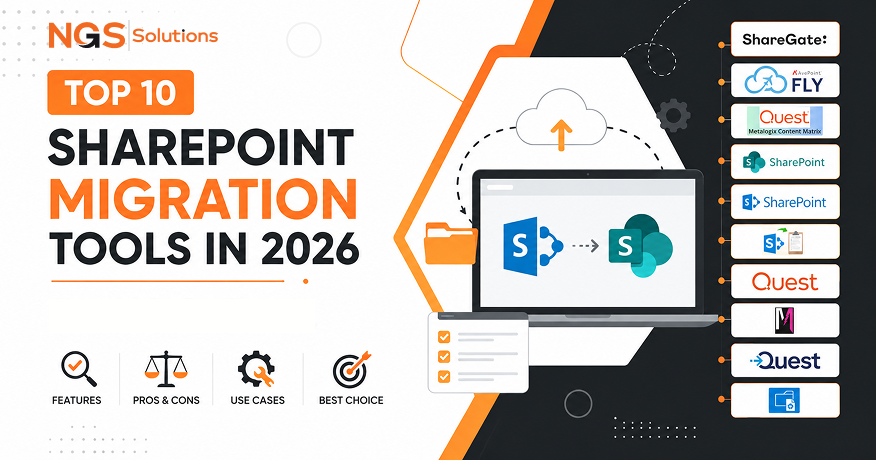
Moving to Microsoft 365 is a critical step in digital transformation, helping organizations improve collaboration, strengthen security, reduce infrastructure costs, and enable flexible cloud-based work. Cloud adoption continues to accelerate, but managing cloud environments introduces new challenges. According to Flexera’s 2025 State of the Cloud Report, 84% of organizations identify managing cloud spend as a significant challenge, highlighting the importance of effective planning, governance, and optimization during cloud initiatives.
However, migrating SharePoint data is not simply a file transfer process. Organizations must protect permissions, metadata, workflows, document versions, and other business-critical information to prevent security risks, productivity issues, and operational disruption. Microsoft notes that SharePoint migrations involve considerations such as permissions, content structure, and data integrity, requiring careful assessment and execution.
SharePoint migration tools address these challenges by automating complex transfers, preserving data integrity, and minimizing downtime. They help organizations complete migrations faster while reducing manual effort and technical risks.
This guide compares the best SharePoint migration tools of 2026, evaluating features, scalability, automation capabilities, and overall value to help organizations choose the right solution for a successful Microsoft 365 migration.
What Is a SharePoint Migration Tool?
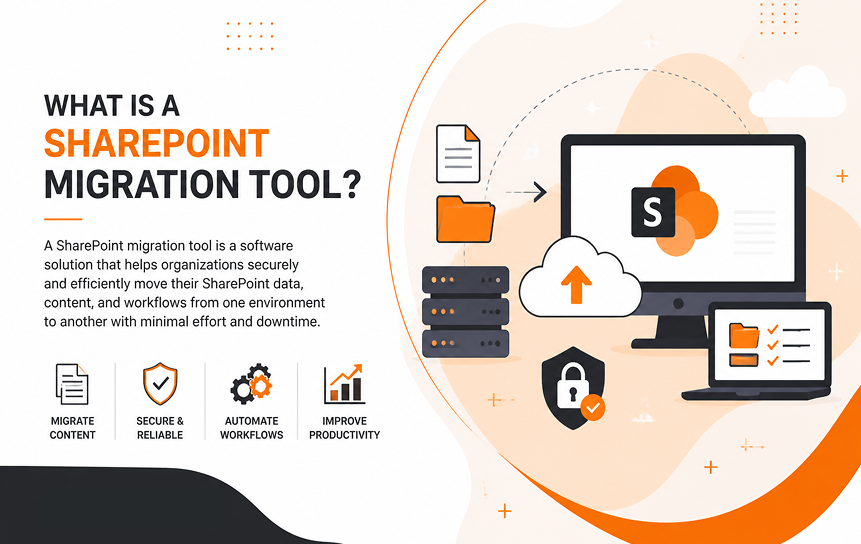
A SharePoint migration tool is software designed to move content between SharePoint environments while preserving important elements such as documents, permissions, metadata, version history, and workflows. Unlike manual file transfers, these tools maintain the relationships and settings that keep business data organized, secure, and usable.
SharePoint migration can be complex because content often includes more than just files. Documents may contain approval histories, custom configurations, security settings, and workflow connections that need to remain intact after the move. If these elements are not transferred properly, organizations may experience disrupted processes, access issues, or missing business information.
Modern migration tools simplify the process by analyzing existing environments, mapping users and permissions, automating content transfers, and validating migration results. They support different migration scenarios, including moves to SharePoint Online, Microsoft 365, new tenants, and hybrid environments.
Common SharePoint Migration Scenarios
Organizations commonly use SharePoint migration tools for projects such as:
- SharePoint Server to SharePoint Online migration
- SharePoint tenant-to-tenant migration
- File server to SharePoint migration
- Microsoft 365 migration
- SharePoint version upgrades
Each migration scenario has its own requirements and level of complexity. A tenant-to-tenant migration may involve identity mapping, permission restructuring, and Microsoft 365 configuration changes. This is especially important during SharePoint migration for mergers and acquisitions, where organizations often need to consolidate environments, combine data, and maintain secure access across different teams.
A file server migration, on the other hand, typically focuses on organizing unstructured content, preparing files, and transferring them into SharePoint while maintaining the required structure and access settings.
Why Businesses Need SharePoint Migration Tools
Many organizations begin planning a SharePoint migration assuming that manual exports or built-in utilities will be enough. However, that approach often becomes challenging once they evaluate the amount of data stored within their environment. A single department may have thousands of documents with different permissions, metadata structures, version histories, and business requirements. Recreating these elements manually can take significant time and increase the risk of errors.
SharePoint migration tools help simplify this process by automating complex tasks while preserving important business information. Rather than handling migration as a simple file transfer, these solutions support the full process, including planning, execution, monitoring, validation, and reporting. This allows organizations to manage migrations in a more organized way while reducing operational risks.
One of the biggest challenges during migration is minimizing downtime. Employees rely on SharePoint to access files, collaborate, and complete daily tasks, so extended disruptions can affect productivity and business operations. Advanced migration tools address this through incremental migration, where most content is transferred before the final move and only recent changes are synchronized during the cutover. This reduces the time required for the final transition and limits disruption for users.
Preserving metadata is another important reason organizations use dedicated migration solutions. Different teams often depend on metadata to organize and manage information. For example, Human Resources may categorize documents by employee records, Finance may use reporting periods, and Legal teams may rely on classifications for compliance purposes. If metadata is lost during migration, documents may remain available but become harder to search, filter, and manage effectively.
Security preservation is also a key consideration. Over time, SharePoint environments can develop complex permission structures across sites, libraries, and folders. Moving documents without maintaining these settings can create access problems or expose sensitive information to unintended users. Migration platforms help map permissions between environments to maintain the appropriate security controls throughout the transition.
Version history is another element that requires careful handling. Many organizations need access to previous versions of contracts, policies, proposals, and technical documents for reference, audits, or compliance purposes. Keeping this history ensures that important changes and records remain available after migration.
Compliance requirements can make migrations even more complex, especially for organizations in regulated industries. Beyond moving files, they may need to maintain retention policies, audit records, and governance requirements. Enterprise migration tools often provide reporting and validation features that help track the migration process and verify that critical requirements have been met.
How We Evaluated These SharePoint Migration Tools
The SharePoint migration market has grown rapidly, with many vendors promising faster migrations, advanced automation, and simpler management. However, marketing claims do not always reflect real-world migration challenges. This guide evaluates tools based on practical factors that directly impact project success.
We focused on several key areas:
- Ease of use: Tools with simple interfaces, clear workflows, and minimal training requirements help reduce errors and improve efficiency.
- Migration performance: Speed matters, but accuracy is equally important. A successful migration must transfer data reliably without losing content or permissions.
- Migration capabilities: We considered support for different scenarios, including SharePoint Online, Microsoft 365, file servers, hybrid environments, and tenant-to-tenant migrations.
- Security and compliance: Strong encryption, permission handling, audit logs, reporting, and compliance features are essential when moving sensitive business data.
- Automation features: Advanced tools should reduce manual work through scheduling, incremental migrations, user mapping, reporting, and reusable migration templates.
- Support and reliability: Quality documentation, responsive technical support, and regular updates help organizations overcome unexpected migration issues.
- Pricing and scalability: We evaluated overall value, considering not only licensing costs but also time savings, reduced administrative effort, and the ability to handle large-scale migrations.
The recommendations in this guide are based on these practical evaluation criteria rather than vendor promotions. The goal is to help organizations choose a migration solution that fits their technical needs, business goals, and resources.
Below Are The Top 10 SharePoint Migration Tools
Selecting the right migration platform depends on the complexity of the project, the amount of data involved, and the level of control an organization needs. A small company moving a few thousand files may have completely different requirements from a multinational enterprise migrating millions of documents across multiple Microsoft 365 tenants.
The following tools represent some of the most recognized solutions in the SharePoint migration market. Each platform has different strengths. Some focus on user-friendly migration experiences, some specialize in enterprise-scale projects, and others provide strong integration with Microsoft’s own ecosystem.
1. ShareGate Editor’s Choice

Overview
ShareGate has earned a strong reputation among SharePoint administrators because of its balance between simplicity, powerful migration features, and reporting capabilities. It is widely used by organizations moving from traditional SharePoint Server environments to SharePoint Online and Microsoft 365.
Unlike many enterprise migration platforms that require extensive technical knowledge, ShareGate focuses on making complex migration tasks easier to manage. Its interface is designed around practical administrator workflows, allowing users to analyze environments, plan migrations, move content, and review results without unnecessary complexity.
For organizations searching for the best SharePoint migration software, ShareGate is often considered one of the strongest overall choices because it combines usability with advanced migration controls.
The platform is particularly popular among companies that want more visibility during migration. Administrators can identify outdated content, analyze permissions, review site structures, and understand potential migration problems before moving production data.
Best For:
ShareGate is best suited for organizations that need a flexible migration solution without the complexity often associated with large enterprise platforms.
It works especially well for:
- Medium-sized businesses moving to Microsoft 365
- Organizations migrating SharePoint Server environments
- IT teams managing multiple SharePoint sites
- Companies needing detailed migration reporting
Key Features:
ShareGate provides several capabilities that make it useful for both simple and complex migrations. Its migration engine supports SharePoint Online migrations, SharePoint Server migrations, Microsoft Teams-connected sites, and Microsoft 365 environments.
One of its biggest strengths is pre-migration assessment. Before transferring content, administrators can analyze their environment to identify unused sites, large files, permission issues, and outdated information. This helps organizations avoid transferring unnecessary data into their new environment.
The platform also supports incremental migration, allowing teams to perform initial transfers before completing the final migration. This approach reduces downtime and makes large projects easier to manage.
Important capabilities include:
- Content migration between SharePoint environments
- Metadata preservation
- Permission migration
- Migration reporting
- Pre-migration analysis
- Incremental migration support
- Teams and Microsoft 365 integration
ShareGate is also known for its reporting features. After migration, administrators can review logs and identify failed transfers, skipped items, or permission issues. This level of visibility is valuable because migration success depends not only on moving data but also on proving that data was transferred correctly.
Pros:
ShareGate’s biggest advantage is its combination of power and simplicity. Many migration platforms are built primarily for large consulting companies, but ShareGate is accessible enough for internal IT teams.
Its strengths include:
- User-friendly interface
- Strong SharePoint-focused capabilities
- Detailed reporting
- Good content assessment tools
- Strong Microsoft 365 support
Cons:
Although ShareGate is highly capable, it may not be the ideal choice for every situation. Organizations requiring extremely specialized enterprise migrations or large-scale multi-platform migrations may need a more specialized solution.
Potential limitations include:
- Licensing costs may be higher for small organizations
- Advanced enterprise scenarios may require additional planning
- Primarily focused on Microsoft environments
Pricing:
ShareGate pricing typically follows a subscription-based model. Costs depend on licensing requirements and organizational needs. While it is not the cheapest option available, many organizations consider the productivity gains and reduced migration risks worth the investment.
For accurate SharePoint migration pricing, businesses should evaluate the amount of data, the number of administrators, and the migration complexity.
Supported Sources:
ShareGate supports migration from environments such as:
- SharePoint Server
- SharePoint Online
- Microsoft 365
- Microsoft Teams-connected SharePoint environments
Supported Destinations:
Common destinations include:
- SharePoint Online
- Microsoft 365
- Teams-connected SharePoint sites
Best Use Case:
ShareGate is an excellent choice for organizations seeking a reliable, administrator-friendly migration platform with strong reporting and assessment capabilities.
Rating
Overall Rating: 9/10
ShareGate stands out because it successfully combines ease of use with enterprise-level migration features. For many organizations planning Microsoft SharePoint migration projects, it provides one of the best balances between functionality, control, and simplicity.
2. Microsoft SharePoint Migration Tool (SPMT)
Overview
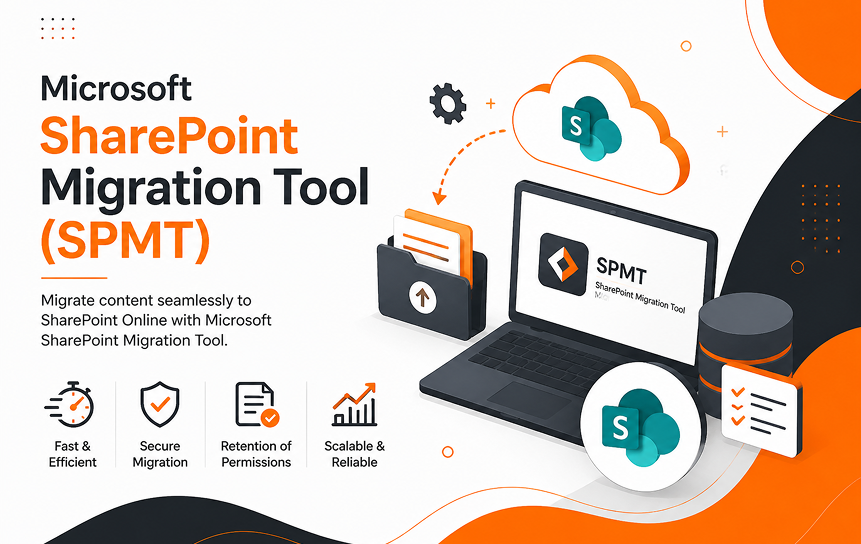
The Microsoft SharePoint Migration Tool (SPMT) is Microsoft’s official migration solution for organizations moving content into SharePoint Online and OneDrive. Because it is developed directly by Microsoft, it is one of the first options many businesses consider when planning a cloud migration.
SPMT is designed primarily for organizations moving from on-premises file shares, SharePoint Server environments, and local storage systems into Microsoft 365. It provides a trusted migration path supported by Microsoft’s own ecosystem.
For companies looking for a free option, SPMT is often considered the best starting point. It allows organizations to migrate content without purchasing third-party software licenses.
However, while the tool is valuable, it is important to understand its limitations. Free does not always mean suitable for every migration scenario. Complex projects involving advanced permissions, complicated workflows, or tenant-to-tenant migrations may require additional capabilities.
Best For:
SPMT is best suited for:
- Organizations performing straightforward migrations
- Small to medium-sized SharePoint projects
- Businesses moving files into SharePoint Online
- Companies wanting a Microsoft-supported free tool
Key Features:
The Microsoft SharePoint Migration Tool supports common migration scenarios and provides a simple interface for administrators.
It can migrate:
- File shares
- SharePoint Server content
- Local file systems
- Documents to SharePoint Online
The tool also includes reporting features that help administrators track migration progress and review errors.
Its biggest advantage is native Microsoft compatibility. Since it is built specifically for Microsoft 365, users can expect strong integration with SharePoint Online and OneDrive.
Pros:
The main benefits of SPMT include:
- Free to use
- Developed by Microsoft
- Direct integration with Microsoft 365
- Simple setup
- Suitable for basic migrations
Cons:
SPMT has limitations compared with advanced third-party platforms.
Challenges include:
- Limited advanced automation
- Fewer enterprise reporting features
- Less flexibility for complex migrations
- Not designed for all tenant-to-tenant scenarios
Organizations managing large, complicated environments may find they need additional tools.
Pricing:
The Microsoft SharePoint Migration Tool is free. However, organizations should consider the hidden costs associated with migration planning, administration, testing, and troubleshooting. A free tool may still require significant internal resources.
Supported Sources:
SPMT supports sources including:
- File shares
- SharePoint Server
- Local storage locations
Supported Destinations:
Primary destinations include:
- SharePoint Online
- OneDrive for Business
Best Use Case:
SPMT is ideal for organizations with straightforward migration requirements that want an official Microsoft solution without additional software costs.
Rating:
Overall Rating: 7.5/10
SPMT is a reliable option for simpler projects. However, organizations requiring advanced automation, detailed reporting, or complex migration scenarios may need a more powerful platform.
3. AvePoint Fly

Best SharePoint Migration Tool for Microsoft 365
Overview
AvePoint Fly is an enterprise-focused migration platform designed for organizations managing large and complex Microsoft 365 transformations. It is widely used by businesses that require advanced migration planning, automation, and governance capabilities.
Unlike simpler migration tools, AvePoint Fly is built with enterprise environments in mind. It supports large-scale migrations involving multiple workloads, complex permissions, and significant amounts of business data.
For organizations searching for enterprise SharePoint migration tools, AvePoint Fly is frequently considered because of its scalability and ability to handle complicated migration projects.
The platform is particularly valuable for companies undergoing mergers, acquisitions, or large Microsoft 365 adoption programs.
Best For:
AvePoint Fly is best suited for:
- Large enterprises
- Complex Microsoft 365 migrations
- Tenant-to-tenant migration projects
- Organizations with strict compliance requirements
Key Features:
AvePoint Fly provides advanced migration capabilities designed for enterprise scenarios.
Its features include:
- Automated migration workflows
- Permission mapping
- Large-scale content migration
- Detailed reporting
- Microsoft 365 workload support
- Migration scheduling
One of its strongest advantages is automation. Large organizations often cannot manually manage thousands of migration tasks. AvePoint helps streamline these processes through centralized management and repeatable migration workflows.
Pros:
Key advantages include:
- Strong enterprise scalability
- Advanced automation
- Support for complex projects
- Good governance capabilities
Cons:
Potential drawbacks include:
- Higher cost compared with simpler tools
- May require more technical expertise
- Better suited for enterprise needs than small projects
Pricing:
AvePoint Fly pricing varies depending on project requirements, migration volume, and licensing needs. Enterprise customers typically receive customized pricing based on their environment.
Supported Sources:
AvePoint supports various Microsoft and third-party migration scenarios, including:
- SharePoint environments
- Microsoft 365 tenants
- Collaboration platforms
Supported Destinations:
Common destinations include:
- SharePoint Online
- Microsoft 365
- Teams environments
Best Use Case:
AvePoint Fly is best for enterprises that need a scalable platform for complex Microsoft 365 migration projects.
Rating:
Overall Rating: 8.8/10
AvePoint Fly is powerful and reliable for large organizations, although smaller businesses may find its capabilities beyond their requirements.
4. Quest Metalogix Content Matrix
Overview
Quest Metalogix Content Matrix is an advanced SharePoint migration platform designed for organizations that need detailed control over content movement, restructuring, and SharePoint transformation projects. It has been widely used for SharePoint upgrades, migrations, and complex content restructuring scenarios.
Unlike simpler migration tools, Content Matrix provides extensive customization options that allow administrators to control how content, metadata, permissions, and structures are transferred. This makes it a strong choice for organizations managing complex SharePoint environments with specific migration requirements.
For businesses searching for reliable SharePoint migration software, Content Matrix is often considered because of its flexibility and deep SharePoint-focused capabilities.
Best For:
Quest Metalogix Content Matrix is best suited for:
- Large SharePoint environments
- Complex SharePoint restructuring projects
- Organizations requiring customized migration workflows
- Businesses upgrading or reorganizing SharePoint environments
Key Features:
Content Matrix provides advanced migration capabilities, including:
- SharePoint-to-SharePoint migration
- Content restructuring
- Metadata preservation
- Permission migration
- Advanced migration controls
- Detailed migration management
One of its biggest strengths is flexibility. Administrators can customize migration settings based on business requirements instead of following fixed migration paths. This is especially useful for organizations dealing with complex site structures, permissions, and large amounts of historical content.
Pros:
Key advantages include:
- Strong SharePoint migration expertise
- Highly customizable migration options
- Supports complex environments
- Detailed control over content movement
Cons:
Potential drawbacks include:
- Steeper learning curve compared with simpler tools
- Requires experienced administrators
- Less suitable for small migration projects
Pricing:
Quest Metalogix Content Matrix pricing varies depending on licensing requirements, deployment size, and migration complexity. Organizations typically receive pricing based on their specific project needs.
Supported Sources:
Common sources include:
- SharePoint Server environments
- SharePoint sites and content repositories
- Microsoft 365 SharePoint environments
Supported Destinations:
Common destinations include:
- SharePoint Online
- SharePoint Server environments
- Microsoft 365 collaboration environments
Best Use Case:
Quest Metalogix Content Matrix is ideal for organizations that need advanced control over complex SharePoint migrations, content restructuring, and large-scale SharePoint transformation projects.
Rating:
Overall Rating: 8.5/10
Content Matrix is a powerful solution for experienced SharePoint teams that require flexibility and control. While it may be more complex than beginner-friendly tools, it remains a strong option for demanding SharePoint migration projects.
5. BitTitan MigrationWiz
Overview
BitTitan MigrationWiz is a cloud-based migration platform designed to simplify large-scale migration projects. While it is widely known for email migrations, it also supports SharePoint and Microsoft 365 migration scenarios.
Its cloud-based approach allows organizations to manage migrations without maintaining complex migration infrastructure, making it a practical option for businesses and service providers.
Best For:
MigrationWiz is best suited for:
- Cloud migration projects
- Managed service providers
- Organizations managing multiple migrations
Key Features:
MigrationWiz provides:
- Cloud-based migration management
- Automated migration workflows
- Reporting dashboards
- Support for multiple workloads
Its centralized cloud management helps teams plan, execute, and monitor migration projects more efficiently.
Pros:
Key advantages include:
- No complex infrastructure required
- Simple project management
- Good scalability for multiple migrations
Cons:
Potential drawbacks include:
- Costs may increase for large migration projects
- Advanced SharePoint scenarios may require additional solutions
Pricing:
BitTitan MigrationWiz uses a licensing model based on migration type, workload, and project requirements. Pricing varies depending on the size and complexity of the migration.
Supported Sources:
Common sources include:
- Microsoft 365 environments
- Cloud collaboration platforms
- Email and file-based systems
Supported Destinations:
Common destinations include:
- Microsoft 365
- SharePoint Online
- Other supported cloud platforms
Best Use Case:
MigrationWiz is a good choice for organizations and service providers looking for a flexible cloud-based migration platform that can handle multiple migration projects.
Rating:
Overall Rating: 8/10
MigrationWiz provides a simple and scalable approach to cloud migrations, although organizations with highly complex SharePoint reqKernel Migration for SharePointuirements may need more specialized tools.
6. Cloudiway

Overview
Cloudiway is a cloud migration platform designed for organizations moving data between different collaboration systems, including Microsoft 365 environments. It is especially useful for complex projects such as mergers, acquisitions, tenant consolidations, and large-scale cloud transitions.
Unlike SharePoint-focused tools, Cloudiway supports broader cross-platform migrations, making it suitable for organizations managing multiple Microsoft 365 environments or combining systems after organizational changes.
Best For:
Cloudiway is best suited for:
- Microsoft 365 tenant-to-tenant migrations
- Mergers and acquisitions
- Multi-platform migration projects
- Migration service providers
Key Features:
Cloudiway provides automation features that simplify large migration projects, including:
- Microsoft 365 tenant migration
- SharePoint migration support
- Automated user mapping
- Migration scheduling
- Progress tracking
- Reporting and monitoring
Its automation capabilities help reduce manual tasks, especially when migrating large numbers of users and workloads.
Pros:
Key advantages include:
- Strong tenant-to-tenant migration support
- Cloud-based management
- Support for multiple migration scenarios
- Useful automation features
Cons:
Potential limitations include:
- Better suited for complex projects than simple migrations
- Pricing varies based on migration scope
- Advanced migrations require careful planning
Pricing:
Cloudiway pricing depends on the workloads being migrated, the number of users, and overall project complexity. Organizations should evaluate their migration requirements before estimating costs.
Supported Sources:
Common sources include:
- Microsoft 365 environments
- Cloud collaboration platforms
- Cloud storage systems
Supported Destinations:
Common destinations include:
- Microsoft 365
- SharePoint Online
- Other supported cloud platforms
Best Use Case:
Cloudiway is a strong option for organizations needing automated tenant-to-tenant migrations, cloud consolidations, or large-scale collaboration platform transitions.
Rating:
Overall Rating: 8/10
Cloudiway is well-suited for complex cloud migration projects, especially tenant migrations, but smaller organizations may find its broader capabilities unnecessary.
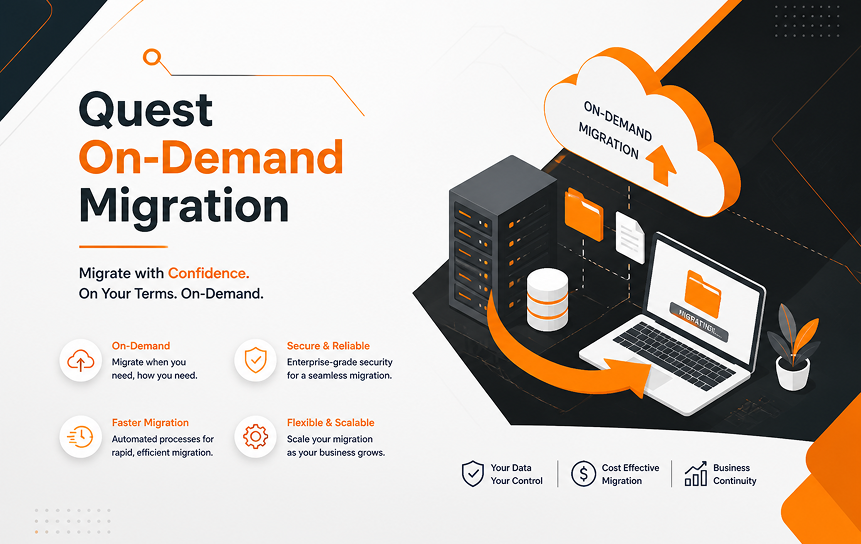
7. Quest On-Demand Migration
Overview
Quest On-Demand Migration is an enterprise migration platform designed for organizations managing large Microsoft 365 transformations. It is especially popular for tenant-to-tenant migrations, where businesses need to move users, data, and collaboration resources between Microsoft environments.
The platform helps organizations manage complex migrations by providing centralized planning, automation, and monitoring tools. It is commonly used during mergers, acquisitions, and Microsoft 365 tenant consolidation projects.
Best For:
Quest On-Demand Migration is best suited for:
- Large enterprises
- Microsoft 365 tenant consolidation
- Mergers and acquisitions
- Complex identity and data migrations
Key Features:
Quest On-Demand Migration provides:
- Tenant-to-tenant migration
- User account mapping
- Data migration
- Automated project management
- Migration reporting
- Centralized administration
Its strength is handling complex organizational changes while helping maintain user access, permissions, and collaboration continuity.
Pros:
Key advantages include:
- Strong enterprise migration experience
- Effective tenant consolidation support
- Detailed migration management
- Suitable for large-scale projects
Cons:
Potential drawbacks include:
- Higher complexity than simpler migration tools
- Requires migration expertise
- Better suited for enterprise environments
Pricing:
Quest On Demand Migration pricing varies based on user count, migration requirements, and project complexity. Enterprise customers typically receive customized pricing.
Supported Sources:
Common sources include:
- Microsoft 365 tenants
- SharePoint environments
- Collaboration platforms
Supported Destinations:
Common destinations include:
- Microsoft 365
- SharePoint Online
- Other Microsoft cloud environments
Best Use Case:
Quest On-Demand Migration is ideal for enterprises managing large Microsoft 365 transformations, tenant consolidations, and complex migration projects.
Rating:
Overall Rating: 8.7/10
Quest provides powerful enterprise migration capabilities and strong tenant management features, although smaller organizations may find it more advanced than necessary.
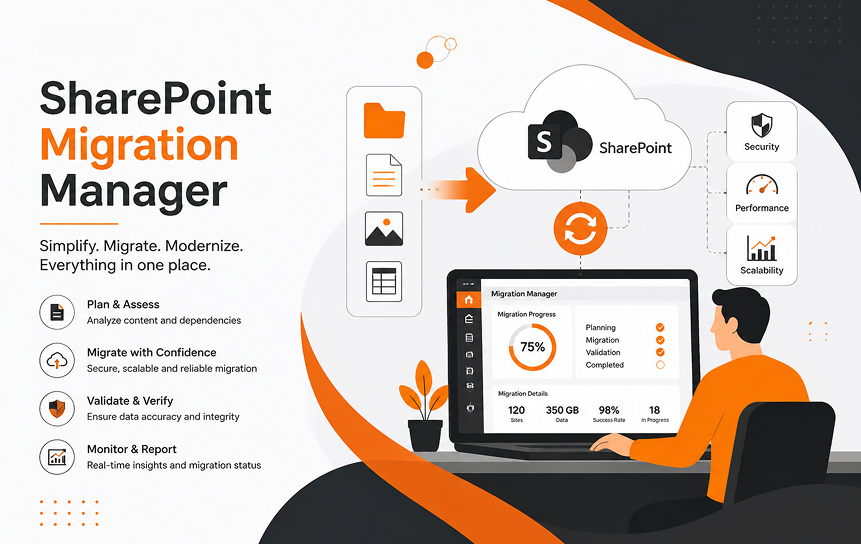
8. SharePoint Migration Manager
Overview
SharePoint Migration Manager is Microsoft’s native migration service designed to help organizations move content into SharePoint Online and OneDrive. It is part of the Microsoft 365 ecosystem and provides a simple option for organizations that prefer using Microsoft tools.
The platform is especially useful for file server migrations, allowing businesses to move traditional network drive content into modern cloud collaboration environments.
Best For:
SharePoint Migration Manager is best suited for:
- File server migrations
- Small to medium SharePoint projects
- Organizations already using Microsoft 365
- Businesses preferring native Microsoft solutions
Key Features:
SharePoint Migration Manager supports:
- File share migration
- Migration scheduling
- Centralized monitoring
- Microsoft 365 integration
- Migration reporting
Its main advantage is simplicity and seamless integration with Microsoft 365, making it easier for administrators familiar with the platform.
Pros:
Key advantages include:
- Native Microsoft solution
- Included with eligible Microsoft 365 plans
- Simple setup and integration
- Good for basic migration needs
Cons:
Potential limitations include:
- Fewer advanced migration features
- Limited customization options
- Not ideal for complex enterprise migrations
Pricing:
SharePoint Migration Manager is included with eligible Microsoft 365 subscriptions. However, organizations should also consider internal management, testing, and administration costs.
Supported Sources:
Common sources include:
- File shares
- Network drives
- On-premises file servers
Supported Destinations:
Common destinations include:
- SharePoint Online
- OneDrive for Business
- Microsoft 365 storage environments
Best Use Case:
SharePoint Migration Manager is best for straightforward file migrations where organizations need a simple and cost-effective way to move content into SharePoint Online.
Rating:
Overall Rating: 7.5/10
SharePoint Migration Manager is a reliable choice for basic migrations, but organizations with complex requirements may need more advanced third-party tools.
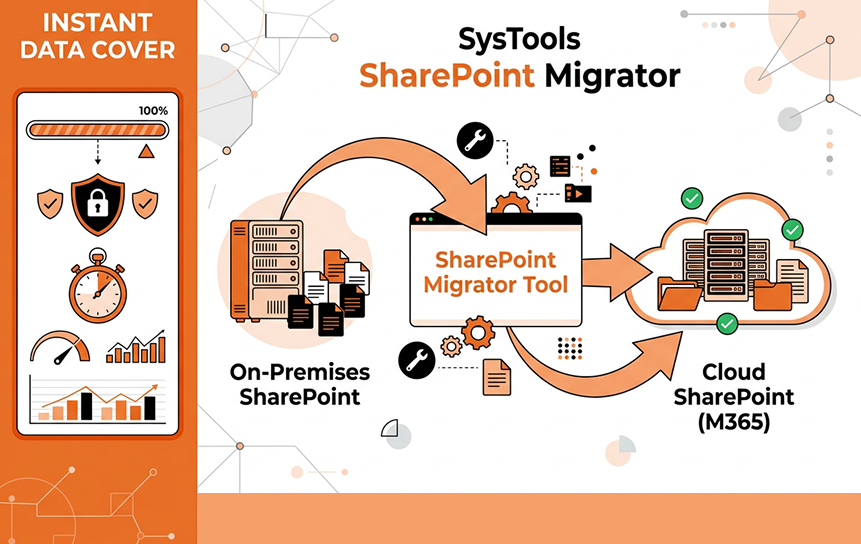
9. SysTools SharePoint Migrator
Overview
SysTools SharePoint Migrator is a simple migration solution designed for organizations that need to move SharePoint content between environments. It focuses on common migration needs such as document transfer, metadata preservation, and folder structure maintenance.
Compared with enterprise migration platforms, SysTools is better suited for smaller organizations and teams that need practical migration features without the complexity of large-scale solutions.
Best For:
SysTools SharePoint Migrator is best suited for:
- Small and medium businesses
- Department-level migrations
- Organizations needing simple SharePoint transfers
Key Features:
The platform supports:
- SharePoint content migration
- Document transfer
- Metadata migration
- Folder structure preservation
- Migration reporting
Its straightforward workflow makes it easier for administrators with limited migration experience.
Pros:
Key advantages include:
- Simple and user-friendly workflow
- Suitable for smaller migration projects
- Useful document migration features
Cons:
Potential drawbacks include:
- Limited enterprise-level features
- Fewer advanced automation options
- Not designed for very large migrations
Pricing:
SysTools SharePoint Migrator pricing depends on licensing requirements, migration scope, and data volume.
Supported Sources:
Common sources include:
- SharePoint environments
- SharePoint sites and document libraries
Supported Destinations:
Common destinations include:
- SharePoint Online
- SharePoint Server environments
Best Use Case:
SysTools SharePoint Migrator is a practical choice for small and medium-sized organizations that need basic SharePoint content migration without advanced enterprise requirements.
Rating:
Overall Rating: 7.5/10
SysTools provides a simple and affordable migration approach for smaller projects, but organizations with complex enterprise migrations may require more advanced platforms.
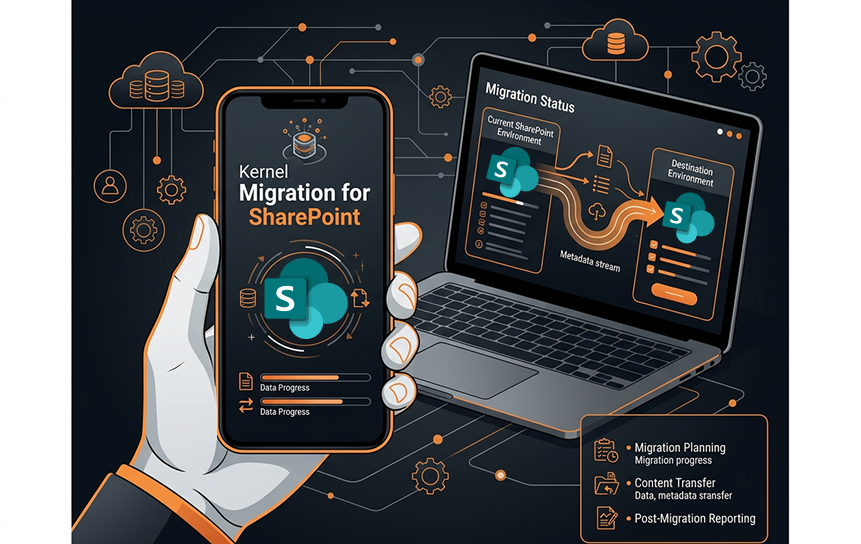
10. Kernel Migration for SharePoint
Overview
Kernel Migration for SharePoint is a dedicated migration utility designed to help organizations move SharePoint content between different environments. It focuses on simplifying migration tasks while preserving important content structures.
Unlike broader Microsoft 365 migration platforms, Kernel is designed for specific SharePoint migration needs, making it suitable for organizations that require a focused solution for moving documents, lists, and other SharePoint data.
Best For:
Kernel Migration for SharePoint is best suited for:
- Small and medium migration projects
- Organizations needing a focused SharePoint migration
- Teams requiring a dedicated migration utility
Key Features:
The platform supports:
- SharePoint content transfer
- Document migration
- List migration
- Structure preservation
- Migration assistance
Its straightforward approach helps organizations complete basic SharePoint migrations with minimal complexity.
Pros:
Key advantages include:
- Dedicated SharePoint migration functionality
- Simple and easy-to-use workflow
- Suitable for smaller projects
Cons:
Potential drawbacks include:
- Limited compared with enterprise migration platforms
- Fewer advanced automation features
- Not ideal for very large environments
Pricing:
Kernel Migration for SharePoint pricing varies based on licensing options, migration requirements, and project scope.
Supported Sources:
Common sources include:
- SharePoint Server environments
- SharePoint sites and content repositories
Supported Destinations:
Common destinations include:
- SharePoint Online
- SharePoint Server environments
Best Use Case:
Kernel Migration for SharePoint is a good choice for organizations looking for a focused tool to handle smaller SharePoint migration projects without requiring a full enterprise migration platform.
Rating:
Overall Rating: 7/10
Kernel offers a practical solution for targeted SharePoint migrations, but organizations with large-scale or complex Microsoft 365 projects may need more advanced tools.
SharePoint Migration Tools Feature Comparison
Choosing between migration platforms becomes easier when comparing the capabilities that matter most during real projects. While every tool has different strengths, organizations usually focus on metadata preservation, permissions, automation, reporting, and support for complex migration scenarios.
| Feature | ShareGate | AvePoint Fly | Microsoft SPMT | Quest | BitTitan |
| Metadata Preservation | Excellent | Excellent | Good | Excellent | Good |
| Permission Migration | Excellent | Excellent | Basic | Excellent | Good |
| Version History | Yes | Yes | Limited | Yes | Yes |
| Scheduling | Yes | Yes | Yes | Yes | Yes |
| Automation | Strong | Advanced | Basic | Advanced | Strong |
| Incremental Migration | Yes | Yes | Yes | Yes | Yes |
| Tenant Migration | Limited | Strong | Limited | Excellent | Strong |
| Reporting | Excellent | Excellent | Good | Excellent | Good |
| PowerShell Support | Yes | Yes | Yes | Yes | Limited |
| Free Version | Trial | No | Yes | Trial | No |
This comparison shows an important difference between native Microsoft tools and specialized third-party platforms. Microsoft’s free tools are useful for straightforward migrations, but advanced migration projects often require additional automation, reporting, and control.
Pricing Comparison of SharePoint Migration Tools
Migration costs vary significantly because vendors usually calculate pricing based on data volume, number of users, migration type, and required features. The overall SharePoint migration cost depends on factors such as the size of the environment, complexity of the migration, and the level of automation required. A simple document migration may require a small investment, while a global tenant consolidation project can involve significant planning and licensing costs.
| Tool | Starting Price Approach | Free Version | Enterprise Pricing |
| ShareGate | Subscription-based | Trial available | Custom plans |
| Microsoft SPMT | Free | Yes | Included with the Microsoft ecosystem |
| AvePoint Fly | Custom pricing | No | Enterprise licensing |
| Quest | Custom pricing | Trial options | Enterprise plans |
| BitTitan MigrationWiz | License-based | Limited options | Volume pricing |
Organizations should avoid choosing a tool based only on license cost. Migration failures, extended downtime, and manual cleanup often cost far more than investing in the right platform initially.
Which SharePoint Migration Tool Is Best? Choosing the Right Option for Your Needs
There is no single migration tool that is perfect for every organization. The best choice depends on factors such as data volume, migration goals, technical complexity, compliance requirements, and available resources.
A company moving a few thousand documents into SharePoint Online does not have the same needs as a global enterprise combining multiple Microsoft 365 tenants after an acquisition. The first organization may succeed with a free Microsoft solution, while the second may require advanced automation, reporting, and enterprise-level controls.
The right approach is to match the tool’s capabilities with the migration challenge. A powerful platform with features you never use may create unnecessary costs, while a basic tool may create problems when your migration becomes more complex.
Below are the most common scenarios organizations face and the tools that generally fit those situations best.
Best SharePoint Migration Tool for Enterprise Organizations
Large enterprises usually have the most complicated migration requirements. They often manage thousands of users, millions of documents, multiple locations, strict security policies, and complex permission structures.
For these organizations, migration is not simply a technical transfer. It is a business-critical project where accuracy, reporting, automation, and risk management are extremely important. A well-defined SharePoint migration strategy helps organizations plan the process, reduce risks, and ensure a smooth transition to Microsoft 365.
Enterprise environments typically need capabilities such as:
- Large-scale migration automation
- Detailed reporting
- Permission mapping
- Incremental migration
- Compliance support
- Centralized administration
Tools such as AvePoint Fly, Quest On Demand Migration, and ShareGate are commonly considered strong choices for enterprise scenarios because they provide better control over complex environments.
AvePoint Fly is especially suitable for organizations handling large Microsoft 365 transformation projects. Its automation capabilities help reduce manual work when thousands of migration tasks must be completed.
Quest On-Demand Migration is another strong enterprise option, particularly for organizations managing tenant consolidation after mergers or acquisitions. Its focus on identity mapping and large-scale migration management makes it valuable for complex projects.
ShareGate is often preferred by enterprises that want strong SharePoint-specific capabilities combined with a simpler administration experience.
The best enterprise solution depends on the organization’s migration strategy, but advanced automation and reporting should always be considered essential requirements.
Best Free SharePoint Migration Tool
For organizations with straightforward migration requirements, Microsoft’s SharePoint Migration Tool (SPMT) remains one of the most practical choices.
Because it is provided by Microsoft, SPMT offers direct compatibility with SharePoint Online and OneDrive. Businesses can migrate content without purchasing additional migration software licenses.
This makes it attractive for:
- Small businesses
- Simple file migrations
- Organizations already using Microsoft 365
- Limited migration projects
However, organizations should understand that free tools often require more internal effort. A company may save on licensing costs but spend additional time planning, testing, troubleshooting, and validating migration results.
For example, a small business moving documents from a file server may find SPMT completely adequate. A company migrating years of SharePoint Server content with complicated permissions may quickly discover the need for more advanced capabilities.
Best SharePoint Migration Tool for Microsoft 365
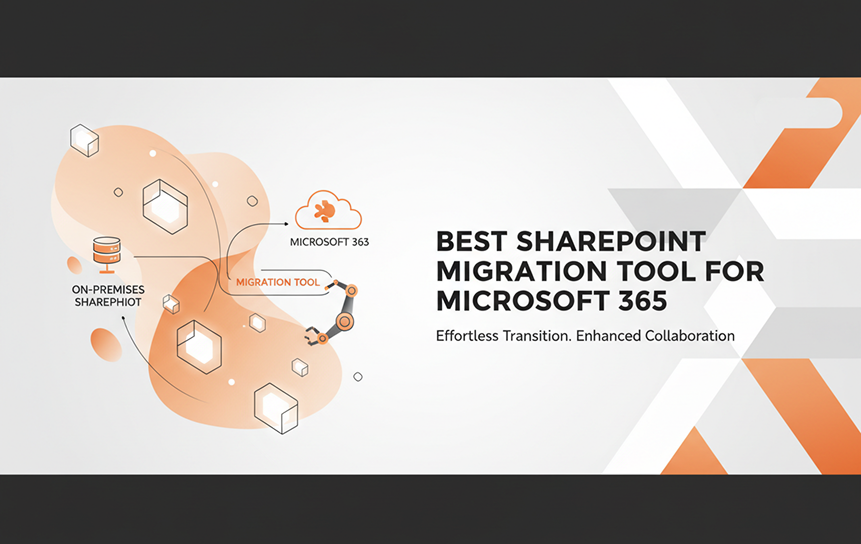
Organizations moving deeper into Microsoft’s cloud ecosystem often need more than document migration. They may also be managing Teams, OneDrive, Microsoft Entra ID, and other Microsoft 365 services.
For broader Microsoft 365 transformation projects, platforms such as AvePoint Fly, BitTitan MigrationWiz, and Quest solutions are often considered because they support larger cloud migration strategies.
The ideal tool depends on whether the project involves only SharePoint or multiple Microsoft workloads.
A SharePoint-only migration may require a specialized platform, while a full Microsoft 365 migration may benefit from a solution designed to manage several workloads together.
Best Tool for SharePoint Tenant-to-Tenant Migration
A tenant-to-tenant migration is one of the most challenging migration scenarios because organizations are not simply moving data. They are moving between two separate Microsoft 365 environments with different identities, permissions, and configurations.
Common reasons for tenant migration include:
- Company mergers
- Acquisitions
- Business separation
- Organizational restructuring
These projects often require user mapping, permission transformation, and careful planning to avoid disruption.
Quest On Demand Migration and AvePoint Fly are frequently considered strong options for tenant-to-tenant projects because they focus heavily on enterprise Microsoft 365 transitions.
Cloudiway is also a notable option for organizations that need flexible cross-tenant migration capabilities.
Best SharePoint Migration Tool for Small Businesses
Small businesses usually have simpler environments and fewer migration challenges. They often need a tool that is easy to understand, affordable, and does not require a dedicated migration team.
Microsoft SPMT can be a good choice for simple projects, especially when moving files into SharePoint Online or when organizations need to migrate SharePoint to Microsoft 365 without complex requirements.
ShareGate is another strong option because it provides a more user-friendly experience with better reporting and assessment features.
For many small organizations, the biggest challenge is not the technical migration itself. It is understanding what should actually be moved.
A successful migration often begins with cleaning old documents, removing duplicate files, and reviewing permissions before choosing any software.
Best Tool for Compliance-Focused Organizations
Industries such as healthcare, finance, government, and legal services often have strict requirements around information security and data governance. For these organizations, migration accuracy matters just as much as speed.
Important requirements include:
- Maintaining audit information
- Preserving document history
- Protecting sensitive information
- Tracking migration activities
- Maintaining access controls
Enterprise platforms such as AvePoint and Quest often perform well in these situations because they provide stronger governance features and detailed reporting.
However, compliance success depends on more than software. Proper planning, documentation, testing, and validation remain essential.
How to Choose the Right SharePoint Migration Tool
Selecting migration software should begin with understanding the migration project itself. Many organizations make the mistake of choosing a tool first and analyzing their environment later.
A better approach is to answer several important questions before making a decision.
How Much Data Are You Migrating?
The size of your environment directly affects your tool requirements. A migration involving a few gigabytes of documents is very different from a project involving terabytes of business information.
Large migrations require stronger automation, better scheduling, and detailed monitoring because manual management becomes impossible at scale.
Which SharePoint Version Are You Moving From?
Your source environment plays a major role in tool selection.
Organizations may be migrating from:
- SharePoint Server 2013
- SharePoint Server 2016
- SharePoint Server 2019
- SharePoint Online
- File servers
Older SharePoint versions may contain customizations and structures that require specialized migration planning.
Are You Moving Between Microsoft 365 Tenants?
Tenant-to-tenant projects require more advanced features than standard migrations.
You may need:
- Identity mapping
- Permission conversion
- User synchronization
- Cross-tenant planning
Not every migration tool supports these requirements equally.
Do You Need Automation?
Manual migration may work for small projects, but automation becomes critical as complexity increases.
Automated SharePoint migration tools can reduce administrative workload by handling repetitive tasks such as:
- Scheduling migrations
- Running incremental transfers
- Generating reports
- Mapping users automatically
Are Compliance and Reporting Important?
Organizations operating under regulations should prioritize tools that provide detailed migration logs and validation reports.
A successful migration is not only about moving data. It is also about proving that data was moved correctly.
What Is Your Budget?
SharePoint migration pricing varies widely. A free tool may appear attractive, but organizations should calculate the total project cost, including:
- Administrator time
- Testing effort
- Troubleshooting
- Downtime risk
- Post-migration cleanup
Sometimes investing in better software reduces the overall cost by making the project faster and more reliable.
Common SharePoint Migration Challenges
Even with excellent migration software, SharePoint migrations can encounter problems. Understanding these challenges early allows organizations to prepare better strategies.
Permission Mapping Issues
Permissions are among the most difficult parts of migration because they are rarely simple.
Over time, organizations create complex permission structures that include departments, teams, external users, and custom access rules.
During migration, permissions must be reviewed and mapped carefully.
Poor permission planning can create two major problems:
- Users lose access to the information they need
- Sensitive information becomes visible to unauthorized users
A successful migration usually includes a permission audit before moving any data.
Metadata Loss
Metadata gives documents meaning. A contract without its customer information, approval status, or classification may still exist, but its usefulness decreases significantly.
Migration planning should identify which metadata fields are important and confirm that the chosen tool can preserve them.
Broken Links and References
Documents often contain links pointing to other files, sites, or locations. When content moves, these connections can break.
This is especially common in large SharePoint environments where years of collaboration have created thousands of relationships between documents.
Testing and validation help identify these issues before users encounter them.
Workflow Migration Problems
Many organizations depend on automated workflows for approvals, notifications, and business processes.
Older SharePoint environments may contain workflows built with previous technologies that do not transfer perfectly into modern Microsoft 365 environments.
Before migration, organizations should review existing workflows and decide whether they should be migrated, redesigned, or replaced.
Large File Migration
Large files can slow migration projects. Video files, technical documents, design files, and database exports may require special planning because they consume significant storage and transfer capacity.
Migration tools with throttling controls and scheduling features can help manage large transfers more effectively.
Version History Challenges
Version history is valuable, but it can significantly increase migration volume. A single document may have dozens or hundreds of historical versions.
Organizations should decide whether every version must be migrated or whether older versions can be archived separately.
Downtime Management
Downtime is one of the biggest concerns for business users.
The best migration strategies reduce disruption through:
- Testing before production migration
- Moving content in phases
- Using incremental synchronization
- Communicating changes clearly
Good migration planning is often more important than the tool itself.
SharePoint Migration Tool Decision Summary
| Need | Recommended Options |
| Best overall balance | ShareGate |
| Best free option | Microsoft SPMT |
| Best enterprise migration | AvePoint Fly / Quest |
| Best tenant-to-tenant migration | Quest / Cloudiway |
| Best for simple Microsoft 365 migration | SPMT |
| Best for complex SharePoint environments | ShareGate / Quest |
Best Practices Before Starting a SharePoint Migration
A successful SharePoint migration begins long before any files are moved. Many migration problems happen because organizations focus too much on the migration tool and not enough on preparation. Even the most advanced SharePoint migration tools cannot completely fix poor planning, outdated content, or unclear business requirements.
The preparation stage determines whether the migration will be smooth or filled with unexpected problems. Before moving data, organizations should understand what they currently have, what they actually need, and what should be improved in the new environment.
A migration is an opportunity to improve the way information is organized. Simply transferring every file, site, and permission setting from an old environment into a new one can recreate existing problems instead of solving them.
Audit Your Current SharePoint Environment
The first step in any migration project should be a complete assessment of the existing environment.
Many organizations discover that their SharePoint environment contains years of unused content, duplicate documents, outdated sites, and unnecessary permissions. Moving all of this information increases migration time, storage requirements, and management complexity.
A proper audit should identify:
- Which sites are actively used
- Which documents are outdated
- Where sensitive information exists
- Which permissions need review
- Which workflows are still required
This process helps organizations decide what should move, what should be archived, and what should be removed.
A clean migration creates a cleaner Microsoft 365 environment.
Remove Unnecessary Content Before Migration
One of the most common migration mistakes is moving everything without reviewing whether everything is still valuable.
Many SharePoint environments contain documents that have not been opened for years. Some files may exist only because nobody wanted to delete them. Others may be duplicates created by different teams.
Removing unnecessary content before migration provides several benefits of SharePoint migration, including:
- Faster migration speed
- Lower storage costs
- Easier content management
- Better search results
A migration project is an ideal opportunity to improve information governance.
Clean Up Permissions
Permissions often become complicated over time.
A site created for one project may still contain access rules from employees who left the organization years ago. Department changes, role changes, and company growth can create permission structures that are difficult to understand.
Before migration, organizations should review:
- Site owners
- External sharing settings
- Security groups
- Individual permissions
- Sensitive content access
Cleaning permissions before migration reduces security risks and creates a stronger foundation in SharePoint Online.
Back Up Important Data
Although migration tools are designed to transfer information safely, organizations should always maintain proper backups before beginning a major migration.
A backup strategy protects if unexpected issues occur, such as:
- Migration errors
- Incorrect permissions
- Accidental deletions
- Configuration problems
Backups are especially important for regulated organizations where data loss can create legal or compliance issues.
Test Migration Before Full Deployment
A test migration is one of the most valuable steps in the entire process.
Instead of migrating everything immediately, organizations should select a smaller group of sites or departments for testing.
A successful pilot migration helps identify:
- Missing permissions
- Metadata issues
- Broken links
- Workflow problems
- User experience concerns
Testing allows teams to solve problems before they affect the entire organization.
Communicate With Users
Technology alone does not determine migration success. Employees also need to understand what is changing.
Users should know:
- When will migration happen
- How access will change
- Where documents will be located
- What new features are available
Poor communication can make a successful technical migration feel unsuccessful because employees are confused about how to use the new environment.
Validate After Migration
Migration does not end when the data transfer finishes.
Organizations should verify that:
- Files open correctly
- Permissions work properly
- Metadata transferred successfully
- Links function correctly
- Users can access the required content
Post-migration validation ensures the new environment works as expected.
Native Microsoft Tool vs Third-Party SharePoint Migration Tools
One of the most common decisions organizations face is whether to use Microsoft’s built-in migration tools or invest in third-party software.
Microsoft tools are attractive because they are familiar, affordable, and directly connected to the Microsoft ecosystem. However, third-party platforms often provide additional automation and control for complex projects.
The right choice depends on migration requirements.
| Feature | Microsoft Native Tools | Third-Party Migration Tools |
| Cost | Usually lower or included | Usually paid licensing |
| Basic migrations | Excellent | Excellent |
| Complex enterprise migrations | Limited | Strong |
| Advanced reporting | Basic to moderate | Advanced |
| Permission mapping | Limited in some scenarios | Strong |
| Tenant-to-tenant migration | Limited | Strong |
| Automation | Basic | Advanced |
| Custom migration rules | Limited | Extensive |
| Support options | Microsoft support channels | Dedicated vendor support |
For simple projects, Microsoft’s native solutions can be enough. Organizations moving files into SharePoint Online or performing basic migrations may not need additional software.
However, complex migrations usually benefit from third-party platforms because they provide better visibility, automation, and control.
The decision should be based on project complexity rather than simply choosing the cheapest option.
Do You Need Professional SharePoint Migration Services?
Not every organization needs outside help. Some companies have experienced Microsoft administrators who can successfully manage smaller migration projects internally.
However, professional SharePoint migration services can provide significant value for larger or more complicated migrations.
Organizations often consider professional assistance when they have:
- Large amounts of business-critical data
- Multiple SharePoint environments
- Strict compliance requirements
- Limited internal resources
- Complex permissions
- Minimal downtime requirements
Experienced migration specialists can help with assessment, planning, testing, execution, and validation.
A professional migration team can also identify risks that internal teams may overlook. For example, a company may focus on moving documents but fail to consider outdated workflows, security issues, or poor information architecture.
Large migrations are rarely only technical projects. They require planning, communication, and change management.
Conclusion
The right migration platform protects valuable business information, maintains security settings, preserves important metadata, and reduces disruption during one of the most important technology projects an organization can undertake.
For organizations looking for the best overall balance of usability and capability, ShareGate remains a strong choice. Businesses with simple migration needs can benefit from Microsoft’s free SharePoint Migration Tool. Large enterprises managing complex transformations may require advanced solutions such as AvePoint Fly or Quest.
Before selecting any platform, organizations should carefully evaluate:
- Migration complexity
- Data volume
- Compliance requirements
- Permission structures
- Automation needs
- Long-term Microsoft 365 strategy
The cheapest option is not always the most cost-effective, and the most powerful tool is not always the best fit. The right solution is the one that matches your organization’s goals and reduces migration risk.
A well-planned migration creates more than a new storage location. It creates a better digital workplace where employees can collaborate more efficiently, find information faster, and take full advantage of Microsoft 365 capabilities.
If your organization is planning a complex SharePoint migration and wants expert guidance, exploring professional SharePoint migration services can help ensure a secure, efficient, and successful transition.
FAQs
-
What Is the Best SharePoint Migration Tool?
The best tool depends on your migration needs. ShareGate is popular for ease of use and reporting, Microsoft SPMT is a good free option for simple migrations, and platforms like AvePoint Fly and Quest are better suited for complex enterprise projects.
-
Is Microsoft SharePoint Migration Tool Free?
Yes. Microsoft SharePoint Migration Tool (SPMT) is free and works well for basic SharePoint Online and OneDrive migrations. Complex projects may require third-party tools.
-
Which Tools Preserve SharePoint Metadata?
Tools like ShareGate, AvePoint Fly, and Quest can preserve metadata. Results depend on the source, destination, and migration settings, so testing is recommended.
-
Can SharePoint Server Be Migrated to SharePoint Online?
Yes. This is a common migration scenario, but complexity depends on customizations, workflows, permissions, and data size.
-
Which Tool Is Best for Tenant-to-Tenant Migration?
Tools such as Quest On Demand Migration, AvePoint Fly, and Cloudiway are commonly used for tenant-to-tenant projects due to their identity mapping and large-scale migration features.
-
How Much Do SharePoint Migration Tools Cost?
Pricing varies based on data volume, users, features, and project complexity. Free options exist, while enterprise tools often use customized pricing.
-
Can SharePoint Permissions Be Migrated?
Yes. Many migration tools support permission transfer, but permissions should be reviewed before migration to avoid security issues.
-
What Is the Fastest SharePoint Migration Tool?
Speed depends on data size, network performance, and migration setup. Enterprise tools can improve speed through automation and parallel processing, but accuracy is equally important.
-
Can SharePoint Be Migrated Without Downtime?
Yes. Many organizations use staged and incremental migrations to move most data in advance and minimize downtime during the final cutover.
-
Which Migration Tool Is Best for Microsoft 365?
The best tool depends on whether the project involves only SharePoint or multiple Microsoft 365 services.
For simple SharePoint Online migrations, Microsoft tools may be sufficient. For broader Microsoft 365 transformations involving multiple workloads, enterprise platforms such as AvePoint, Quest, or BitTitan may provide stronger capabilities.


